How to Detect and Remove Stalkerware from Your Phone in 2026

Is Someone Spying on Your Phone? How to Spot & Stop Stalkerware in 2026
Your phone battery drains too fast. Random texts pop up with weird codes. You feel like someone’s always one step ahead—because they might be.
Earlier this year, OpenAI faced a lawsuit alleging its tools were used to create stalkerware. That’s how real this problem is. Hidden apps can track your location, read your messages, or even turn on your camera—without you knowing. The good news? You can find and remove them. Here’s how.
1. What Is Stalkerware? (And Why It’s Different from Regular Spyware)
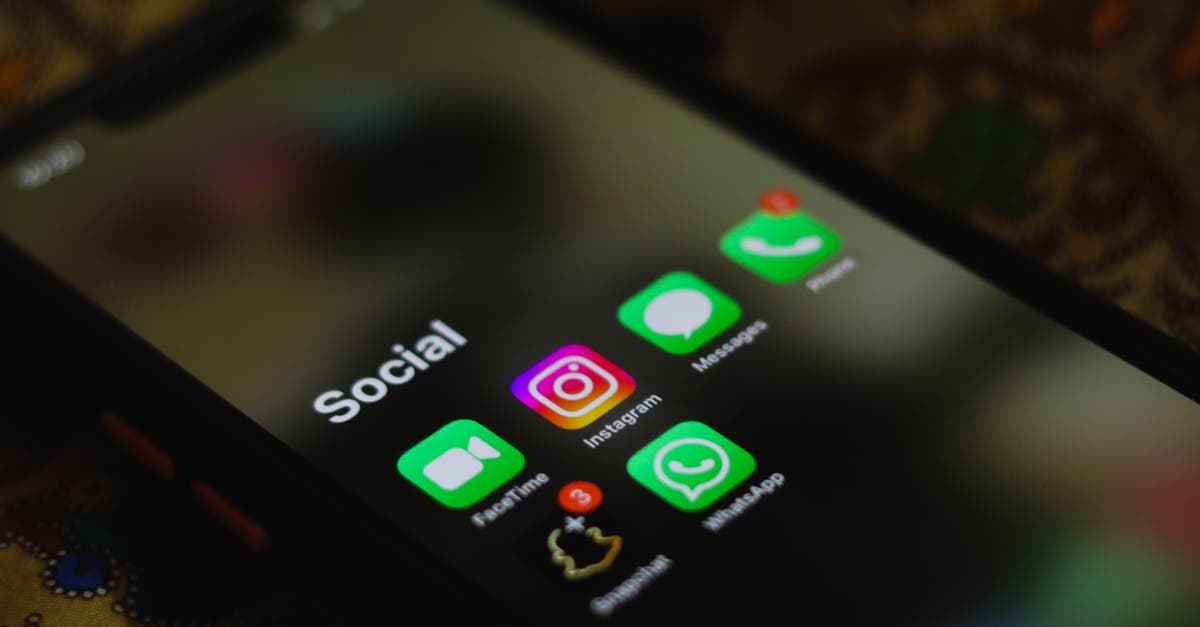 Photo by Sanket Mishra on Pexels
Stalkerware is like a digital stalker. It hides on your phone to spy on you, often installed by someone you know. Unlike malware, which comes from random hackers trying to steal your bank info, stalkerware is personal. It’s usually put there by an ex-partner, family member, or even a boss.
Think of it like a hidden GPS tracker on your car, but for your phone. Except it can also read your texts, see your photos, and listen to your calls. Scary, right?
2. 5 Warning Signs Your Phone Has Stalkerware
 Photo by
 You don’t need to be a tech expert to spot stalkerware. Here are the red flags to watch for:
Your battery drains way too fast
If your phone dies by lunchtime even when you’re not using it, something might be running in the background. Stalkerware apps work 24/7, so they suck up battery life.
Weird texts or notifications
Random strings of numbers or letters (like “123-456-789”) could be commands for the spy app. If you see these, don’t ignore them.
Your phone acts strange
Apps crash for no reason. Your phone gets hot. It takes forever to shut down. These could all be signs of stalkerware running in the background.
Data usage spikes
Check your data usage in Settings > Cellular (iPhone) or Settings > Network & Internet > Data Usage (Android). If it’s way higher than normal, a hidden app might be sending your info somewhere.
Someone knows things they shouldn’t
If your ex texts you about a private conversation you had with a friend, that’s a huge red flag. Stalkerware lets abusers eavesdrop on your life.
3. How to Check for Stalkerware (iPhone vs. Android)
Stalkerware hides differently on iPhones and Androids. Here’s how to find it on both:
For iPhone Users
Check for unknown profiles
Go to Settings > General > VPN & Device Management. If you see anything you don’t recognize, delete it. Stalkerware often hides here.
Look for weird apps
Swipe through your home screen. Stalkerware often disguises itself as a calculator, game, or “system update” app. If you don’t remember downloading it, delete it.
Check battery usage
Go to Settings > Battery. If an app you don’t use is at the top, it might be stalkerware. For example, an app called “System Services” shouldn’t be draining your battery.
For Android Users
Check for "Device Admin" apps
Go to Settings > Security > Device Admin Apps. If an app you don’t recognize has admin access, disable it. Stalkerware needs this access to work.
Look for hidden apps
Go to Settings > Apps. Tap the three dots > Show system apps. Delete anything suspicious. Stalkerware often hides as a “system” app.
Scan with Google Play Protect
Open the Google Play Store > tap your profile > Play Protect > Scan. This checks for known stalkerware apps.
4. How to Remove Stalkerware Safely
 Photo by www.kaboompics.com on Pexels
If you find stalkerware, don’t panic. But don’t confront the person who installed it, either. Abusers can escalate when they know you’re onto them. Here’s how to remove it safely:
Step 1: Backup important stuff
Save photos, contacts, and messages to iCloud or Google Drive before removing anything. You don’t want to lose everything.
Step 2: Factory reset (last resort)
If you’re sure stalkerware is on your phone, a reset wipes everything—including the spy app. Here’s how:
- iPhone: Settings > General > Transfer or Reset iPhone > Erase All Content.
- Android: Settings > System > Reset Options > Erase All Data.
Step 3: Change all passwords
After resetting, update passwords for email, social media, and banking apps. Use a password generator to create strong ones.
Step 4: Tell someone you trust
If you’re in danger, reach out to a friend, family member, or a domestic violence hotline like the National Domestic Violence Hotline. You don’t have to handle this alone.
5. How to Keep Stalkerware Off Your Phone for Good
Once you’ve removed stalkerware, you’ll want to keep it off for good. Here’s how:
Lock your phone with a strong passcode
No “1234” or “password”! Use a 6-digit code or biometrics (Face ID/Touch ID). The harder it is to guess, the harder it is to install stalkerware.
Don’t let anyone "borrow" your phone
Even for a minute. Stalkerware can be installed in seconds. If someone asks to use your phone, say no.
Avoid sideloading apps
Only download apps from the App Store or Google Play. Third-party app stores are riskier. If an app asks for too many permissions (like access to your contacts or location), don’t install it.
Update your phone regularly
Updates fix security holes that stalkerware exploits. Turn on automatic updates in Settings > General > Software Update (iPhone) or Settings > System > System Update (Android).
Use a security app
Apps like Malwarebytes (Android) or Lookout (iPhone/Android) can scan for spyware. They’re not foolproof, but they add an extra layer of protection.
6. What to Do If You’re Being Stalked or Abused
If you’re being stalked, you’re not alone. Here’s what to do next:
Document everything
Take screenshots of weird texts, battery drain, or anything suspicious. This can help if you decide to take legal action.
Get a new phone (if possible)
If you think your abuser has physical access to your phone, a new one is the safest option. Some organizations, like the Coalition Against Stalkerware, offer free or discounted phones to victims.
Reach out for help
You don’t have to handle this alone. Organizations like the National Network to End Domestic Violence offer free resources and support.
Legal options
In many places, stalkerware is illegal. Consider reporting it to the police or consulting a lawyer. Some countries have laws specifically against digital stalking.
Key Takeaways (TL;DR)
✅ Stalkerware is hidden spy software—often installed by someone you know to track your location, messages, and more. ✅ Watch for red flags: fast battery drain, weird texts, or someone knowing private details they shouldn’t. ✅ Check your phone: Look for unknown apps, profiles, or admin access (steps for iPhone/Android above). ✅ Remove it safely: Backup your data, factory reset, change passwords, and tell someone you trust. ✅ Prevent reinstallation: Lock your phone, avoid sideloading apps, and use security software.
How GhostShield VPN Can Help
If you’re worried about digital stalking, a VPN can add an extra layer of security. GhostShield VPN encrypts your internet traffic, making it harder for stalkers to track your online activity. It’s not a silver bullet, but it’s a simple way to protect your privacy. Try GhostShield today and browse with peace of mind.
Recommended Links
- Complete Guide to Online Privacy: Learn how to protect your digital life from prying eyes.
- How to Know If Your Phone Is Hacked: More tips for keeping your phone secure.
- Password Generator: Create strong, unique passwords to keep stalkers out.
Related Topics
Keep Reading

5 Simple Steps to Secure Your eSIM from Hackers in 2026

How to Turn Off Chrome’s AI Features in 2026 (Stop Google Spying)

Water Plant Hacks: Is Your Tap Water Safe? Simple Steps to Stay Secure

How to Spot & Avoid Job Scams in 2026: A Step-by-Step Guide
Is Alexa Listening? How to Stop Voice Assistants from Spying in 2026