Hotel WiFi Safety: How to Work Remotely Without Getting Hacked

Is Hotel WiFi Safe? How to Work Remotely Without Getting Hacked (2026 Guide)
You wouldn’t leave your front door unlocked while you sleep—so why do the same with your laptop on hotel WiFi?
If you’ve ever checked your bank balance from a hotel lobby or sent a work email from an airport lounge, you’ve taken a risk. Public WiFi networks—especially in hotels—are a hacker’s favorite hunting ground. And in 2026, with remote work and digital nomadism more popular than ever, the stakes are higher than you think.
This isn’t just paranoia. Earlier this year, a major European hotel chain suffered a data breach that exposed guests’ personal and financial information. And last year, the FBI director’s personal email was hacked after someone fell for a fake WiFi network at a conference. These aren’t isolated incidents—they’re signs of a growing problem.
The good news? You don’t need to be a tech expert to stay safe. In this guide, we’ll break down the risks of hotel WiFi in plain English and give you simple, actionable steps to protect yourself—whether you’re working from a hotel room, a café, or an airport.
Why Hotel WiFi Is Riskier Than You Think (The Hidden Dangers)
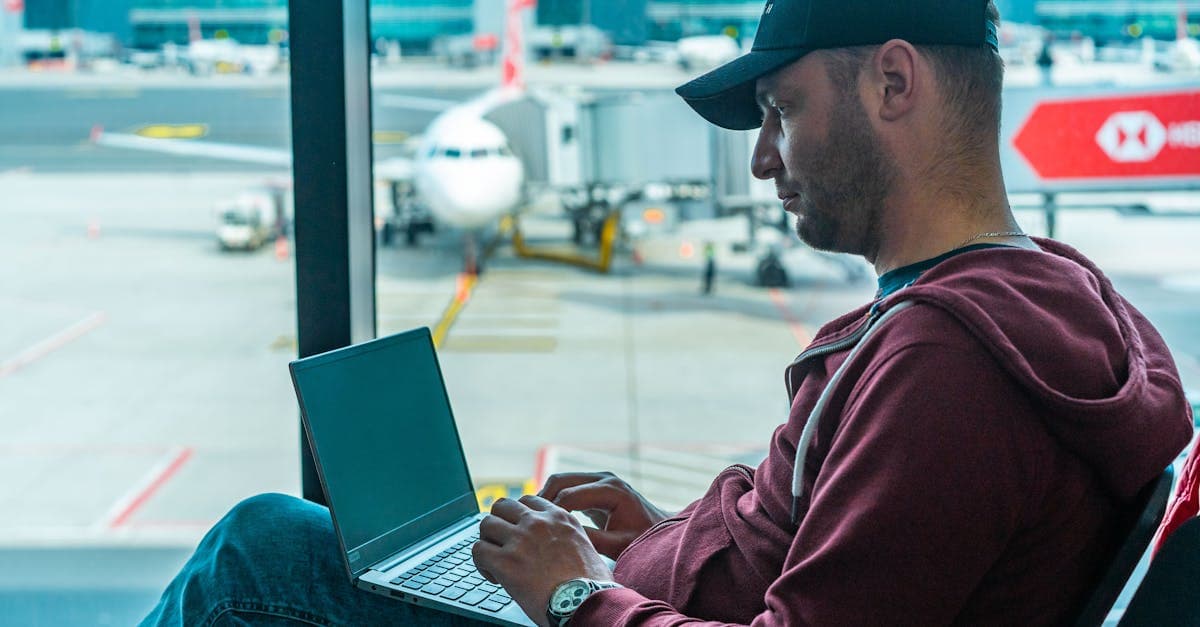 Photo by Atlantic Ambience on Pexels
Hotel WiFi might feel convenient, but it’s like a public bulletin board for your personal data. When you connect, everything you send—emails, passwords, files—can be intercepted by hackers lurking on the same network.
Think of it this way: If you shouted your credit card number in a crowded airport, you’d expect someone to overhear it. Hotel WiFi is the digital version of that. Except instead of just one person hearing you, anyone with the right tools can eavesdrop on your entire online session.
Fake WiFi Networks: The Digital Trap
Hackers love setting up fake WiFi networks with names like “Free_Hotel_WiFi” or “Guest_Internet” to trick you into connecting. Once you’re on, they can steal your passwords, banking details, or even install malware on your device.
For example, a traveler in Barcelona recently connected to a network called “Hotel_Guest_WiFi” (no password required) and had their bank account drained overnight. The network looked legitimate, but it was a setup.
Outdated Security: The Silent Threat
Many hotels still use weak or outdated security protocols, making it easy for hackers to spy on your activity. In fact, recent reports suggest that over 60% of hotels still rely on security measures that are years behind industry standards.
Even if the WiFi seems secure (like when it asks for a password), that doesn’t mean it’s safe. A password only keeps random people off the network—it doesn’t stop hackers who are already on it from snooping on your data.
For more on how public WiFi works (and why it’s risky), check out our Public WiFi Safety Guide.
How Hackers Actually Steal Your Data on Public WiFi (And How to Stop Them)
 Photo by Ketut Subiyanto on Pexels
Hackers don’t need to be geniuses to steal your data on public WiFi. They just need the right tools—and a little patience. Here’s how they do it, and how you can stop them.
Man-in-the-Middle Attacks: The Invisible Eavesdropper
A man-in-the-middle (MITM) attack is when a hacker inserts themselves between you and the websites you visit. They can see everything you send—passwords, emails, files—and even alter the data before it reaches its destination.
Imagine logging into your email, but a hacker is silently copying your password as you type it. That’s an MITM attack in action.
Packet Sniffing: The Digital Wiretap
Packet sniffing is like a thief eavesdropping on your phone call and writing down everything you say. Hackers use free tools to “sniff” unencrypted data sent over the network, like emails or files.
If you’re not using a VPN, your data is sent in plain text, making it easy for hackers to intercept and read.
Malware Downloads: The Fake Software Trap
Ever seen a pop-up that says, “Your Adobe Flash is outdated! Click here to update”? On public WiFi, these are almost always scams.
Hackers trick you into downloading fake software updates that install viruses or spyware on your device. Once installed, they can steal your data, log your keystrokes, or even take control of your computer.
For more on how to secure your devices while working remotely, read our Remote Work Security Guide.
The One Tool You Need to Stay Safe: How to Use a VPN (For Non-Techies)
If you only do one thing to protect yourself on public WiFi, make it this: use a VPN.
What’s a VPN?
A VPN (Virtual Private Network) is like a secure tunnel for your internet traffic. It encrypts your data, making it unreadable to hackers, even if they’re on the same network.
Think of it like sending your mail in a locked briefcase instead of a postcard. Even if someone intercepts it, they can’t read what’s inside.
How to Set Up a VPN in 3 Steps
- Choose a reputable VPN—Look for well-known providers like NordVPN, ExpressVPN, or ProtonVPN. Avoid free VPNs—they often sell your data to make money.
- Download the app—Install it on your laptop, phone, and tablet. Most VPNs offer apps for all major devices.
- Turn it on before connecting to WiFi—Open the app and hit the “connect” button. That’s it!
Pro Tips for Using a VPN
- Enable the kill switch—This feature cuts off your internet if the VPN disconnects accidentally, preventing your data from leaking.
- Choose a server close to you—The farther the server, the slower your connection. Pick one in your country or a nearby region for the best speeds.
- Test for leaks—Use tools like our DNS Leak Test to make sure your VPN is working properly.
For a deeper dive into how VPNs work, check out our What Is a VPN and How Does It Work? guide.
5 Simple Rules to Work Safely on Hotel WiFi (Even Without a VPN)
 Photo by Connor Scott McManus on Pexels
A VPN is the gold standard for staying safe on public WiFi, but what if you don’t have one? Here are five rules to follow to minimize your risk.
Rule #1: Assume the WiFi Is Unsafe
Treat public WiFi like a public park—don’t do anything private unless you’re on a VPN or using your phone’s hotspot. That means no online banking, no work emails, and no entering passwords.
Rule #2: Use Your Phone as a Hotspot
If you have a data plan, your phone’s hotspot is a safer alternative to hotel WiFi. It’s not foolproof (hackers can still target you if they’re close enough), but it’s much harder to intercept than public WiFi.
Just watch your data usage—streaming or downloading large files can eat up your plan quickly.
Rule #3: Enable Two-Factor Authentication (2FA)
Even if hackers steal your password, 2FA can stop them in their tracks. It adds an extra layer of security by requiring a code from your phone or an authentication app.
- How to set it up: Use apps like Google Authenticator or Authy. Avoid SMS-based 2FA if possible—hackers can intercept text messages.
- Where to enable it: Turn on 2FA for your email, banking, work accounts, and social media.
Rule #4: Stick to “HTTPS” Websites
Look for the 🔒 padlock in your browser’s address bar. This means the website is using HTTPS, which encrypts your data. Never enter passwords or personal information on a site without it.
If you see a warning that a site’s certificate is invalid, close the tab immediately.
Rule #5: Turn Off File Sharing
If you’re on a public network, make sure file sharing is disabled on your device. Otherwise, hackers can access your files or even install malware.
- On Windows: Go to Control Panel > Network and Sharing Center > Advanced sharing settings and turn off file and printer sharing.
- On Mac: Go to System Preferences > Sharing and uncheck all sharing options.
For more tips on staying safe on public WiFi, read our Public WiFi Safety Guide.
Airport WiFi, Cafes, and Other Public Networks: Extra Risks to Watch For
Hotel WiFi isn’t the only risky network out there. Airports, cafes, and other public hotspots come with their own set of dangers.
Airport WiFi: A Hacker’s Playground
Airports are packed with people—and hackers know it. The more users on a network, the more targets they have. Avoid logging into sensitive accounts (even social media) on airport WiFi unless you’re using a VPN.
Coffee Shop WiFi: Often Unsecured
Baristas aren’t IT experts, and many coffee shops use weak or no security on their WiFi networks. Assume the network is wide open, and follow the same rules as hotel WiFi.
Public Computers: A No-Go
Never log into accounts on a hotel lobby computer or airport kiosk. These machines often have keyloggers (software that records your keystrokes) installed, meaning hackers can steal your passwords as you type them.
For example, a traveler in Thailand used a hotel computer to check their email and had their Gmail account hacked within hours. The lesson? If you wouldn’t leave your wallet on the table, don’t leave your data on a public computer.
What to Do If You Think You’ve Been Hacked (Damage Control)
Even if you follow all the rules, mistakes happen. If you suspect your data has been compromised, here’s what to do.
Step 1: Disconnect Immediately
Turn off WiFi and switch to mobile data or a trusted network. This cuts off the hacker’s access to your device.
Step 2: Change Your Passwords
Start with your email, banking, and work accounts. Use a password manager like Bitwarden or 1Password to generate strong, unique passwords for each site.
Step 3: Run a Malware Scan
Use a free tool like Malwarebytes to check for viruses or spyware. If you find anything suspicious, follow the tool’s instructions to remove it.
Step 4: Monitor Your Accounts
Check your bank statements, credit reports, and email for any unusual activity. If you see something suspicious, report it immediately.
Step 5: Report the Incident
If work data was compromised, notify your IT team right away. If personal data was stolen, consider reporting it to your bank or credit bureau.
For a step-by-step guide on what to do after a data breach, read our Data Breach Response Guide.
Key Takeaways (TL;DR)
- Hotel WiFi is not safe—hackers can steal passwords, emails, and files if you’re not careful.
- A VPN is your best friend—it encrypts your traffic and makes public WiFi much safer.
- Never log into sensitive accounts (banking, work email) without a VPN or hotspot.
- Enable 2FA everywhere—it’s the easiest way to stop hackers even if they steal your password.
- When in doubt, use your phone’s hotspot—it’s safer than public WiFi (but watch data usage).
For more tips on staying safe online, check out our Public WiFi Safety Guide and Remote Work Security Guide.
Stay Safe, Wherever You Work
Working remotely gives you the freedom to travel, explore, and work from anywhere—but it also comes with risks. Public WiFi networks, especially in hotels, are a hacker’s playground. But with the right tools and habits, you can protect yourself without sacrificing convenience.
If you’re looking for a simple, reliable way to stay safe on public WiFi, consider using GhostShield VPN. It encrypts your data, hides your location, and keeps hackers out—so you can work, browse, and stream with peace of mind. Plus, it’s easy to set up and works on all your devices. Check out GhostShield’s plans here to get started.
Stay safe out there—and happy travels!
Related Topics
Keep Reading
How to Stay Safe While Working Remotely in 2026: A Simple Security Guide

How to Stay Safe in a Robotaxi: 5 Easy Privacy Steps for 2026

How to Stay Safe on Public WiFi in 2026: A Traveler’s Guide

Public WiFi Safety in 2026: Simple Steps to Work Abroad Without Hackers

Booking.com Hacked? 5 Easy Steps to Secure Your Travel Bookings

How to Work Safely in a Robotaxi: Simple Steps to Avoid Tech Fails & Hackers
Protect Your Privacy Today
GhostShield VPN uses AI-powered threat detection and military-grade WireGuard encryption to keep you safe.
Download Free