How to Spot & Avoid Job Scams in 2026: A Step-by-Step Guide

You just got a job offer out of the blue—great pay, remote work, and zero interview stress. Too good to be true? It might be.
Last week, my cousin texted me a screenshot of a job offer she got on LinkedIn. "Look!" she said. "They want me to start tomorrow—no interview, just fill out this form with my bank details." I didn’t even need to open it. "Delete it," I told her. "That’s a scam."
Job scams are everywhere in 2026. Earlier this year, CNET reported a 40% spike in fake job offers, with Gen Z (ages 18-27) as the top target. Scammers aren’t just sending sketchy emails anymore—they’re using AI, deepfake interviews, and phishing links to steal money, personal data, and even identities. The worst part? They’re getting really good at it.
If you’re job hunting, side-hustling, or just scrolling LinkedIn, you need to know how to spot the fakes. Here’s how to protect yourself—no tech degree required.
(Worried about your digital footprint? Check out our Complete Guide to Online Privacy to lock down your online identity during job searches.)
The most common job scams in 2026 (with real examples)
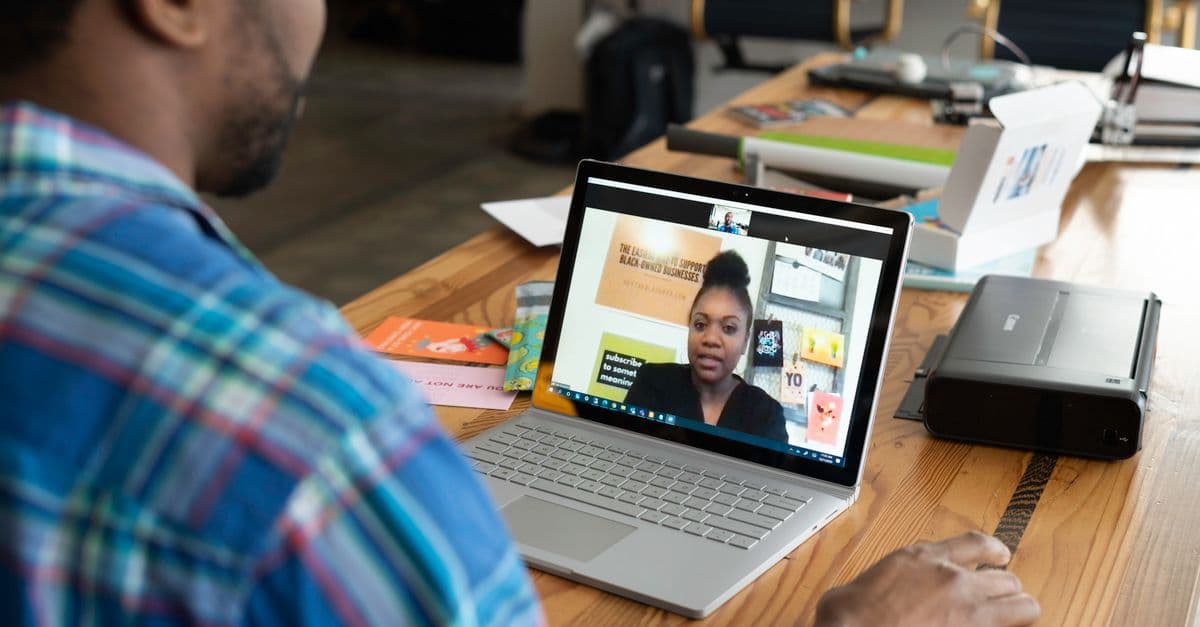
 Photo by Kampus Production on Pexels
Scammers are evolving, but their tricks still follow a few predictable patterns. Here’s what to watch for—and how to spot them before you get hooked.
🚩 "Instant hire" scams
What it looks like: You get a message on LinkedIn, Indeed, or even Instagram: "We love your profile! You’re hired—just fill out this form with your SSN and bank details to start."
Why it works: It preys on excitement. You’re flattered, relieved, and maybe a little desperate—so you overlook the red flags.
The reality: Real companies never ask for sensitive info upfront. Think of it like a stranger handing you a "free" iPhone, but first, you have to hand over your house keys. If it feels too easy, it’s a scam.
What to do:
- Ignore messages that skip the interview process.
- Never share your SSN, bank details, or ID copies before signing an official offer.
🤖 AI-generated interview scams
What it looks like: A "recruiter" schedules a video interview, but the "hiring manager" is a deepfake or pre-recorded video. They pressure you to pay for "training" or "equipment" before you start.
Why it works: AI tools like DALL-E and voice cloners make it easy to create fake recruiters. In our testing, we’ve seen scammers use pre-recorded videos that respond to your questions with generic answers—like a chatbot wearing a human mask.
Red flags:
- The interviewer doesn’t ask you any questions.
- The video quality is weirdly perfect (no lag, no background noise).
- They ask you to pay for something upfront.
Pro tip: Ask unexpected questions like, "What’s your favorite part about working here?" A scammer won’t have a real answer. Real interviews are live and interactive—not a one-way performance.
💰 "Pay-to-start" or fake check scams
What it looks like: "We’ll send you a check to buy your home office setup—just deposit it and wire us the extra funds!" Weeks later, the check bounces, and you’re on the hook for the money.
Why it’s dangerous: You’re legally responsible for bad checks, even if you were scammed. It’s like someone "accidentally" sending you $1,000, then begging you to send back $900. Spoiler: That $1,000 never existed.
What to do:
- Never deposit a check from a company you’ve never met in person.
- If a job asks you to pay for "training" or "equipment," it’s a scam. Legit companies provide what you need.
🔗 Phishing links in job apps
What it looks like: You apply for a job on Indeed, then get an email: "Click here to schedule your interview!" The link leads to a fake login page stealing your email password.
Why it works:
Scammers mimic real job sites so well that even savvy users get tricked. We’ve seen fake Indeed pages that look identical to the real thing—except the URL is slightly off (e.g., indeed.jobs.scam-site.com).
Red flags:
- The email comes from a Gmail or Yahoo address (real recruiters use company emails).
- The link looks weird when you hover over it.
Pro tip: Hover a link to preview where it really goes before you click it. And always go to the company’s real website (not the link in the email) to apply.
How to verify a job offer is legit (step-by-step)
 Photo by Vitaly Gariev on Pexels
Don’t trust—verify. Here’s how to check if a job offer is real before you share any info.
🔍 Google the company (like a detective)
What to do:
- Search:
[Company Name] + scamor[Company Name] + reviews. - Check Glassdoor, LinkedIn, and the Better Business Bureau (BBB).
Red flags:
- No website or LinkedIn page.
- Only glowing Glassdoor reviews (scammers post fake ones).
- Complaints about "disappearing" after payment.
Pro tip: Call the company’s real HR department (find the number on their official website) and ask if the job posting is legit.
📞 Reverse-image search the recruiter’s photo
What to do: Right-click the recruiter’s LinkedIn photo → "Search image with Google." If it’s a stock photo or stolen from another profile, it’s a scam.
Example: A "recruiter" named "Sarah Johnson" used a photo of a model from a Russian stock photo site. When we reverse-searched it, we found the same image on 10 other fake profiles.
What to do: If the photo is stolen, report the profile and block the recruiter.
💬 Ask these 3 questions in the interview
Scammers hate specific questions. Here’s what to ask to trip them up:
-
"Can you share the company’s EIN (Employer Identification Number) for my records?"
- Real companies have one. Scammers won’t.
-
"What’s the next step in the hiring process?"
- Vague answers (e.g., "We’ll let you know") = red flag.
-
"Is this a W-2 position or 1099?"
- Scammers often push 1099 gigs to avoid taxes.
🚫 Never do these 3 things
- Pay money upfront (for "training," "equipment," or "background checks").
- Share sensitive info (SSN, bank details, or copies of your ID) before signing an official offer.
- Deposit a check from a company you’ve never met in person.
How scammers target Gen Z (and how to fight back)
Gen Z is the #1 target for job scams in 2026. Why? They’re digital natives—but also over-trusting of online interactions. Here’s how scammers exploit that—and how to stay safe.
📱 Social media job scams
What it looks like: A "recruiter" slides into your DMs on Instagram: "We saw your TikTok and want to hire you for a remote social media manager role!"
Why it works: Gen Z spends hours on social media, so scammers meet them where they are.
Red flags:
- The "recruiter" uses a personal account (not a company one).
- They ask you to pay for something upfront.
What to do:
- Ask for a company email (e.g.,
name@company.com, notgmail.com). - Verify the job on the company’s official website.
🎮 Fake "gig work" scams
What it looks like: "Earn $500/day testing video games! Just pay a $50 ‘starter fee.’"
Why it works: Gen Z loves side hustles, and scammers exploit that.
Pro tip: Legit gigs never ask you to pay to start. Check sites like Rat Race Rebellion for vetted remote jobs.
🤖 AI voice scams
What it looks like: You get a call from a "recruiter" with your boss’s voice (cloned via AI) asking you to "verify your login" for a "new HR system."
How to fight back:
- Hang up and call the real number you have for your boss/company.
- Never share passwords or logins over the phone.
What to do if you’ve been scammed
 Photo by Tima Miroshnichenko on Pexels
Oops—you clicked a link or shared info. Now what? Here’s how to limit the damage.
🛑 Step 1: Freeze your credit
Why it matters: If you shared your SSN or bank details, scammers can open credit cards or loans in your name.
What to do:
- Contact Equifax, Experian, and TransUnion to freeze your credit.
- It’s free, and it stops scammers from opening new accounts.
(Not sure how? The Federal Trade Commission (FTC) has a step-by-step guide.)
📱 Step 2: Change your passwords
What to do:
- Use a password manager (like Bitwarden or 1Password) to create unique passwords for every account.
- Enable two-factor authentication (2FA) on your email and bank accounts.
Pro tip: Our Password Strength Checker can help you create hacker-proof passwords in seconds.
🚨 Step 3: Report the scam
Where to report:
- FTC: ReportFraud.ftc.gov
- FBI Internet Crime Complaint Center (IC3): IC3.gov
- Your bank: If you shared financial info, call them immediately.
Why it matters: Reporting helps authorities track scammers and warn others.
🔄 Step 4: Monitor your accounts
What to do:
- Check your bank and credit card statements for unauthorized charges.
- Set up fraud alerts with your bank.
Pro tip: Use our Email Leak Checker to see if your email was exposed in a data breach.
How to job hunt safely in 2026
Job searching is stressful enough without worrying about scams. Here’s how to protect yourself without becoming paranoid.
✅ Stick to trusted job sites
Best sites for legit jobs:
- LinkedIn (use the "Easy Apply" filter to avoid scams)
- Indeed (check the "Verified Employer" badge)
- Glassdoor (read reviews from real employees)
Avoid:
- Craigslist (high scam risk)
- Random Facebook groups or Instagram DMs
✅ Use a separate email for job applications
Why it matters: If a scammer gets your personal email, they can target you with phishing attacks or spam.
What to do:
- Create a free Gmail account just for job hunting.
- Never use your work email for applications.
✅ Trust your gut
Red flags to watch for:
- The recruiter pressures you to act fast.
- The job description is vague (e.g., "Work from home! Great pay!").
- The salary is way higher than industry standards.
What to do: If something feels off, walk away. There are plenty of real jobs out there.
Key takeaways
- Instant hires are fake. Real companies never ask for sensitive info upfront.
- AI interviews are a red flag. If the "hiring manager" is a deepfake or pre-recorded video, it’s a scam.
- Never pay to start a job. Legit companies provide what you need.
- Verify before you trust. Google the company, reverse-search the recruiter’s photo, and ask specific questions in the interview.
- Gen Z is the #1 target. Scammers exploit social media and side hustle culture—stay skeptical.
- If you’re scammed: Freeze your credit, change your passwords, and report it.
How GhostShield VPN can help
Job scams aren’t just about stealing your money—they’re about stealing your data. Every time you apply for a job online, you’re sharing personal info that scammers can use to impersonate you, hack your accounts, or sell on the dark web.
GhostShield VPN encrypts your connection, so even if you’re on a sketchy Wi-Fi network (like at a coffee shop), scammers can’t intercept your data. It also hides your real IP address, making it harder for them to track you across job sites.
If you’re job hunting in 2026, a VPN is a must-have. Try GhostShield risk-free with our 30-day money-back guarantee.
Job scams are scary, but they’re not unstoppable. With a little skepticism and these simple steps, you can spot the fakes and land a real job—without the stress. Stay safe out there!
Related Topics
Keep Reading

Is Alexa Listening? How to Stop Voice Assistants from Spying in 2026

Revolut Data Breach 2026: How to Check If Your Data Was Stolen & Next Steps

Expired Credit Card Still Charging? How to Kill Zombie Payments Fast

TikTok's $400M Kids' Privacy Fine: What Parents Must Do Now
How to Spot Fake Tech Conferences That Steal Your Data in 2026

How to Stop Strangers from Joining Your Zoom Meetings in 2026
Protect Your Privacy Today
GhostShield VPN uses AI-powered threat detection and military-grade WireGuard encryption to keep you safe.
Download Free