T-Mobile 2G Shutdown: What It Means and How to Upgrade Safely

What the T-Mobile 2G Shutdown Actually Means for You
Update, October 2026: T-Mobile switched off its 2G network on August 3, 2026. Phones, alarm panels and other gadgets that only use 2G no longer work on T-Mobile's network, so if you still have one, the steps below are now about replacing it, not getting ready for the switch-off.
Imagine your city has a 100-year-old bridge. It was perfectly fine when horse-drawn carriages used it, but now it is trying to handle semi trucks and commuter traffic. The steel is rusting, the concrete is cracking, and every year it gets a little more dangerous to cross. That is essentially what T-Mobile's 2G network has become.
T-Mobile is finally shutting down its 2G network, and honestly, it is about time. The network was built decades ago for a world of flip phones and short text messages. It simply cannot handle what we ask our devices to do today.
So who is getting cut off? More people than you might think. If you have an older flip phone sitting in a drawer, a classic smartwatch, one of those kids' GPS trackers, or even a home security panel, there is a real chance it relies on 2G to communicate. Some medical alert pendants for elderly relatives use 2G too.
When the network goes dark, here is what happens. Calls fail immediately. Texts bounce back as undeliverable. And perhaps most importantly, you lose 911 access.
That last one keeps me up at night. If your kid's GPS tracker suddenly cannot ping the network, or your elderly parent's medical alert cannot reach help, that is not just an inconvenience. That is a safety emergency.
The shutdown has been phased in over time. T-Mobile has been warning customers for a while now, but we all know someone who ignores those alerts. Maybe it is your dad who refuses to give up his old flip phone, or maybe it is you holding onto a backup device "just in case."
Is 2G Still Secure in 2026? (Hint: Not at All)
 Photo by SHVETS production on Pexels
Here is where things get scary. Even before the shutdown, using 2G in 2026 was a terrible idea from a security standpoint.
Think of 2G like sending a postcard through the mail. Every postal worker who handles it along the way can read what you wrote. Your messages, your call logs, your text messages, they are all traveling through the air essentially in plain view. Anyone with the right equipment can intercept them.
Modern networks like 4G and 5G are more like sealed, locked envelopes. They use strong encryption, which is just a fancy way of saying they scramble your data into unreadable gibberish that only the intended recipient can unlock. 2G does not have that level of protection.
Then there is the problem of fake cell towers. Hackers can buy equipment online for a few hundred dollars that pretends to be a real T-Mobile tower. Your 2G phone cannot tell the difference between a real tower and a fake one, so it happily connects to the fake tower. Suddenly, someone is intercepting every call you make and every text you send.
2G's weaknesses are well known, and the equipment to exploit them is not hard to find. This is not science fiction.
Now, I know what you are thinking. "I have nothing to hide. Let them listen to my pizza order." But that is not how this works.
Hackers are not looking for your deep dark secrets. They want your SMS verification codes. You know, those six-digit codes your bank texts you when you log in? Or the code that lets you reset your email password? On a 2G network, those codes are incredibly easy to steal.
Once a hacker has your verification code, they can reset your passwords, lock you out of your own accounts, and empty your bank account before you even realize what happened. If you want to understand more about how these attacks work, our complete phone security guide breaks down exactly how hackers target your phone and what you can do about it.
How to Check if Your Device is Stuck on 2G
 Photo by Edmond Dantès on Pexels
Okay, so how do you know if you or your loved ones are affected? The good news is that checking is incredibly simple.
Look at the Top of Your Screen
Pick up your phone and look at the status bar at the top. What do you see next to your signal bars?
If you see "5G," "4G," or "LTE," you are in good shape. Those are modern networks with proper security.
If you see an "E" (which stands for EDGE) or a "G" (which stands for GPRS), congratulations, you are on 2G. Your phone is essentially communicating via postcard, and you need to upgrade.
Sometimes the indicator changes based on your location. You might see 4G at home but drop to "E" when you visit your parents in a rural area. That is a sign your phone is capable of modern networks but is falling back to 2G when the signal is weak. That is still a problem worth addressing.
Check Your Settings
Let us dig a little deeper into your phone's settings to see what networks it is allowed to use.
For iPhone:
- Open Settings
- Tap Cellular or Mobile Data
- Tap Cellular Data Options or Mobile Data Options
- Tap Voice & Data
- You should see options like 5G, 4G, and 3G. If 2G is the only option available, or if your phone is locked to 2G, it is time for an upgrade.
For Android:
- Open Settings
- Tap Network & Internet (or Connections on Samsung phones)
- Tap Mobile Network or Cellular Networks
- Look for Preferred Network Type
- You should see 5G, 4G, or LTE options. If 2G is the only choice, your phone is too old.
Do Not Forget the Hidden Tech
Phones are not the only devices that use cellular networks. Take a walk through your house and think about what else connects to a cell tower.
Do you have an older Kindle that uses cellular data to download books? Check the model. Some older e-readers only support 3G or 2G, and Amazon has already been warning customers about connectivity issues for a while now.
What about your home security system? Many older panels, especially those installed before 2015, use 2G or 3G cellular backup. If your alarm cannot reach the monitoring center, what is the point of having it?
And please, check on your elderly relatives. Medical alert pendants, fall detectors, and emergency response systems often use older cellular networks because they were designed for reliability, not speed. If Grandma's pendant cannot connect when she falls, that is a life-threatening problem.
How to Upgrade from 2G (Without Spending a Fortune)
Here is the good news. Upgrading from 2G does not mean dropping $1,000 on the newest iPhone or Galaxy.
You Do Not Need a Flagship Phone
There are excellent 4G and 5G phones available for under $200. Brands like Motorola, Nokia, and even Samsung offer budget-friendly options that support modern networks and have decent security features.
For someone who just wants to make calls, send texts, and occasionally check email, a $150 phone is more than enough. You do not need the fanciest camera or the biggest screen. You need a phone that connects to a secure network and can reach 911 in an emergency.
If you are buying for an elderly relative, look for phones with simplified interfaces, then see our guide to protecting older relatives online. Some companies make "senior phones" that are essentially modern flip phones with 4G or 5G connectivity inside. They are easy to use and much safer than that old Nokia still sitting in the kitchen drawer.
Transferring Your Data Safely
Getting a new phone is exciting, but transferring your data can be nerve-wracking. Here is how to do it without losing anything or accidentally downloading malware.
First, back up your old phone. If you are on iPhone, use iCloud or connect to a computer. If you are on Android, use Google's backup feature or a manufacturer tool like Samsung Smart Switch.
When setting up your new phone, use the official transfer tools built into the operating system. Do not download random "data transfer" apps from the app store. Some of those are malware in disguise.
For contacts, make sure they are synced to your Google or iCloud account before you switch phones. That way, they will automatically appear on your new device when you sign in.
Photos and videos can take a while to transfer, especially if you have years of memories. Be patient. It is better to let the transfer take an hour than to lose photos of your kid's first birthday.
For a more detailed walkthrough of safe data transfer and avoiding common setup pitfalls, check out our phone security guide. It covers everything from avoiding malicious apps to locking down your new device properly.
Recycling the Old Device
Once your new phone is up and running, do not just toss the old one in a drawer. And definitely do not throw it in the trash.
Before you donate or recycle your old 2G phone, you need to factory reset it. This wipes all your personal data, including contacts, photos, passwords, and browsing history.
For iPhone: Settings, then General, then Transfer or Reset iPhone, then Erase All Content and Settings.
For Android: Settings, then System, then Reset Options, then Erase All Data (Factory Reset).
After the reset, remove the SIM card and any SD memory cards. The SIM card contains your phone number and account info, so you will want to either destroy it or take it to your carrier for recycling.
Many electronics stores and carriers have recycling programs. Some even offer trade-in credit, though a 2G phone probably will not get you much. The point is to keep the device out of a landfill and make sure your personal data does not end up in someone else's hands.
The Danger of Relying on Public WiFi During the Transition
 Photo by Jakub Zerdzicki on Pexels
Here is a scenario I am worried about. Your 2G phone finally loses service for good. You are waiting for your new phone to arrive in the mail. In the meantime, you head to Starbucks to use their WiFi to check your email and maybe pay a bill.
Public WiFi is like shouting your private conversations in a crowded room (see our public Wi-Fi security statistics). Everyone in that room can hear what you are saying if they are paying attention.
When you connect to an open WiFi network at a coffee shop, airport, or hotel, your data is traveling through the air in a way that is relatively easy to intercept. Sure, most websites use encryption now (that little padlock icon in your browser), but that is not a complete guarantee of safety, especially on older devices.
Why Outdated Phones Make It Worse
Remember how we talked about 2G phones being old? Well, old phones have old software. And old software has known security vulnerabilities that hackers have had years to study and exploit.
If your 2G-era phone connects to a malicious WiFi network, the phone's outdated browser and operating system might not be able to defend against modern attacks. It is like bringing a wooden shield to a laser fight.
Hackers can set up fake WiFi networks that look legitimate. They might name it "Starbucks WiFi" or "Free Airport Internet." Your phone auto-connects, and suddenly they are capturing everything you type, including passwords and credit card numbers.
For a deeper dive into how these attacks work and how to protect yourself, our public WiFi safety guide breaks down the real risks of open networks and exactly what you can do to stay safe.
Quick Safety Tips
If you absolutely must use public WiFi while waiting for your phone upgrade, here are some rules to follow.
Turn off auto-connect in your phone's WiFi settings. You want to choose which networks you join, not let your phone decide for you.
Avoid logging into banking apps, email accounts, or anything that requires a password. Save those tasks for when you are on a trusted network at home.
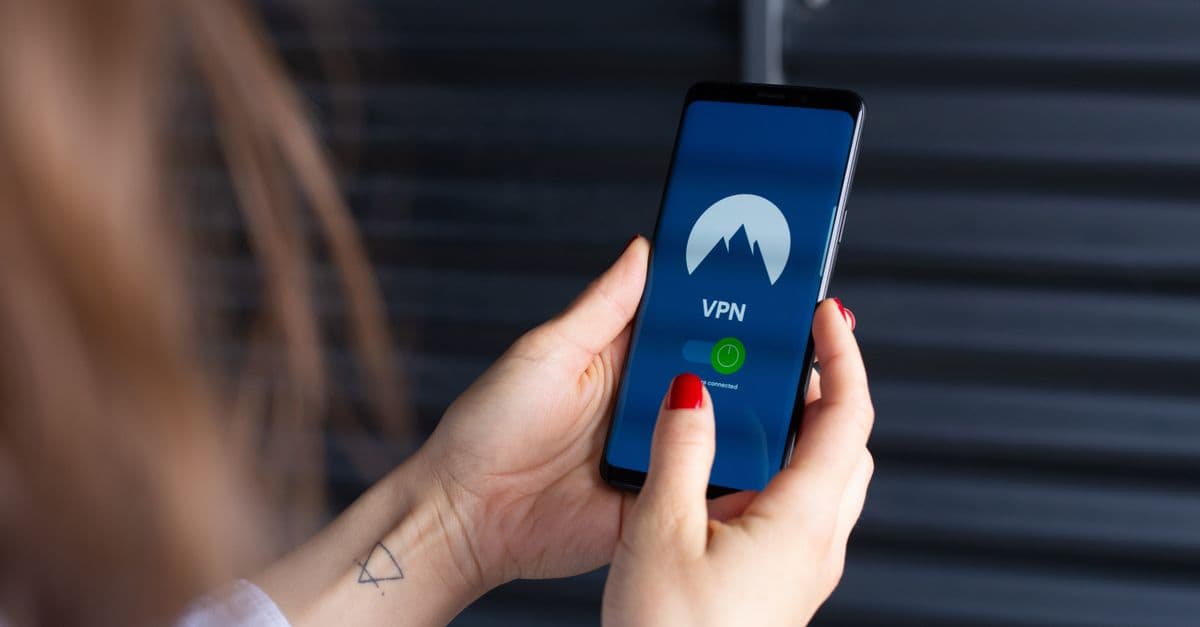
If you need to use public WiFi for anything sensitive, use a VPN. A VPN creates an encrypted tunnel between your phone and the internet, so even if someone is watching the WiFi network, they cannot see what you are doing. It is like having a private conversation in a soundproof room instead of shouting in that crowded coffee shop.
If you are looking for a reliable VPN to bridge the gap while you upgrade your phone, GhostShield VPN is worth considering, with apps for Android and iPhone. It is designed to be simple enough for anyone to set up in minutes, and it keeps your data encrypted on those sketchy coffee shop networks until your new phone arrives.
While you are at it, now is a great time to update your passwords. If your SMS verification codes were being intercepted on 2G (and honestly, they might have been), head over to our password generator and create fresh, strong passwords for your important accounts. Consider switching to an authenticator app instead of text-based codes for two-factor authentication. Authenticator apps generate codes directly on your phone, so they cannot be intercepted over a cellular network.
Key Takeaways
- The 2G network is gone for good. T-Mobile switched off 2G on August 3, 2026, so old flip phones and IoT devices that only use 2G have lost calling, texting, and 911 access. If you or a loved one has a 2G-only device, it needs to be replaced now.
- 2G is fundamentally unsafe. Using 2G in 2026 is a major security risk because the network lacks modern encryption. It is like sending a postcard instead of a sealed letter. Hackers can easily intercept your texts and calls.
- Check your status bar. If you see an "E" or "G" at the top of your screen instead of 4G or 5G, your device is running on 2G and needs to be replaced. Check your elderly relatives' phones too.
- Upgrading is affordable. You do not need a flagship phone. A basic 4G or 5G device for under $200 is much more secure and will keep you connected to modern networks.
- Do not substitute cell service with public WiFi. Relying on public WiFi because your cell service dropped exposes you to a whole new set of hackers. Always use a VPN if you must connect to networks you do not trust.
The T-Mobile 2G shutdown is not just about losing service on an old phone. It is a wake-up call to take your digital security seriously. The good news is that modern networks are dramatically more secure, and upgrading does not have to break the bank. Take five minutes today to check your phones, your kids' devices, and your parents' medical alerts. A little preparation now can prevent a real emergency later.
Related Topics
Keep Reading
Tata Electronics Data Breach: How to Check & Protect Your Data Now
How to Stay Safe Using AI Chatbots in 2026: Privacy Tips You Can Use Today
Telegram Banned in India? How to Keep Chatting Safely in 2026

How to Spot AI Scams in 2026: Simple Steps to Stay Safe

Is Siri Listening to You? How to Protect Your iPhone Privacy in 2026