Is Your Smart TV Listening? How to Stop Amazon AI from Eavesdropping
Is Amazon’s AI Show Listening to You? How to Stay Safe
You’re watching Good Advice Cupcake, Amazon’s new AI-powered animated show, when your friend mentions they’re craving sushi. The next thing you know, your phone is flooded with sushi delivery ads. Coincidence? Maybe. But with smart devices always listening, it’s natural to wonder: Is my TV eavesdropping on me?
Amazon says no—Good Advice Cupcake and Alexa devices aren’t secretly recording your conversations. But here’s the catch: smart TVs and voice assistants can collect voice data if you don’t adjust the settings. The good news? You don’t need to be a tech expert to protect your privacy. Here’s what’s really happening and how to stay safe.
How Amazon’s AI Could Be Listening (And Why It Matters)
Let’s start with the basics. Alexa and smart TVs are always "listening," but not in the way you might fear. They’re waiting for a wake word—like "Alexa" or "Hey Google"—before they start recording. Think of it like a dog that perks up when it hears its name. The problem? Sometimes, they mishear or accidentally save snippets of conversation.
Now, add AI-powered shows like Good Advice Cupcake into the mix. These shows use artificial intelligence to respond to viewers in real time, which means they could analyze voice data to personalize content or ads. For example, if you mention pizza while watching, you might suddenly see pizza ads everywhere. Creepy, right?
Amazon insists they don’t sell your data to advertisers, but they do use it to improve their AI. That means your voice recordings could be used to train their algorithms, even if they’re not directly tied to your identity. According to Amazon’s privacy policy, they retain voice recordings to "improve the accuracy of Alexa’s responses." But accidental recordings—like a private conversation picked up by mistake—can still happen.
How to Stop Amazon from Listening: Easy Privacy Fixes
The idea of your devices listening in might feel unsettling, but you’re not powerless. Here’s how to take control of your privacy in just a few minutes.
1. Turn Off Voice Recording on Alexa Devices
Alexa saves voice recordings by default, but you can disable this feature in the app. Here’s how:
- Open the Alexa app on your phone.
- Tap More (the three lines in the bottom-right corner) → Settings → Alexa Privacy.
- Select Manage Your Alexa Data → Choose How Long to Save Recordings → Don’t Save Recordings.
Why this matters: This won’t break Alexa—it’ll just stop saving your voice commands. You can still use voice features, but your conversations won’t be stored.
2. Mute Your Smart TV’s Microphone
Many smart TVs (like Samsung, LG, and Amazon Fire TV) have built-in microphones for voice commands. If you’re not using them, mute them. Here’s how:
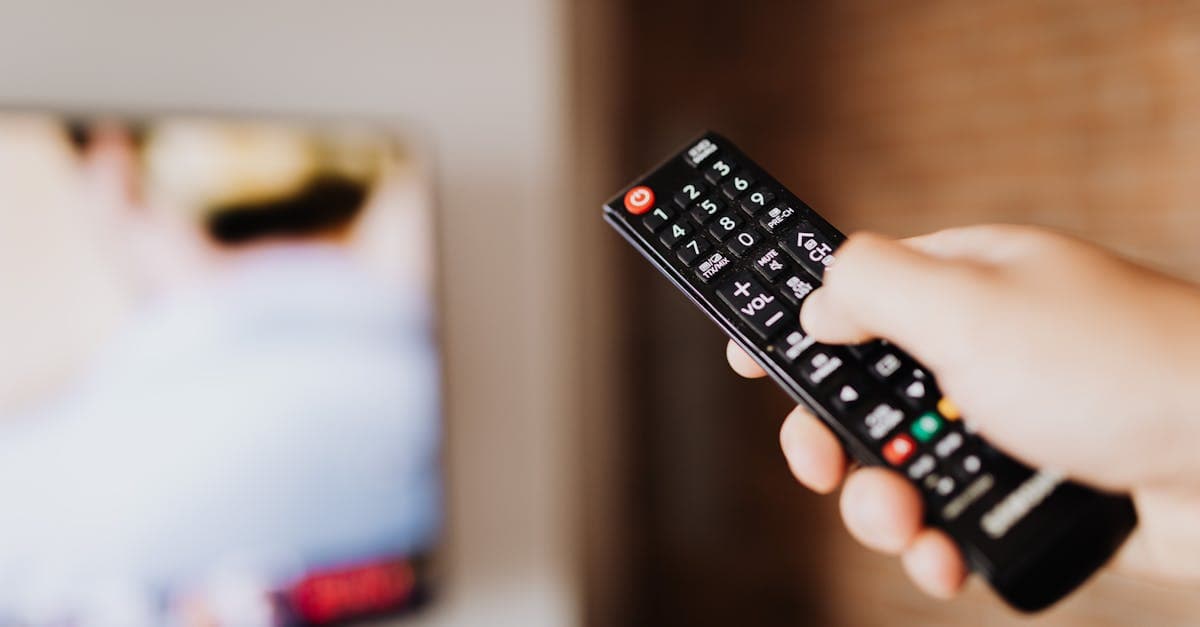
- Physical mute button: Some TVs have a mic button on the remote. Press it to toggle the mic on/off.
- Settings menu: Go to your TV’s settings → Voice Recognition → Disable Microphone.
Pro tip: If you’re really concerned, cover the mic with a small piece of tape. It’s like putting a sticker over your laptop’s webcam—simple but effective.
3. Delete Old Voice Recordings
Even if you disable future recordings, old ones might still be stored. Here’s how to delete them:
- In the Alexa app, go to Settings → Alexa Privacy → Review Voice History.
- Select Delete All Recordings for All History.
Why it matters: Old recordings can still be used to train AI, so deleting them is like shredding old documents.
Extra Privacy Steps: Block Tracking & Use a VPN
If you want to go the extra mile, here are a few more ways to protect your privacy.
1. Disable Targeted Ads on Amazon
Amazon uses your data to show you personalized ads. Here’s how to opt out:
- Go to Amazon’s Ad Preferences.
- Toggle off Personalized Ads.
What happens: You’ll still see ads, but they won’t be based on your voice data or browsing history.
2. Use a VPN to Hide Your Smart TV’s Activity
A VPN (Virtual Private Network) encrypts your internet traffic, making it harder for companies to track you. This is especially useful for smart TVs, which often lack built-in privacy features.
How it works: A VPN routes your internet traffic through a secure server, like sending your data through a secret tunnel. Even if someone tries to peek, they’ll only see gibberish.
Setting up a VPN on your router (instead of just your phone or laptop) covers every smart device on your network at once. If you’re not sure where to start, check out our guide to the best VPNs for smart TVs.
3. Check Your Router’s Settings for Smart Device Tracking
Some routers, like Eero or Google Nest, have built-in privacy features to block tracking. Here’s what to look for:
- Guest Network: Create a separate network for your smart TV and other IoT devices. This keeps them isolated from your main network, like giving them their own lane on the internet highway.
- Ad Blocking: Some routers let you block ads at the network level, which can reduce targeted ads on your smart TV.
What Amazon Says vs. What Experts Recommend
Amazon’s official stance is clear: they don’t sell your voice data to third parties, and they only use it to improve their AI. But privacy experts aren’t convinced. Organizations like CNET and Consumer Reports recommend taking extra precautions, like disabling voice recording by default.
Here’s what experts say:
- "Better safe than sorry." Treat your smart devices like you would a social media account—lock it down.
- "Assume you’re being recorded." Even if it’s not intentional, accidental recordings can happen.
- "Use a VPN." It’s one of the easiest ways to protect your privacy across all your devices.
The bigger picture? AI is getting smarter, but so are the risks. Staying informed is the best way to stay safe.
Key Takeaways: Quick Privacy Checklist
Here’s a quick recap of what you can do today to protect your privacy:
- Disable voice recording in Alexa and smart TV settings.
- Delete old voice data regularly—think of it like cleaning out your digital junk drawer.
- Mute your smart TV’s mic if you’re not using voice commands.
- Use a VPN to block tracking, especially on smart TVs. (If you’re not sure which one to pick, see how GhostShield compares with NordVPN.)
- Opt out of personalized ads to reduce targeted creepiness.
Final Thoughts: Staying Safe in an AI-Powered World
Amazon’s Good Advice Cupcake might not be spying on you, but the reality is that smart devices can collect more data than you realize. The good news? You don’t have to unplug everything to stay safe. Small changes—like disabling voice recording, using a VPN, and muting your smart TV—can make a big difference.
If you’re looking for an easy way to protect your privacy across all your devices, a VPN is a great place to start. GhostShield VPN, for example, encrypts your internet traffic and blocks tracking, so you can enjoy your favorite shows without worrying about who’s listening. It’s like having a privacy shield for your digital life.
At the end of the day, the best defense is staying informed. Keep an eye on your settings, delete old data regularly, and don’t be afraid to ask questions. Your privacy is worth it.
Related Topics
Keep Reading

How to Lock Down Your WhatsApp Username in 2026 to Stop Scammers

Anti Meta Glasses: Stop Them Scanning Your Face (2026)

Social Media Ban for Kids Under 16: UK Laws & What Parents Can Do Now

How to Keep Kids Safe on Social Media in 2026: A Parent’s Guide

Does Siri Listen to You? How to Stop Apple AI Recording in 2026