How to Unblock ChatGPT in 2026: Easy Fixes for School, Work & Abroad

Step 1: Why Can't I Get In? Diagnosing Your ChatGPT Block
You sit down, coffee in hand, ready to ask ChatGPT for help with a research paper or a tricky work email — and instead of the familiar chat window, you're staring at an error message. Maybe it says "Access denied." Maybe the page just won't load at all. Or maybe the ChatGPT app has mysteriously vanished from your phone's app store.
Frustrating, right? But before you start throwing fixes at the wall, you need to figure out what's actually blocking you. There are two main culprits, and the fix for each is completely different.
The "School/Work" Wall
If you can pull up ChatGPT on your phone using cellular data but it won't load on your campus or office Wi-Fi, your network administrator is blocking it. Think of it like a bouncer at a club — your school or company has a list of apps and websites that don't get past the front door, and ChatGPT is on that list.
This is incredibly common in 2026. Schools worry about students using AI to cheat, and companies worry about confidential data leaking through chatbot conversations. So they configure their network firewalls (essentially digital traffic cops) to block access to OpenAI's servers entirely.
The "Country" Wall
If OpenAI's website loads but displays a message like "ChatGPT is not available in your country," or if you live somewhere with heavy internet censorship — like China, Russia, or parts of the Middle East — you're dealing with a different beast entirely. This is either an ISP-level block (your internet provider is forced to block it by the government) or a geo-restriction from OpenAI itself.
OpenAI doesn't officially operate in every country, so they restrict access based on your location. It's like a country's customs office stopping certain digital packages at the border — the content exists, but it's not allowed through to your side.
The Quick Test
Here's the fastest way to figure out which wall you're hitting: disconnect from Wi-Fi and switch to your phone's mobile data. If ChatGPT suddenly works, the problem is your local network (school or work), not your device or country. If it still doesn't work on mobile data, you're likely dealing with a country-level block.
This 30-second test saves you from trying the wrong fix for an hour. We've seen people spend ages configuring complex workarounds when all they needed was to step off the office Wi-Fi.
How to Unblock ChatGPT With a VPN (The Best Overall Fix)
 Photo by Stefan Coders on Pexels
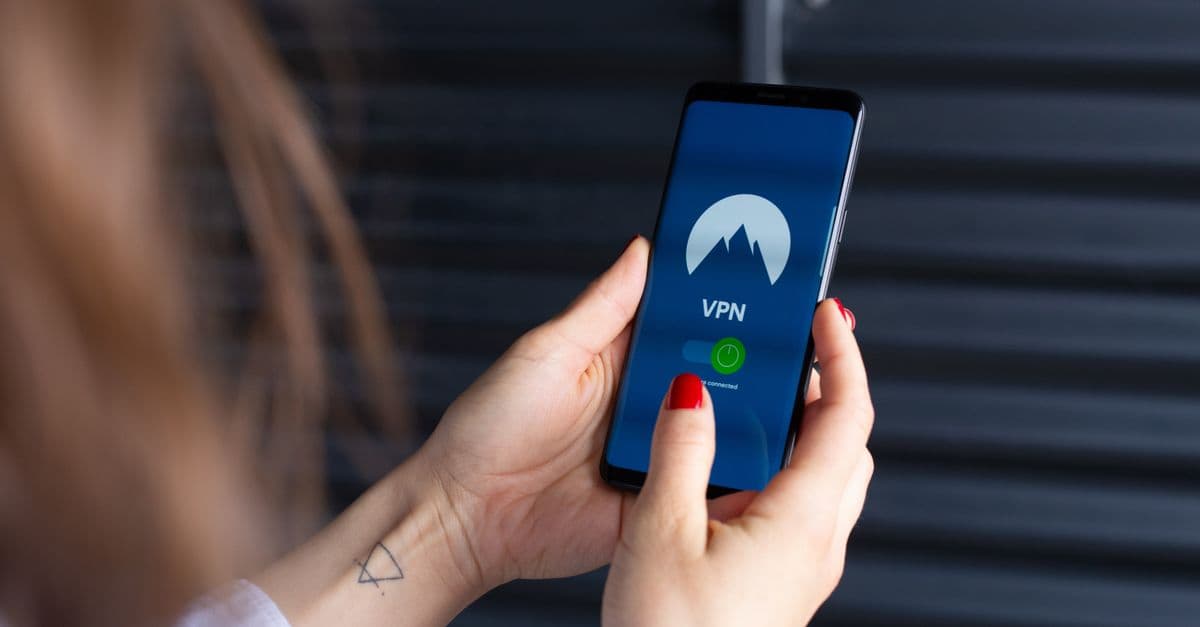
Once you know what's blocking you, it's time to fix it. And the most reliable tool for the job — whether you're dealing with a school block, a work firewall, or a country restriction — is a Virtual Private Network, or VPN.
If you're new to the concept, a VPN creates an encrypted tunnel between your device and a server in another location. Your internet traffic travels through that tunnel, so to the outside world, it looks like you're browsing from wherever the server is — not from your actual location. Connect to a VPN server in the United States, and ChatGPT thinks you're sitting in New York or Chicago.
It's like mailing a letter through a friend in another country — the recipient sees your friend's return address, not yours. If you want a deeper dive, check out our complete guide to what a VPN is and how it works.
Picking the Right Tool
Here's the catch: not all VPNs work with OpenAI's filters. OpenAI actively blocks IP addresses associated with known VPN servers, so a cheap or free VPN might just leave you staring at endless CAPTCHAs or a stubborn "Access denied" message.
In our testing, we've found that only a handful of VPNs consistently bypass OpenAI's blocks without triggering those annoying "prove you're a human" loops. To save you the trial and error, we've put together a curated list of the best VPNs to unblock ChatGPT — these are services we've actually tested in real-world conditions, not just marketing claims.
Step-by-Step: How to Do It
- Download and install a VPN app on your device. Most quality VPNs have apps for Windows, Mac, iOS, and Android.
- Open the app and connect to a server in a supported country. The US, UK, Canada, and most of Western Europe are safe bets. We've had the most consistent results with US servers.
- Clear your browser cookies and cache. This is the step people skip, and it drives them crazy. If OpenAI stored your real location in a cookie from a previous visit, it might still "remember" you're in a blocked region even with the VPN active. Clear cookies, then refresh the page.
- Head to chat.openai.com and start chatting. That's it.
In our testing, this method works about 95% of the time. The 5% where it doesn't? Usually a cached cookie or a VPN server that OpenAI has flagged. Switching to a different server in the same country almost always fixes it.
Stuck on Campus? How to Unblock ChatGPT on a School Chromebook
 Photo by Hatice Baran on Pexels
School Chromebooks are a special kind of headache. They're locked down tighter than a bank vault, and for good reason — schools don't want students installing random software. But that also means you can't just download a VPN app from the Google Play Store like you would on a normal laptop.
So what do you do when you need ChatGPT for legitimate schoolwork and your Chromebook won't let you near it?
The Free Web Proxy Trick
If you can't install a VPN, your next best option is a browser-based proxy. These are websites that act like a middleman — you type the ChatGPT URL into the proxy site, and it fetches the page for you, then displays it on your screen. The school's network only sees you visiting the proxy site, not ChatGPT itself.
There are several free web proxies out there. They're not as fast or secure as a VPN, and we wouldn't recommend them for logging into sensitive accounts, but for quick ChatGPT access on a locked-down Chromebook, they get the job done.
A word of caution: free proxies can be sketchy. Stick to well-known ones, and never enter passwords or personal data through a proxy you don't trust. For a safer long-term approach to your online privacy, check out our complete guide to online privacy to understand the trade-offs.
The Hotspot Bypass
If proxies are also blocked (and many schools block them too), there's an even simpler trick: tether your Chromebook to your smartphone's cellular data.
Most phones let you create a personal hotspot. Turn it on, connect your Chromebook to it like you would any Wi-Fi network, and suddenly you're browsing on your mobile data plan — completely bypassing the school's filters. No software installation required.
The downside? It chews through your data plan. ChatGPT itself isn't terribly data-heavy, but if you're streaming video at the same time, you'll burn through your monthly allowance fast.
Working Remotely? How to Unblock ChatGPT on a Work Computer
Work computers are tricky. Unlike a personal laptop, you probably don't have "admin rights" — meaning you can't install new software without IT's permission. And company networks use serious enterprise-grade firewalls that make school blocks look like child's play.
The IT Department Block
Companies block ChatGPT for a few reasons. Some worry about confidential data being pasted into a chatbot. Others haven't figured out their AI policy yet and are blocking it until they do. Either way, if you need ChatGPT for work — drafting emails, brainstorming ideas, summarizing long documents — the block can feel like having your hands tied.
Portable Browsers: A Clever Workaround
If you can't install software, try a portable browser. These are versions of browsers (like Chrome or Firefox) designed to run from a USB drive without installation. You plug in the USB, launch the browser, and it runs entirely from the drive — no admin rights needed.
Some portable browsers come with proxy extensions pre-installed, which can help route your traffic around the company firewall. It's not foolproof, and it depends on how strict your company's network is, but it's worth a shot.
A Warning About Work Devices
Here's the thing we really want you to hear: be careful logging personal accounts into work devices. Even if you successfully bypass the network block, your company's IT department might still be monitoring screen activity, keystrokes, or browser history through endpoint monitoring software. That means they could see everything you type into ChatGPT — including personal stuff.
If you're dealing with sensitive information or just value your privacy, use your personal phone instead. It's not worth risking your job over. For more on navigating the tricky intersection of personal and work tech, our remote work security guide covers the do's and don'ts in detail.
On the Go: How to Unblock the ChatGPT App on Android & iOS
 Photo by Sanket Mishra on Pexels
Maybe you don't need ChatGPT on a computer at all — you just want the app on your phone. But what happens when the app won't even show up in your app store?
App Store Geo-Restrictions
Both the Apple App Store and Google Play Store restrict certain apps based on your region. If you're in a country where OpenAI doesn't officially operate, the ChatGPT app simply won't appear when you search for it. It's not blocked by your government — it's blocked by the app store itself, based on your account's region settings.
How to Unblock ChatGPT on Android
Android users have a secret weapon: sideloading. Unlike iOS, Android lets you install apps from outside the Play Store. You can download the official ChatGPT APK file (that's the Android app package — think of it like a .exe installer on Windows) directly from OpenAI's website or a trusted mirror site.
Here's how:
- Open your phone's settings and enable "Install unknown apps" for your browser.
- Download the ChatGPT APK from OpenAI's official site.
- Tap the downloaded file to install it.
- Turn on your VPN (connected to a US server) before opening the app.
For iOS users, it's trickier. You can't sideload apps on an iPhone the same way. Your best bet is to create a new Apple ID with a US region, sign in with it, download the app, and then switch back to your main account. It's a hassle, but it works.
The VPN Rule for Mobile
This is important: always turn your VPN on before opening the ChatGPT app. If the app detects your real location on launch, it might lock you out or show an error until you clear the app's cache.
We found this out the hard way during testing. We opened ChatGPT first, then turned on the VPN, and the app kept throwing errors for about 10 minutes until we cleared its cache and restarted it. Turn the VPN on first, then open the app — every single time.
Alternative Workarounds: How to Unblock ChatGPT with Tor
If you don't want to pay for a VPN and web proxies aren't cutting it, there's one more option: the Tor browser.
What Is Tor?
Tor (short for "The Onion Router") is a free, open-source browser that bounces your connection through multiple volunteer servers worldwide. Each bounce adds a layer of encryption — like the layers of an onion, hence the name.
Think of it like taking a confusing maze of backroads to avoid a police roadblock. By the time your request reaches ChatGPT's servers, it's coming from an untraceable location somewhere in the world. OpenAI can't tell where you actually are.
How to Unblock ChatGPT with Tor
- Download the Tor browser from the official site (torproject.org — don't download it from anywhere else).
- Open it and click "Connect."
- Wait for the connection to establish. It can take 10 to 30 seconds.
- Visit chat.openai.com and start chatting.
You'll probably need to solve a few CAPTCHAs — Tor's IP addresses are well-known, and many sites treat them with suspicion. But it works, and it's completely free.
The big downside is speed. Tor is slow. Really slow. Because your traffic is bouncing through multiple servers around the world, loading a simple webpage can take several seconds. ChatGPT's interface still functions, but it's not the snappy experience you'd get with a direct connection or a VPN.
Cloud Browsers: The Speedy Alternative
If Tor is too slow for your needs, try a cloud browser. Services like Browserling let you essentially rent a computer in another country and view it through your screen. You're not accessing ChatGPT from your device — you're accessing it from a server in the US or UK, and just watching the feed.
It's a clever workaround, but free tiers are usually limited (think 5 to 10 minutes per session). For occasional use, though, it's a solid backup option when nothing else works.
Key Takeaways
- Diagnose before you fix: Use your phone's cellular data to figure out if the block is coming from your local Wi-Fi (school or work) or your country's internet provider. This 30-second test saves you hours of frustration.
- A VPN is your best friend: The most reliable way to bypass a ChatGPT country block is to use a trusted VPN connected to a US or UK server. Not all VPNs work, so pick one that's been tested with OpenAI's filters.
- Chromebooks need creative fixes: Since you can't install VPNs on school Chromebooks, use a free web proxy or tether your laptop to your phone's cellular data. Both bypass the school's Wi-Fi filters without requiring software installation.
- Don't risk your job: Be cautious when trying to unblock ChatGPT on a work computer. Even if you bypass the network block, your employer may be monitoring your activity through endpoint software. When in doubt, use your personal phone.
- Mobile requires a VPN-first approach: Always turn your VPN on before opening the ChatGPT app. If the app detects your real location first, you'll get errors until you clear the cache and restart.
- Tor and cloud browsers are free fallbacks: If you can't use a VPN, Tor and cloud browsers like Browserling offer free (if slower) ways to access ChatGPT from restricted locations.
If you're tired of playing cat-and-mouse with ChatGPT blocks, GhostShield VPN makes the whole process painless. Our servers are optimized to bypass OpenAI's geo-restrictions without triggering endless CAPTCHA loops, and with apps for every device — Windows, Mac, iOS, and Android — you can get ChatGPT working in minutes. Check out our plans to find one that fits your needs, or download GhostShield and try it out today.
Related Topics
Keep Reading

VPN for Online Banking in 2026: When It Helps and When It Hurts

How to Unblock ChatGPT at Work with a VPN in 2026 (Safe & Easy)

How to Protect Your License Plate from Police Cameras in 2026
How to Unblock WhatsApp Calls in UAE (2026): 3 Fast VPNs That Work

Best VPN for Streaming in 2026: Reddit-Tested Picks That Actually Work

Can You Use a VPN on a Work Laptop? How to Stay Safe & Keep Your Job (2026)
Protect Your Privacy Today
GhostShield VPN uses AI-powered threat detection and military-grade WireGuard encryption to keep you safe.
Download Free