How to Bypass Internet Censorship While Traveling: A 2026 VPN Guide for 50+ Countries
The Moment Your Favorite App Goes Dark
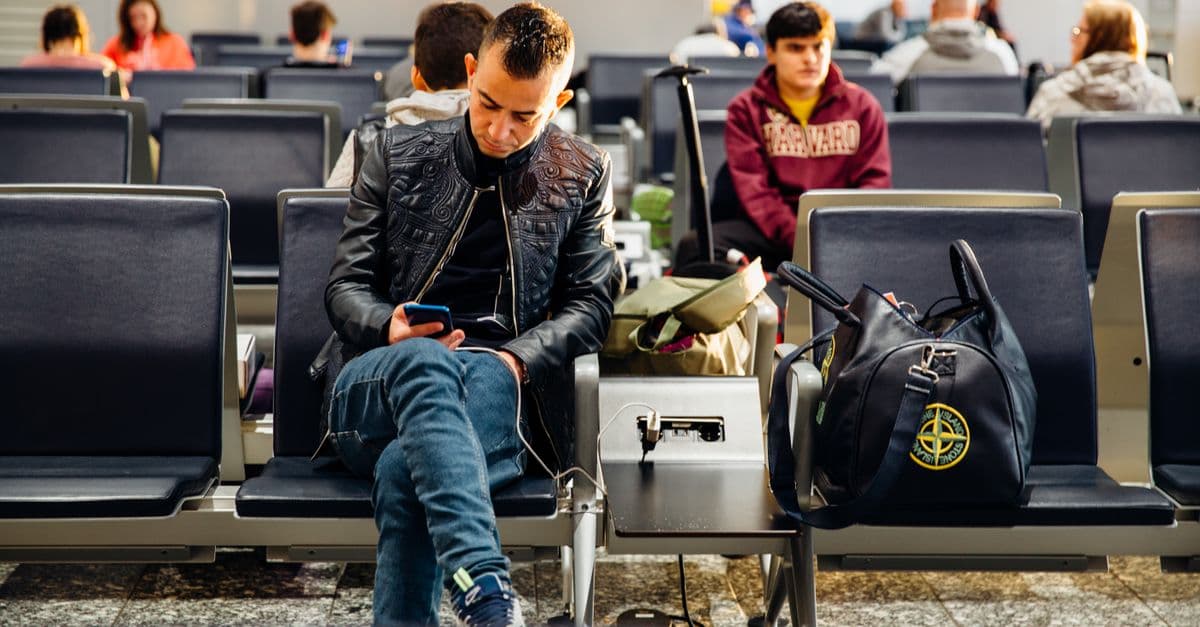
You step off the plane, grab your bag, and tap the airport WiFi. You open WhatsApp to tell your family you landed safely. Nothing loads. You try Google Maps to find your hotel. Also nothing. You open Instagram to post a quick photo. Blocked.
This is the reality of internet censorship in more than 50 countries around the world. Governments and internet providers routinely block access to social media, messaging apps, news sites, and even mapping tools. For a traveler, that can instantly turn a trip into a frustrating, confusing, and sometimes scary experience.
But here is the good news. With a little preparation and the right tools, you can keep your digital life working in almost any country. This guide walks you through everything you need to know before and during your trip.
What Exactly Is Censorship and Why Does It Matter for Travelers?
 Photo by Dan Nelson on Pexels
Censorship, in plain terms, means someone is deliberately blocking you from seeing certain websites or using certain online services. It is not a glitch or a bad connection. It is a policy enforced by a government or an internet provider.
Think of it like a library where certain books have been removed from the shelves. You can still walk in and browse, but the titles you want are missing. On the internet, the "librarian" can be a government agency, a telecom company, or a network administrator.
For travelers, this matters because the services you rely on every day may suddenly stop working. You might lose access to your email, your bank's website, your airline's app, or the map that helps you navigate a foreign city. You might also lose the ability to call your family or share updates. In some places, even downloading a simple translation app can become impossible if the app store itself is restricted.
Censorship also creates a security risk. When you cannot use your normal encrypted messaging apps, you may be tempted to use unsecured public WiFi or sketchy workarounds. That puts your personal data at risk, including passwords, credit card numbers, and private conversations.
The Tools That Can Help: VPNs Explained Simply
 Photo by Kampus Production on Pexels
The most effective tool for bypassing censorship is a VPN, which stands for Virtual Private Network. Do not let the name scare you. A VPN is basically a private tunnel between your device and the internet.
Normally, when you connect to a website, your request travels directly from your phone or laptop to that website, passing through your local internet provider. In a censored country, that provider can see where you are going and block you.
With a VPN, your traffic first goes through an encrypted tunnel to a server located in a different country. From there, it exits onto the internet as if it came from that other country. Your internet provider only sees that you connected to the VPN server, not what you did afterward.
This does two important things. First, it hides your real location. Second, it makes your internet activity unreadable to anyone watching. For a traveler, that means you can use WhatsApp in a country where WhatsApp is blocked, or watch Netflix from your home library while sitting in a hotel room overseas.
If you want a deeper explanation of how this works, our Complete Guide to Online Privacy breaks it down with helpful analogies. And for a more technical dive into VPN mechanics, check out What Is a VPN and How Does It Work?.
Choosing a VPN That Actually Works in Restricted Countries
Not all VPNs are created equal, and this becomes painfully obvious in countries with aggressive censorship. Many VPNs get blocked themselves, because governments can detect their connection patterns and shut them down.
A few key features separate VPNs that keep working in these countries from ones that don't.
Obfuscation is the big one. This is a fancy word for making your VPN traffic look like ordinary web browsing instead of VPN traffic. Imagine you are sending a letter in a bright red envelope that says "PRIVATE LETTER." Anyone can spot it. Obfuscation puts that same letter in a plain white envelope. No one knows it is private.
No-logs policy means the VPN provider does not keep records of what you do online. This matters because if a government asks a VPN company for your activity logs, a no-logs provider has nothing to hand over.
Multiple server locations help you find a connection that works. If one server is blocked, you can try another country in seconds.
Protocol options give you flexibility. Some protocols are faster but easier to block. Others are slower but harder to detect. A good VPN lets you switch between them.
We also recommend looking for a VPN that updates its servers frequently. Censorship is a cat-and-mouse game. The tools that stay ahead are the ones that work when you need them.
Before You Go: Steps to Prepare Your Devices
 Photo by gabesdotphotos photographer on Pexels
The single biggest mistake travelers make is waiting until they arrive to download a VPN. In many restricted countries, the VPN's website is also blocked, so you cannot even download the app. Do all your preparation before you leave.
Here is a simple pre-trip checklist.
-
Install and test your VPN at home. Download the app on every device you plan to bring: phone, laptop, tablet. Connect to a few different servers and make sure everything works. Do this on your home WiFi, not at the airport.
-
Create accounts for essential services while you still have unrestricted access. Sign up for any messaging apps you might need, like Signal or Telegram, and check how to keep Telegram working abroad. These are often blocked in censored countries, but you can still use them through a VPN.
-
Enable two-factor authentication on your email, banking, and social media accounts. This adds an extra layer of security in case your password is stolen on an unsecured network. Use an authenticator app like Google Authenticator or Authy, not SMS codes, because text messages can be intercepted.
-
Download offline maps for the cities you are visiting. Google Maps and Apple Maps both allow you to save maps for offline use. This is a lifesaver if your VPN drops and you cannot load map data.
-
Save important contacts and documents directly to your phone. Store a copy of your passport, visa, hotel reservation, and emergency contacts in a password-protected note or an encrypted app.
-
Write down your VPN provider's support email or alternate access method. Some VPNs have mirror sites or alternate domains you can use to reach support if the main site is blocked.
What to Do When You Land: A 5-Minute Checklist
As soon as you arrive, follow these steps before you do anything else.
Connect to your VPN immediately. Do not open any apps or browse anything until the VPN is active. This prevents your device from accidentally connecting to a blocked service and getting flagged.
Run a leak test. A DNS leak happens when your device sends some requests outside the encrypted tunnel, revealing your real location and activity. Use our free DNS Leak Test to make sure your VPN is actually protecting all your traffic. If you see any leaks, switch to a different server or protocol.
Check your IP address. Your IP address is like your digital home address. After connecting to a VPN, your IP should show the country of the VPN server, not your actual location. You can verify this with our What Is My IP Address tool.
Be extra careful on public WiFi. Airports, hotels, and cafes often have unsecured networks where anyone can snoop on your traffic. Always keep your VPN on when using public WiFi. For more details on staying safe, see our Public WiFi Risks Guide.
Keep your VPN on for all sensitive activities. Banking, email, messaging, and even social media should all go through the VPN while you are in a restricted country. Turning it off for even a few minutes can expose your real IP address and browsing history.
How to Stay Under the Radar (Without Breaking the Law)
A quick but important note on legality. In many countries, using a VPN is not illegal, even if the government blocks certain websites. However, some countries have strict rules about VPN use, and in rare cases, using a VPN for activities the government deems illegal can lead to serious trouble.
Always research the local laws before you travel. The U.S. State Department and other government travel advisories often mention internet restrictions. A quick search for "internet censorship [country name]" will give you a sense of what to expect.
Use your VPN for legitimate purposes only. Accessing your own email, messaging family, checking your bank, and reading international news are all normal activities. Avoid posting politically sensitive content, downloading large files, or doing anything that could draw unwanted attention.
If you are ever unsure whether something is allowed, err on the side of caution. Your safety is more important than your Instagram story.
Common Mistakes Travelers Make
Here are the mistakes to watch for, and how to avoid them.
Waiting until arrival to download a VPN. As mentioned earlier, this often fails because the VPN site is blocked. Download and test before you go.
Using a free VPN. Free VPNs are notorious for selling your data, injecting ads, and providing weak encryption. Some of them are even run by malicious actors. If you care about privacy and reliability, use a paid, reputable VPN. The few dollars a month are worth it when you are in a country where your connection depends on it.
Assuming all VPNs work everywhere. Many popular VPNs are blocked in high-censorship countries. Do your research and pick one known for working in the regions you plan to visit.
Ignoring DNS leaks. Even with a VPN on, a DNS leak can expose your real location and the sites you visit. Always run a leak test after connecting.
Connecting to public WiFi without a VPN. This is like leaving your wallet on a park bench. Anyone with basic tools can see your unencrypted traffic. Always use a VPN on public networks, not just in censored countries.
Posting your exact location or travel plans on social media. This makes you a target for thieves, scammers, and in some cases, government surveillance. Share your adventures after you leave a place, not while you are there.
Key Takeaways
- Internet censorship affects over 50 countries and can block messaging, maps, banking, and news.
- A VPN is the most effective tool for bypassing censorship. It encrypts your traffic and makes it appear to come from another country.
- Not all VPNs work in restricted countries. Look for obfuscation, a no-logs policy, multiple server locations, and flexible protocols.
- Prepare your devices before you leave. Install and test a VPN at home, download offline maps, and enable two-factor authentication.
- When you land, connect to your VPN before doing anything else. Run a DNS leak test and check your IP address to confirm you are protected.
- Be cautious on public WiFi and keep your VPN on for all sensitive activities.
- Research local laws about VPN use before you travel. Use your VPN for legitimate privacy, not illegal activities.
A Practical Recommendation for Your Next Trip
If you are planning to visit a country with internet restrictions, do not leave your digital safety to chance. We recommend using a VPN that is designed to work in high-censorship environments, with obfuscated servers and a strict no-logs policy. GhostShield VPN uses standard WireGuard without an obfuscation layer, so in places that block VPN traffic itself, such as China and Russia, it can work but not reliably, and you should bring a second option. It is a good fit where apps and sites are blocked but VPNs are not, and for hotel and airport WiFi anywhere. You can explore the plans at ghostshield.ai/pricing or download the app directly from ghostshield.ai/downloads. A little preparation now can save you a world of frustration later. Safe travels.
Related Topics
Keep Reading
Anti Meta Glasses: Stop Them Scanning Your Face (2026)

Social Media Ban for Kids Under 16: UK Laws & What Parents Can Do Now

How to Keep Kids Safe on Social Media in 2026: A Parent’s Guide

Does Siri Listen to You? How to Stop Apple AI Recording in 2026
Is Your AI Assistant Spying on You? Stop It in 5 Minutes