Google TV
GhostShield VPN for Google TV and Android TV
- Stream privately on your TV with fast WireGuard connections.
- Install straight from Google Play with your TV remote.
- Strict no-logs policy and ChaCha20 encryption.
- Your TV counts as one of your 10 devices.
7-day free trial · 30-day money-back guaranteeHow the trial works
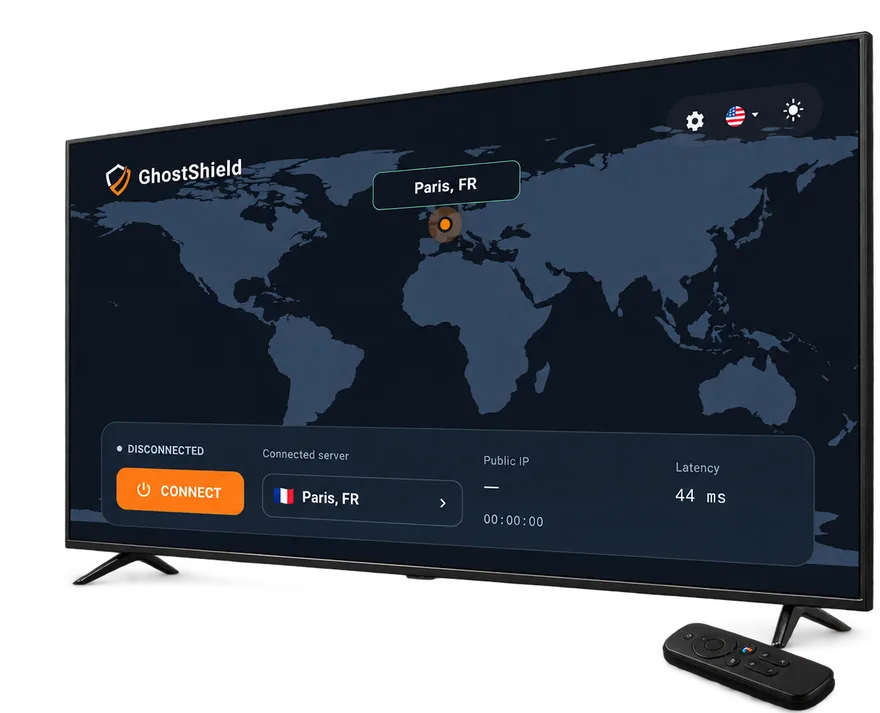
Google TV, or Android TV 8.0 or later, with Google Play
Set up GhostShield on Google TV in 3 steps
Open Google Play
On your TV, open the Google Play Store and search for GhostShield VPN.
Install and sign in
Install the app and sign in with your GhostShield account.
Connect
Select Connect and allow the VPN connection when your TV asks.
Google TV, or Android TV 8.0 or later, with Google Play · All apps
Before you start on Google TV
- A Google TV, or an Android TV device running Android TV 8.0 or later, with Google Play
- A GhostShield account with an active plan or trial
- Your account email and password, or a phone to scan the QR code shown on the TV
Full details: system requirements. No plan yet? Start the 7-day free trial, then come back here for the app.
Your first connection
- 1
Install from Google Play on the TV
Open Google Play on the TV, search for GhostShield VPN and install it, or use the QR code on this page.
- 2
Sign in
Open the app and sign in with your account. The TV app is built for a remote control, so you can type with the on-screen keyboard or scan the code with your phone.
- 3
Connect
Choose the server location that matches what you want to watch and press Connect. The tunnel stays up in the background while you use other apps.
If something does not look right
- If a streaming app still shows the wrong library, force-close the app and open it again after connecting.
- If the TV loses the connection after sleep, open GhostShield and reconnect; some TVs suspend background apps.
- A single location that will not connect is usually one busy server; pick another.
Confirm what the internet sees with the what is my IP tool, and check for DNS leaks with the DNS leak test.
Questions before you install
Can you get a VPN on Google TV?
Yes. Google TV runs Android TV apps from Google Play, and GhostShield VPN is published there. Install it on the TV, sign in and connect; the tunnel covers every app on the TV.
Which VPN is free for Google TV?
GhostShield VPN has no free plan. New customers get a 7-day free trial of the full TV app with a card on file and nothing charged if they cancel in time.
Will Netflix ban me for using a VPN?
Netflix does not close accounts for using a VPN. When it detects one it shows an error until you turn the VPN off or pick another location. The streaming guides on this site say what to expect per service.
Does Google TV have its own VPN?
No. Google ended its Google One VPN in 2024, and the VPN built into Pixel phones is not on Google TV. A VPN on Google TV is an app from Google Play, such as GhostShield VPN.
Does GhostShield work on Fire TV?
The TV app is published for Google TV and Android TV through Google Play. Fire TV uses a different store and is not supported at the moment.
Is there a free trial?
Yes. New customers get a 7-day free trial with a card on file and nothing charged for 7 days. Every plan also has a 30-day money-back guarantee.
How many devices can I use?
Up to 10 devices on one plan, across Windows, macOS, Android, iPhone and iPad, and Google TV. Sign in with the same account on each.
Which protocol does the app use?
WireGuard with ChaCha20-Poly1305 encryption. It is the fastest modern VPN protocol and the one every GhostShield app uses by default.
Does GhostShield keep logs?
No. GhostShield has a strict no-logs policy: nothing that passes through the VPN tunnel is stored on our servers. The transparency report and warrant canary on this site are updated with any request received.
Other devices: all GhostShield apps. Using the VPN to reach a blocked site? Start with the unblock guides or the streaming guides.