macOS
The AI-powered VPN for Mac: GhostShield for macOS
- Built for Apple Silicon and Intel Macs, signed by Apple.
- Real-time alerts on unusual network activity with the AI Threat Analyzer.
- WireGuard speed, ChaCha20 encryption and a strict no-logs policy.
- One account covers up to 10 devices.
7-day free trial · 30-day money-back guaranteeHow the trial works
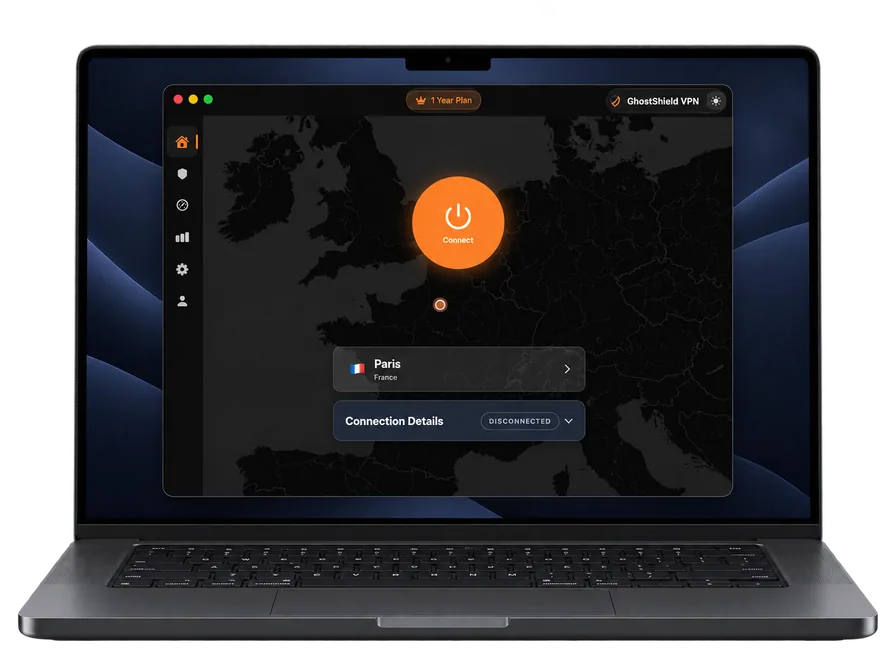
macOS 12 Monterey or later, Apple Silicon or Intel
Set up GhostShield on macOS in 3 steps
Download the app
Click "Download for macOS" to get the signed installer package.
Install and sign in
Open the package, follow the steps, then sign in with your GhostShield account.
Connect
Allow the VPN configuration once, pick a server and you are protected.
macOS 12 Monterey or later, Apple Silicon or Intel · All apps
Before you start on macOS
- macOS 12 or later, Apple Silicon or Intel
- A GhostShield account with an active plan or trial
- Administrator rights on the Mac to install the app and its VPN configuration
Full details: system requirements. No plan yet? Start the 7-day free trial, then come back here for the app.
Your first connection
- 1
Download the installer
Click Download for macOS and open the file when it finishes. Drag GhostShield to your Applications folder if the installer asks you to.
- 2
Sign in and allow the VPN
Open the app and sign in. macOS asks once to allow GhostShield to add a VPN configuration; choose Allow so the tunnel can be created.
- 3
Connect
Choose a location or let the app pick the nearest server, then press Connect. The menu bar icon shows the protected state.
If something does not look right
- Open the what-is-my-IP tool to confirm the server location is what the internet sees.
- If the VPN configuration prompt was dismissed, open System Settings, VPN, and allow GhostShield, then connect again.
- If a server will not connect, try another location before anything else.
Confirm what the internet sees with the what is my IP tool, and check for DNS leaks with the DNS leak test.
Questions before you install
Do Macs have a built-in VPN?
macOS has a built-in VPN client for connecting to a server you already have access to, such as one at work, over IKEv2, IPsec or L2TP. It is not a VPN service: there are no servers behind it. GhostShield VPN is a service with its own servers and its own Mac app.
How do I allow a VPN on my Mac?
The first time you connect, macOS asks whether GhostShield may add a VPN configuration. Choose Allow. If you dismissed it, open System Settings, VPN, allow GhostShield and connect again.
Is there a free VPN for Mac?
GhostShield VPN has no free plan. New customers get a 7-day free trial of the full Mac app with a card on file and nothing charged if they cancel in time, and every paid plan has a 30-day money-back guarantee.
What is the downside of using a VPN on a Mac?
A little speed, since your traffic takes one extra hop, and the odd website that blocks VPN addresses until you pick another location. Both are smaller with a nearby server.
Does GhostShield support the newest macOS?
The app supports macOS 12 and later. Updates are delivered through the app itself, so there is nothing to reinstall when a new macOS version ships.
Is there a free trial?
Yes. New customers get a 7-day free trial with a card on file and nothing charged for 7 days. Every plan also has a 30-day money-back guarantee.
How many devices can I use?
Up to 10 devices on one plan, across Windows, macOS, Android, iPhone and iPad, and Google TV. Sign in with the same account on each.
Which protocol does the app use?
WireGuard with ChaCha20-Poly1305 encryption. It is the fastest modern VPN protocol and the one every GhostShield app uses by default.
Does GhostShield keep logs?
No. GhostShield has a strict no-logs policy: nothing that passes through the VPN tunnel is stored on our servers. The transparency report and warrant canary on this site are updated with any request received.
Other devices: all GhostShield apps. Using the VPN to reach a blocked site? Start with the unblock guides or the streaming guides.