Ubuntu · Debian



GhostShield VPN for Linux
The desktop app and the gsvpn command for Ubuntu and Debian. One command installs it, and it updates with the rest of your system.
Paste this in a terminal:
$ curl -fsSL https://www.ghostshield.ai/apt/install.sh | shUbuntu 22.04 or later, or Debian 12 or 13 · 64-bit · you need sudo
Other ways to install
Then open GhostShield VPN from your apps, or type gsvpn login.
The app needs a plan. Every plan starts with a 14-day free trial. Choose plan
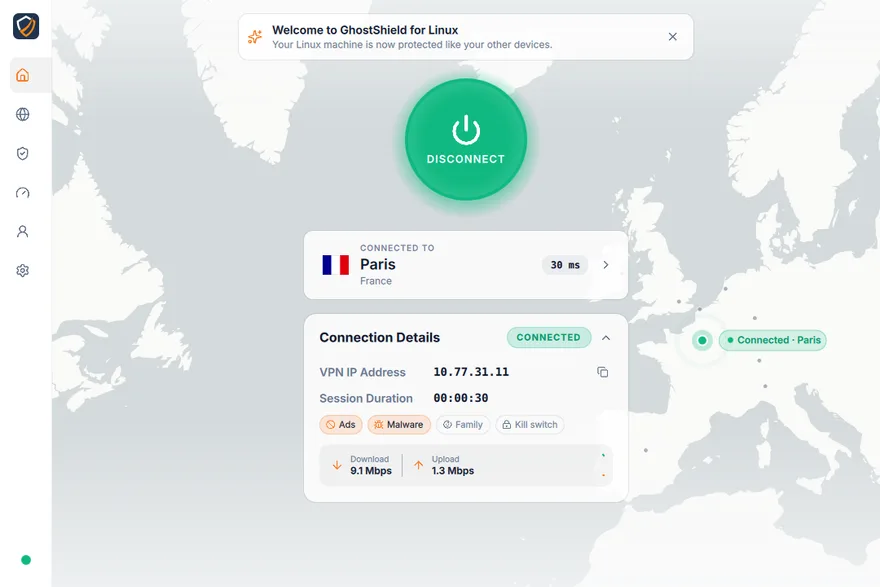
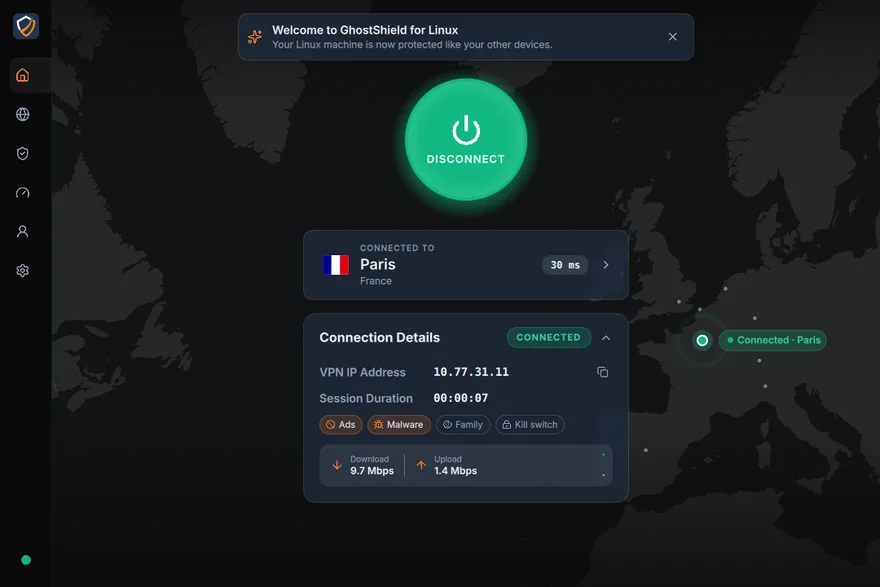
What you can do
One command connects your whole computer. gsvpn status shows where you are.
Ubuntu 22.04 · GhostShield 2.0.4 · IP addresses and latencies are examples
Every command
Every command works the same on a desktop, over SSH and in scripts, and takes --json and --help.
| Command | What it does |
|---|---|
| gsvpn connect [fastest | last | LOCATION] | Connect, or switch, to a location id, fastest, or last (the default). |
| gsvpn disconnect | Disconnect. |
| gsvpn status [--watch] | Connection state, location, server, traffic, filters and kill switch. --watch keeps printing changes. |
| gsvpn locations [--ping] | The locations with their health and load; --ping measures the latency to each. |
| gsvpn login [--password] | Sign in through the website (works over SSH), or with email and password. |
| gsvpn killswitch [on | off] | Block traffic outside the tunnel while the VPN is in use. |
| gsvpn protection --ads | --malware | --family | The ad, malware and adult-content filters (true or false). |
| gsvpn exec [--bypass] -- COMMAND | Run one command through the VPN only, or outside it with --bypass. |
Problems and questions
gsvpn says I’m not signed in
Run gsvpn login and approve the sign-in in your browser, on this computer or on your phone.
It stays on connecting, or says the server did not answer
Your network may be blocking VPN traffic. Try another location or another network, then run gsvpn doctor.
“Not allowed” over SSH, from a script or from an AI agent
Over SSH or in a script, add yourself to the ghostshield group once: sudo usermod -aG ghostshield $USER, then log in again. At the desktop, no sudo is needed.
“Subscription needed” or “device limit reached”
You need a plan or a free trial. One plan covers up to 10 devices; to free one, sign out on a device you no longer use (gsvpn logout or in the app).
Does it work on Fedora, Arch or ARM computers?
Not yet. For now it works on Ubuntu, Debian and systems based on them, on 64-bit Intel and AMD computers.
Do I need the desktop app?
No. The gsvpn command does everything on its own. The desktop app is simply a window on the same VPN, with the same settings.
GhostShield on your other devices: All downloads · Contact us