How to Watch Tinder’s Verified Streams Privately in 2026 (No Tracking)

How to Watch Tinder’s Verified Content Without Being Tracked (2026 Guide)
You just got a notification: "Exclusive verified-only stream starting now!" It’s a live Q&A with a celebrity couple, or maybe a behind-the-scenes look at Tinder’s new virtual speed-dating event. The catch? To watch, you have to let Tinder track your location, device details, and viewing habits—just like how a bouncer at a club might write down what drinks you order and who you talk to.
Tinder’s partnership with Sam Altman’s World project means verified users get access to special content, but it also means more data collection. The good news? You don’t have to choose between privacy and perks. Here’s how to enjoy Tinder’s verified streams without handing over your digital life.
Why Tinder’s Verified Content Might Be Tracking You
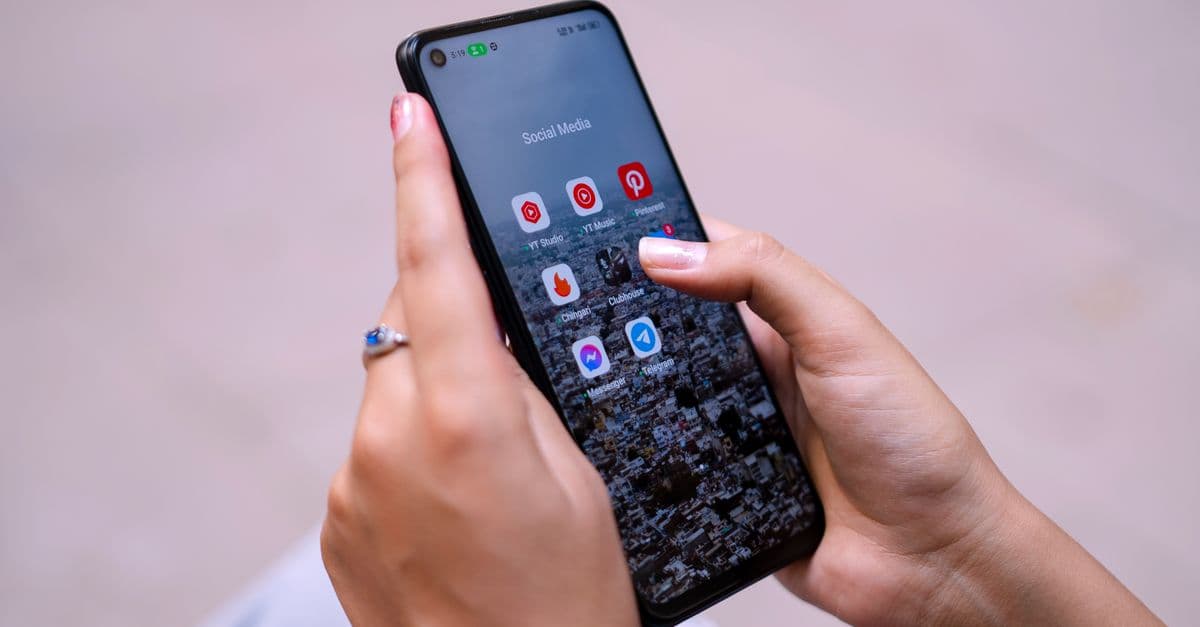
 Photo by Jonas Leupe on Unsplash
Tinder’s verified content isn’t just about exclusivity—it’s also about data. Here’s what the app might be collecting (and why it’s creepy):
Location Data: More Than Just Your City
Even if you disable GPS, Tinder can still guess your rough location using your IP address or Wi-Fi network. Think of it like a pizza delivery app knowing your neighborhood even if you don’t share your exact address. That rough location is enough for advertisers to target you with local ads.
Device Fingerprints: Your Phone’s Digital Name Tag
Your phone has unique settings—like screen size, operating system version, and even the fonts you’ve installed. Together, these details create a "fingerprint" that trackers can use to identify you across apps and websites. It’s like walking into a store with a name tag that says, "Hi, I’m Alex, and I love romantic comedies."
Viewing Habits: What You Watch, Who You Match With
If you binge verified streams, Tinder might use that data to influence your matches or serve you ads. For example, if you watch a lot of live Q&As with fitness influencers, you might start seeing more gym-related ads—or even matches with people who list "working out" as a hobby. It’s not just about what you watch; it’s about what Tinder thinks you’ll buy next.
What’s New in 2026?
Tinder’s integration with World means more live content, like virtual meetups or influencer AMAs. These events often require real-time tracking for "engagement metrics," which is just a fancy way of saying Tinder wants to know how long you watch, what you click, and whether you interact with ads.
Step 1: Use a VPN to Hide Your IP Address (Easiest Fix)
 Photo by Tim Samuel on Pexels
If you’ve ever wanted a digital invisibility cloak, a VPN is the closest thing to it. Here’s how it works—and how to set it up in minutes.
What’s a VPN, and Why Does It Matter?
A VPN (Virtual Private Network) routes your internet traffic through a remote server, masking your real IP address. Without a VPN, Tinder can see your general location (like "San Francisco"). With a VPN, Tinder sees the VPN’s location instead (like "New York" or "London").
Think of it like sending a letter from a PO box instead of your home address. The recipient (Tinder) gets the letter, but they don’t know where it really came from.
How to Pick a VPN for Tinder
Not all VPNs are created equal. Here’s what to look for:
- Free vs. Paid: Free VPNs like ProtonVPN or Windscribe work for basic use, but paid ones like NordVPN or Surfshark are faster and more reliable for streaming. Free VPNs can sometimes slow down your connection, which is annoying if you’re trying to watch a live stream.
- Server Locations: Choose a server in a country where Tinder’s verified content is available. Check Tinder’s help center for restrictions—some content might be geo-blocked.
- Kill Switch: This feature cuts your internet if the VPN drops, so you’re never exposed. It’s like a seatbelt for your data.
Step-by-Step Setup
- Download a VPN app (e.g., ProtonVPN or NordVPN).
- Open the app, pick a server (e.g., "USA – New York"), and tap "Connect."
- Open Tinder and start streaming—your IP is now hidden!
If you’re new to VPNs, our Complete Guide to Online Privacy breaks down everything you need to know.
Step 2: Lock Down Tinder’s App Permissions (No Tech Skills Needed)
Tinder doesn’t need access to your microphone, contacts, or precise location to show you a stream. Here’s how to revoke unnecessary permissions—like closing the blinds on your phone.
Why Permissions Matter
When you first install Tinder, it asks for access to your camera, microphone, location, and contacts. But you don’t have to say yes to everything. For example, if you’re just watching streams, Tinder doesn’t need your microphone or contacts.
How to Check and Change Permissions
iPhone:
- Go to Settings > Privacy & Security.
- Tap Location Services and set Tinder to "While Using the App" (or "Never").
- Disable Microphone and Contacts access for Tinder.
Android:
- Go to Settings > Apps > Tinder > Permissions.
- Toggle off Location (or set to "Only while using the app"), Microphone, and Contacts.
Bonus: Disable Ad Tracking
iPhone:
Go to Settings > Privacy & Security > Tracking and toggle off "Allow Apps to Request to Track."
Android:
Go to Settings > Google > Ads and enable "Opt out of Ads Personalization."
These changes won’t break Tinder’s core features, but they’ll limit how much data the app can collect. For more tips on securing your phone, check out our How to Know If Your Phone Is Hacked guide.
Step 3: Stream Safely with a Burner Account (For the Extra Cautious)
 Photo by Charlotte May on Pexels
If you’re serious about privacy, a burner account is like using a fake name at a coffee shop. Here’s how to set one up without getting banned.
What’s a Burner Account?
A burner account is a secondary Tinder profile with a fake name, email, and phone number. It’s a "disposable" identity for streaming, so Tinder can’t link your viewing habits to your real profile.
How to Create One (Without Getting Banned)
-
Use a Fake Name and Email:
- Sign up with a new email (try ProtonMail or Temp-Mail for disposable addresses).
- Pick a generic name (e.g., "Alex T." instead of your real name).
-
Verify with a Temporary Phone Number:
- Use a service like Google Voice (US only) or TextNow to get a free number for SMS verification.
- Warning: Tinder may flag accounts with VoIP numbers. If you get banned, try a cheap prepaid SIM.
-
Keep It Separate:
- Don’t link your burner to Instagram, Spotify, or other social media.
- Use a different profile photo (e.g., a cartoon avatar or landscape pic).
When to Not Use a Burner
- If you actually want to match with people (burner accounts are for streaming only).
- If you’re in a country with strict ID verification (Tinder may require a real ID).
Key Takeaways
- Use a VPN to hide your IP address and location. It’s the easiest way to stop Tinder from tracking where you are.
- Lock down app permissions to limit what data Tinder can collect. You don’t need to share your microphone or contacts to watch a stream.
- Try a burner account if you’re extra cautious. It’s like using a fake name—just don’t expect to match with anyone.
- Disable ad tracking to stop Tinder from using your data for targeted ads.
How GhostShield VPN Can Help
If you’re looking for a VPN that’s fast, reliable, and easy to use, GhostShield VPN is a great option. We designed it with everyday people in mind—no confusing settings, just a simple way to protect your privacy. Whether you’re streaming Tinder’s verified content or just browsing at a coffee shop, GhostShield keeps your data safe without slowing you down.
For more tips on staying private online, check out our Public WiFi Risks Guide. Stay safe out there!
Related Topics
Keep Reading

How to Watch Disney’s Super App Without Being Tracked (2026 Privacy Guide)

How to Watch Netflix’s TikTok-Style Videos Without Being Tracked or Hacked

How to Watch Disney+ & Hulu Anywhere in 2026 (Easy VPN Steps)
How to Watch Meta’s AI Shows Early with a VPN in 2026 (Step-by-Step Guide)
How to Watch Avengers: Doomsday Early Without Spoilers Using a VPN