How to Watch Disney’s Super App Without Being Tracked (2026 Privacy Guide)

Disney’s Super App Is Here—But It Might Be Watching You Back
You just got home after a long day, flop onto the couch, and open Disney’s new super app. With one tap, you can switch from The Bear on Hulu to live NBA games on ESPN+ to Star Wars on Disney+. It’s like having a streaming buffet at your fingertips.
But here’s the catch: Disney’s super app isn’t just serving up shows—it’s also serving up you to advertisers. Every pause, rewind, and late-night binge session could be logged, analyzed, and used to target you with ads. It’s like walking into a mall where the owner follows you around, jotting down every store you visit and what you buy.
If that sounds creepy, you’re not alone. The good news? You don’t have to choose between convenience and privacy. Here’s how to enjoy Disney’s super app without letting it track your every move.
Why Disney’s Super App Could Be a Privacy Risk
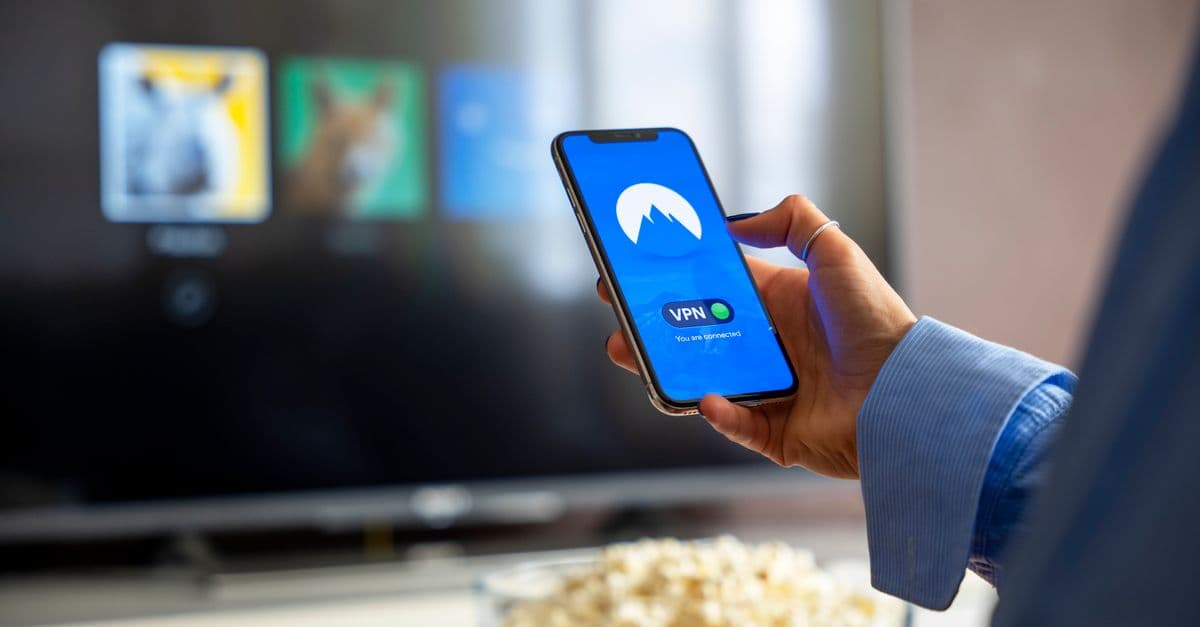
 Photo by Jakub Zerdzicki on Pexels
What Is Disney’s Super App?
Disney’s super app is exactly what it sounds like: a single app that combines Disney+, Hulu, ESPN+, and more into one place. Think of it like Netflix, but with live sports, news, and even your favorite FX shows all under one roof. It’s designed to be the ultimate streaming hub—no more jumping between apps to find what you want.
But here’s the trade-off: convenience comes at a cost. Just like a mall tracks which stores you visit, Disney’s super app tracks what you watch, when you watch it, and even how you watch it. That data doesn’t just disappear—it’s used to build a profile on you, which can be sold to advertisers or used to target you with personalized ads.
How Tracking Works in Streaming Apps
Streaming apps are like digital detectives. They collect data on:
- What you watch (e.g., The Mandalorian, SportsCenter, The Handmaid’s Tale).
- When you watch (e.g., late-night binges, weekend marathons).
- How you watch (e.g., pausing, rewinding, or skipping intros).
This data is then used to:
- Recommend shows (e.g., "Because you watched Stranger Things, you might like Dark.").
- Target ads (e.g., if you watch a lot of cooking shows, you might see ads for kitchen gadgets).
- Sell insights to third parties (e.g., "People who watch The Bear also buy expensive knives").
In 2026, this tracking is only getting smarter. With AI-powered recommendations, Disney’s super app could soon predict why you’re watching something—like guessing you’re stressed if you binge The Office after work. That’s a lot of personal info to hand over just for some entertainment.
How to Watch Disney’s Super App Without Being Tracked
 Photo by Dan Nelson on Pexels
The good news? You don’t have to give up streaming to protect your privacy. Here’s how to enjoy Disney’s super app without letting it track your every move.
Step 1: Tweak Disney’s Privacy Settings (5-Minute Fix)
The easiest way to limit tracking is to adjust Disney’s built-in privacy settings. Think of it like opting out of a store’s loyalty program—you’ll still get to shop, but you won’t be followed around.
Turn Off Personalized Ads
- Open the Disney app and go to Settings.
- Select Privacy > Ad Preferences.
- Toggle off "Personalized Ads".
Why it matters: This stops Disney from building an ad profile on you. You’ll still see ads, but they won’t be tailored to your viewing habits.
Disable Watch History
- Go to Settings > Account.
- Select Viewing Activity.
- Toggle off "Watch History".
What it does: This prevents Disney from logging every show you watch. It’s like erasing your browsing history—Disney won’t know what you’ve been up to.
Opt Out of Data Sharing
- Visit Disney’s Privacy Hub.
- Look for options to opt out of data sharing (this may vary by region).
Pro tip: Disney’s privacy settings can change, so check back every few months for updates.
Step 2: Use a VPN to Hide Your Streaming Habits
If you want to take your privacy to the next level, a VPN is your best friend. Think of it like wearing a mask at the mall—Disney will still see someone is watching, but it won’t know it’s you.
What’s a VPN?
A VPN (Virtual Private Network) is a tool that hides your IP address and encrypts your internet traffic. It’s like sending your data through a secret tunnel—no one can see what you’re doing or where you’re doing it from.
Best VPNs for Disney’s Super App in 2026
Not all VPNs are created equal. Some are faster, some are more secure, and some work better with streaming. Here are the top picks for Disney’s super app:
- NordVPN – Fast, reliable, and great for streaming. Works seamlessly with Disney+ and Hulu.
- Surfshark – Budget-friendly and packed with features. Unblocks geo-restricted content with ease.
- ExpressVPN – Ideal for sports streaming (like ESPN+). Offers lightning-fast speeds.
How to Set Up a VPN for Disney’s Super App
- Download a VPN app (e.g., NordVPN, Surfshark, or ExpressVPN).
- Connect to a server in the U.S. (or your home country).
- Open Disney’s super app—your activity is now hidden!
Pro tip: If Disney detects the VPN and blocks you, try switching to a different server. Some VPNs offer "stealth" modes to bypass these restrictions.
For more details on how VPNs work, check out our Complete Guide to Online Privacy.
Step 3: Watch Offline (No Tracking, No Ads)
If you want to avoid tracking and ads, downloading shows for offline viewing is a great option. It’s like renting a DVD—you get to watch without anyone logging your activity.
How to Download Shows on Disney’s Super App
- Open the app and find a show or movie you want to download.
- Tap the download icon (it looks like a downward arrow).
- Choose your video quality (higher quality = more storage space).
- Watch offline anytime—no internet required!
Limitations:
- Not all content is available for download (e.g., live sports on ESPN+).
- Downloads expire after a certain period (usually 30 days).
Pro tip: Delete downloads after watching to free up space on your device.
How to Unblock Disney’s Super App Abroad (Without Getting Flagged)
Traveling or living abroad? Disney’s super app might not work the same way outside the U.S. due to licensing restrictions. Here’s how to bypass those blocks without getting flagged.
Why Disney Blocks You Outside the U.S.
Disney’s super app uses your IP address to determine your location. If you’re outside the U.S., you might see a message like, "This content is not available in your region." It’s like trying to order a McDonald’s McRib in a country where it’s not sold—licensing deals make it impossible.
How to Bypass Geo-Blocks with a VPN
A VPN can make it look like you’re streaming from the U.S., even if you’re halfway across the world. Here’s how:
- Download a VPN (e.g., NordVPN, Surfshark, or ExpressVPN).
- Connect to a U.S. server (e.g., New York, Los Angeles, or Chicago).
- Open Disney’s super app—you should now have access to U.S. content.
Warning: Disney might detect VPNs and block them. If this happens, try switching to a different server or using a VPN with "stealth" mode.
Alternative: Use a Smart DNS Service
If a VPN feels like overkill, a Smart DNS service is a simpler option. It unblocks content without encrypting your traffic, making it faster but less private.
What’s Smart DNS?
Smart DNS is like a fake ID for streaming. It tricks Disney into thinking you’re in the U.S. without hiding your IP address. It’s great for unblocking content, but it won’t protect your privacy like a VPN.
Best Smart DNS Services for Disney’s Super App
- Surfshark Smart DNS – Easy to set up and works with most devices.
- ExpressVPN MediaStreamer – Fast and reliable for streaming.
How to set it up:
- Sign up for a Smart DNS service.
- Follow the provider’s instructions to configure your device.
- Open Disney’s super app—you should now have access to U.S. content.
For more tips on streaming abroad, check out our How to Stream Anything from Anywhere guide.
Extra Privacy Tricks for Power Users
 Photo by ready made on Pexels
If you’re serious about privacy, these advanced tips will help you take your protection to the next level.
Use a Separate Browser Profile for Streaming
If you stream on your computer, creating a separate browser profile for Disney’s super app can help isolate tracking. It’s like using a burner phone for online shopping—Disney won’t be able to link your streaming activity to your other online habits.
How to Set Up a Separate Browser Profile
-
Chrome:
- Open Chrome and click your profile icon in the top-right corner.
- Select "Add" and name the profile (e.g., "Disney Streaming").
- Only log into Disney’s app in this profile.
-
Firefox:
- Open Firefox and click the menu icon (three horizontal lines).
- Select "New Private Window" and log into Disney’s app.
Pay Anonymously
If you want to keep your identity completely private, consider paying for Disney’s super app with a privacy-focused payment method. This prevents Disney from linking your credit card to your viewing habits.
Privacy-Focused Payment Options
- Prepaid gift cards – Buy a Disney gift card with cash and use it to pay for your subscription.
- PayPal – Use a PayPal account that isn’t linked to your bank or credit card.
- Cryptocurrency – Some VPNs and payment processors accept Bitcoin or other cryptocurrencies.
Disable Location Services on Your Device
Disney’s super app might request access to your location. Turning this off prevents Disney from tracking your physical whereabouts.
How to Disable Location Services
-
iPhone:
- Go to Settings > Privacy > Location Services.
- Find the Disney app and select "Never".
-
Android:
- Go to Settings > Apps > Disney > Permissions.
- Toggle off "Location".
What to Do If Disney’s Super App Still Tracks You
Even with these precautions, Disney’s super app might still track you. Here’s how to troubleshoot and take back control.
Signs Disney Is Still Tracking You
- Ads for shows you just watched.
- Recommendations that feel too personal (e.g., "Because you watched The Mandalorian…").
- Emails or notifications about shows you’ve recently viewed.
How to Reset Your Ad ID
Your device assigns you an advertising ID, which apps like Disney use to track you. Resetting it is like getting a new identity—Disney won’t be able to link your old activity to you.
iPhone:
- Go to Settings > Privacy > Apple Advertising.
- Toggle off "Personalized Ads".
- Tap "Reset Ad Identifier".
Android:
- Go to Settings > Google > Ads.
- Tap "Reset Advertising ID".
Contact Disney Support (Last Resort)
If you’re still concerned about tracking, you can request a copy of your data or ask Disney to delete your watch history.
- Visit Disney’s Privacy Portal.
- Follow the instructions to request your data or delete your account.
Key Takeaways (TL;DR)
- Turn off personalized ads in Disney’s settings to limit tracking.
- Use a VPN (like NordVPN or Surfshark) to hide your streaming activity.
- Download shows offline to avoid real-time tracking.
- Unblock Disney abroad with a VPN or Smart DNS service.
- Pay anonymously (gift cards, PayPal) to keep your identity private.
- Reset your ad ID if Disney’s recommendations feel too personal.
Protect Your Privacy Without Giving Up Streaming
Disney’s super app makes streaming easier than ever—but it doesn’t have to come at the cost of your privacy. By tweaking a few settings, using a VPN, and watching offline, you can enjoy all your favorite shows without letting Disney track your every move.
If you’re looking for a VPN that’s fast, reliable, and easy to use, GhostShield VPN is a great option. It’s designed for everyday people who want to protect their privacy without dealing with complicated settings. Plus, it works seamlessly with Disney’s super app, so you can stream without worrying about who’s watching you.
For more tips on staying private online, check out our Complete Guide to Online Privacy. Happy streaming!
Related Topics
Keep Reading
How to Watch Avengers: Doomsday Early Without Spoilers Using a VPN
How to Watch Peacock Abroad in 2026: Easy VPN Steps for 40% Off

How to Stop Loud Streaming Ads in 2026: California’s Law & Easy Fixes
How to Preorder GTA 6 Early and Save Money Using a VPN
How to Watch Telegram Shows After Bans in 2026: Easy VPN Guide
How to Watch the 2026 World Cup Free & Legally (No Scams or Cable)
Protect Your Privacy Today
GhostShield VPN uses AI-powered threat detection and military-grade WireGuard encryption to keep you safe.
Download Free