How to Watch Meta’s AI Shows Early with a VPN in 2026 (Step-by-Step Guide)
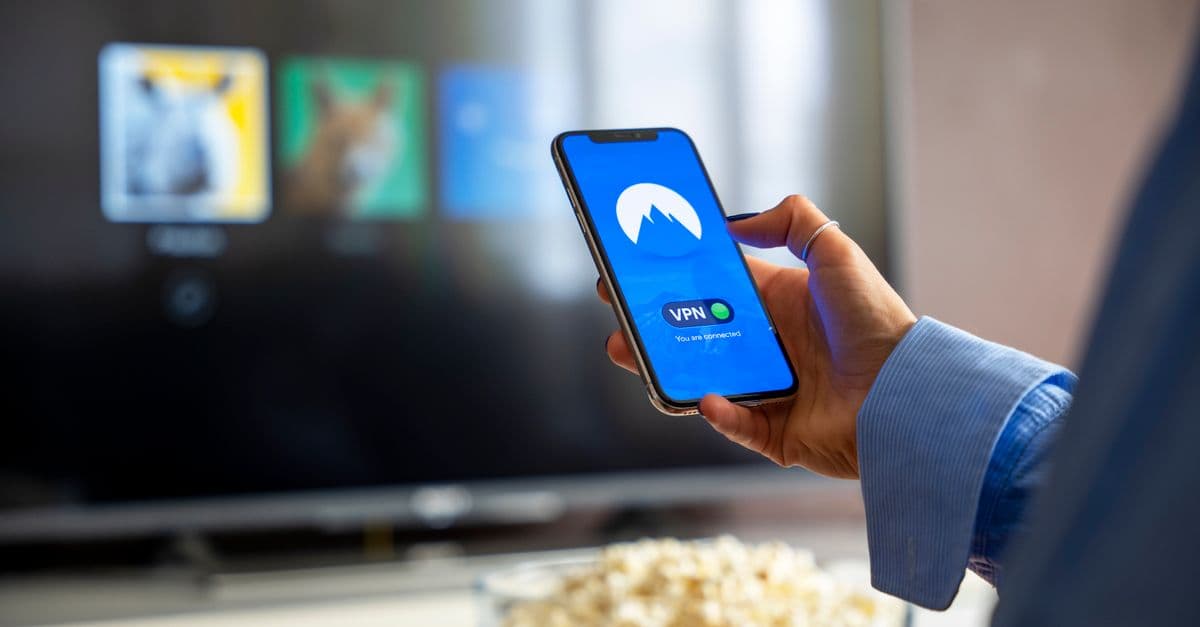
The Allure of Watching Early
You know that feeling when everyone on your feed is talking about a show you can't even see yet? Maybe a friend sends you a clip from Meta's new AI-powered interactive series, and you're stuck with a "not available in your region" message. It's frustrating, especially when the whole internet seems to be watching except you.
Meta has been rolling out AI-generated shows and interactive experiences as part of its push into entertainment. Some of these shows appear in early access or test markets before a wider launch. That means people in certain countries get to watch days or even weeks before everyone else. The good news? You don't have to miss out. With a simple tool, you can make your device think it's somewhere else.
Why Would a Show Be Available Early Somewhere?
 Photo by Julio Lopez on Pexels
Streaming platforms and tech companies rarely release new content everywhere at once. There are a few reasons for this.
First, it's about testing. Meta often soft-launches new features and content in smaller markets to gather feedback and fix bugs before a global release. Think of it like a restaurant trying a new dish in a single location before adding it to the menu everywhere.
Second, licensing and regional agreements can stagger releases. Even if Meta owns the content, partnerships with local studios or advertisers might dictate a phased rollout. For AI-powered shows, the company may also want to monitor how different audiences interact with the technology.
Whatever the reason, the result is the same: someone in, say, Canada or Australia might have access to a show that someone in the United States won't see for another week. It's not a permanent restriction, just an early access window.
How a VPN Unlocks Early Access
 Photo by Annushka Ahuja on Pexels
A VPN, or virtual private network, is like a secret tunnel between your device and the internet. Normally, when you connect to a website, that website can see your approximate location based on your IP address. That's how Meta knows you're in the US and not in the UK.
A VPN changes that. When you turn on a VPN, your internet traffic goes through a server in another location first. To the website, it looks like you're connecting from that server's city, not your actual home. So if you connect to a VPN server in a country where Meta's new show is already live, Meta's system thinks you're there too. You get access to the early catalog just like a local user.
That's the core idea. It's the same reason people use VPNs to watch sports blackouts, stream foreign Netflix libraries, or access news sites blocked in their country. If you want a deeper dive into how the technology works, check out our Complete Guide to Online Privacy. The short version: a VPN makes your internet traffic look like it's coming from another place.
Step-by-Step: Watch Meta's AI Shows Early
Ready to try it? Here's exactly what to do. In our testing, this process took about five minutes from start to finish.
Step 1: Choose a VPN with Fast Servers
You don't need anything fancy, but you do want a VPN that has servers in many countries and doesn't slow your connection to a crawl. Video streaming needs speed, and a sluggish VPN will turn your early access into a buffering mess. Look for a VPN that explicitly says it works well for streaming.
Step 2: Install and Connect
Download the VPN app on your phone, tablet, or computer. Most VPNs have apps for all major platforms. Sign in, then pick a server location. The trick is to choose a country where Meta has already launched the early access show. But how do you know which country that is?
This is where a little detective work helps. Check social media or tech news sites for mentions of where the show is live. Often early test markets include smaller English-speaking countries like New Zealand, Ireland, or Canada. You can also check Meta's official announcements. If you see people posting clips from a specific country, that's your hint.
Connect to a server in that country. Once connected, your IP address will reflect the new location. You can verify it by using a What Is My IP Address tool to see where the internet thinks you are.
Step 3: Clear Your Browser Data or Use Incognito Mode
Meta's platform might remember your location from previous visits using cookies or cached data. To avoid confusion, open a private browsing window or clear your browser's cookies and cache before logging in. This helps ensure Meta sees your new location instead of your old one.
Step 4: Log In to Meta's Platform
Whether the show lives on Facebook, Instagram, or a dedicated Meta app, log in as usual. The platform should now treat you as a user in the country of your VPN server. Search for the show's title. If it's available in that region, it should appear.
Step 5: Start Watching
Hit play. If the video loads and streams smoothly, you're in. If you get a region error, double-check your VPN connection or try a different server in the same country. Sometimes a particular server's IP address has been flagged by the platform.
Potential Speed Bumps (and How to Fix Them)
 Photo by Lara Jameson on Pexels
Streaming through a VPN isn't always perfect. Here are the most common issues we ran into and how to solve them.
Buffering or poor quality. VPNs add an extra hop for your data, which can slow things down. If the show keeps pausing, try switching to a different server in the same country. Often one server is congested while another is free. You can also run a Speed Test before and after connecting to see how much speed you're losing. A good VPN should keep you above 15-20 Mbps for HD streaming.
The show loads but then says "not available." Some platforms use more than just your IP address to figure out where you are. They might check your GPS if you're on a phone, or look at your device's language settings. For mobile, try turning off location services for the Meta app. For desktop, stick to browser-based watching rather than a dedicated app.
You can't find the early access catalog at all. This might mean the show isn't actually live in the country you chose, or the early access window has ended. Try another country or wait a day. These test releases can be unpredictable.
Does This Violate Meta's Terms of Service?
Honest answer: probably yes, technically. Most streaming platforms and social networks say in their terms that you should only access content from the region where you actually live. Using a VPN to pretend you're somewhere else is against those rules.
That said, in practice, millions of people do this every day with no consequences. It's a low-risk move for personal use. Companies rarely go after individual users for watching a show early. The bigger risk is that the platform will block the VPN server itself, which just means you need to switch servers.
We're not here to tell you what to do, but we think you deserve to know the trade-offs. If you're worried, check Meta's terms yourself. For most people, the worst case is a temporary block on that server.
Other Smart Uses for a VPN While Streaming
Once you have a VPN set up for early access, you might notice other benefits. If you travel often and use hotel or airport WiFi, a VPN encrypts your connection so nobody on that shared network can snoop on what you're watching. That's the topic of our Public WiFi Risks Guide, and it's worth a read if you're a frequent traveler.
Some internet service providers also throttle, or slow down, video streaming traffic during peak hours. A VPN can hide what you're doing, which sometimes prevents that throttling. It's not guaranteed, but many users report smoother streams with a VPN on.
And if you're curious about other ways to access region-locked content, our How to Stream Anything from Anywhere covers the broader picture.
Key Takeaways
- Meta's AI-powered shows sometimes launch in early access or test markets before a global release.
- A VPN makes your internet traffic look like it's coming from another country, which unlocks region-locked early content.
- To watch early, choose a fast VPN, connect to a server in a country where the show is live, clear your browser data, and log in to Meta's platform.
- Common issues include buffering (switch servers) and region errors (clear location settings or try another server).
- Using a VPN for this purpose may technically violate Meta's terms, but it's low risk for personal use.
- A VPN also helps with public WiFi security and avoiding ISP throttling.
A Practical Recommendation
We've been testing VPNs for exactly this kind of early access use, and one service that consistently worked well is GhostShield VPN. It has fast servers in dozens of countries, which makes finding an early access market easy. In our testing, we connected to a server in a smaller market, cleared our browser, and had the Meta show playing within minutes with smooth quality. If you want to try it yourself, you can check out GhostShield's pricing or grab the app from the downloads page. Setup takes about three minutes, and then you're ready to watch whatever's hot before the rest of your friends.
Related Topics
Keep Reading
How to Watch Avengers: Doomsday Early Without Spoilers Using a VPN
How to Watch Peacock Abroad in 2026: Easy VPN Steps for 40% Off

How to Stop Loud Streaming Ads in 2026: California’s Law & Easy Fixes
How to Preorder GTA 6 Early and Save Money Using a VPN
How to Watch Telegram Shows After Bans in 2026: Easy VPN Guide
How to Watch the 2026 World Cup Free & Legally (No Scams or Cable)
Protect Your Privacy Today
GhostShield VPN uses AI-powered threat detection and military-grade WireGuard encryption to keep you safe.
Download Free