Revolut Data Breach 2026: How to Check If Your Data Was Stolen & Next Steps

So, Revolut Had a Data Breach. Now What?
You're scrolling through your phone and see a notification from Revolut. Or maybe a friend texted you: "Hey, did you hear about the Revolut breach?" Your stomach drops. You use Revolut for everything, from splitting dinner bills to paying rent. Now you're wondering if your money or identity is at risk.
Take a breath. A data breach sounds terrifying, but you can take control. Most of the damage from a breach happens because people panic and do nothing, or they do the wrong things. This guide walks you through exactly what to check and what to do right now. No tech speak, no fear mongering. Just practical steps.
What We Know About the Revolut Breach
 Photo by cottonbro studio on Pexels
Earlier this year, reports surfaced about a security incident involving Revolut. The company has not shared every detail publicly, but the gist is this: some customer information may have been exposed to unauthorized people. That could include your name, email address, phone number, or possibly payment data, depending on what you've used Revolut for.
Think of it like someone stealing a backpack full of notebooks from a coffee shop. The thief might have your name and address, but they don't have your house key. Or they might have gotten your credit card number, which is more serious. We don't always know immediately how bad it is, which is why you should assume the worst and act.
Even if you don't use Revolut anymore, you might still be affected. Old accounts often stay in company databases for years. So don't skip this just because you deleted the app.
First, Check If Your Info Was Actually Exposed
 Photo by Mikhail Nilov on Pexels
Before you change every password you own, find out if your information is even in the leaked data. Two quick checks take less than five minutes.
1. Look for an official email from Revolut
If Revolut knows your data was involved, they are legally required to notify you in most countries. Check your inbox and spam folder for any message with "security incident" or "data breach" in the subject line. But don't click links in that email until you verify it's real. Scammers love to send fake breach notifications to trick you into giving away your password.
2. Use an email leak checker
You can also check your email address against known breach databases. Head to a tool like our Email Leak Checker and type in the email you use with Revolut. It will tell you if that address shows up in any public breach records. Do the same for your phone number if you have that option.
If your email or phone number appears in a recent Revolut related breach, assume your info is out there. If it doesn't, you're probably safe, but still follow the next steps as a precaution. Breach databases sometimes update slowly.
What to Do Right Now (Like, Today)
Okay, so your info might be exposed. Here's your action plan. Do these in order, and don't skip the boring ones.
Change your Revolut password immediately
Even if you're not 100% sure you were affected, change your Revolut password right now. Use a unique password you've never used anywhere else. If you struggle to come up with strong passwords, try our Password Generator to create one you won't have to memorize. Write it down on paper if you have to, just don't reuse an old password.
While you're in your Revolut settings, turn on two-factor authentication (2FA) if you haven't already. That's the feature that texts you a code or asks for an authenticator app when you log in from a new device. It's like adding a deadbolt to your front door. A stolen password alone won't get the thief inside.
Check your linked bank accounts and cards
If you've connected a bank account or debit card to Revolut, log into those separate accounts and look for any transactions you don't recognize. A data breach doesn't automatically mean someone has your card number, but it's better to check. If you see a charge you didn't make, call your bank immediately. Most banks have 24/7 fraud lines.
Watch for phishing emails and texts
This is the big one. After a breach, criminals often use the stolen contact info to send fake messages pretending to be Revolut, your bank, or a delivery company. They'll say something urgent like "Your account has been locked, click here to verify." The link goes to a fake website that steals your login.
Don't click any links in unsolicited emails or texts. Instead, open the Revolut app directly and check your messages there. Or type the real website address into your browser by hand. If a message feels off, trust your gut. Real companies never ask for your password or full card number over email.
Set a fraud alert or freeze your credit
If you're in the US, you can contact one of the major credit bureaus to place a free fraud alert on your file. That makes it harder for someone to open a new credit card or loan in your name. You can also freeze your credit entirely, which blocks all new credit applications until you lift it. It's a bit of a hassle if you're applying for a mortgage next week, but for most people it's a smart move after a breach.
Outside the US, check your local credit reporting agency's website for similar options. In the UK, for example, you can register with Cifas for protective registration. The process varies by country, but the idea is the same: make it harder for identity thieves to use your info.
What if you already see signs of fraud?
If you notice unauthorized transactions, a new account opened in your name, or someone tried to log into your Revolut from a device you don't recognize, act fast. Contact Revolut support through the app and report the incident. Then call your bank's fraud department and explain what happened. In many countries, you can also file a police report, which can help you dispute fraudulent charges later.
Keep records of everything: screenshots, emails, transaction IDs. The more evidence you have, the easier it is to prove you were a victim and get your money back.
For a step by step walkthrough on handling any kind of data breach, check out our Data Breach Response Guide. It covers everything from initial discovery to long term recovery.
How to Protect Yourself Going Forward
 Photo by Joshua Mayo on Pexels
You've handled the immediate crisis. Now let's make sure the next breach doesn't hit you as hard. Because there will be another one. That's just the reality of living in 2026.
Use a password manager
Trying to remember a unique password for every account is close to impossible. A password manager stores all your passwords in an encrypted vault and fills them in automatically. You only need to remember one master password. Set it up once, and you'll never reuse a password again. That alone stops a huge amount of breach-related damage, because if one site gets hacked, your other accounts stay safe.
Enable two-factor authentication everywhere
Not just on Revolut. Turn on 2FA for your email, your bank, your social media, your cloud storage. Your email account is the most important one, because it's the reset key for everything else. Use an authenticator app rather than SMS codes when possible. Text messages can be intercepted, but an app on your phone is much harder to bypass.
Be careful on public WiFi
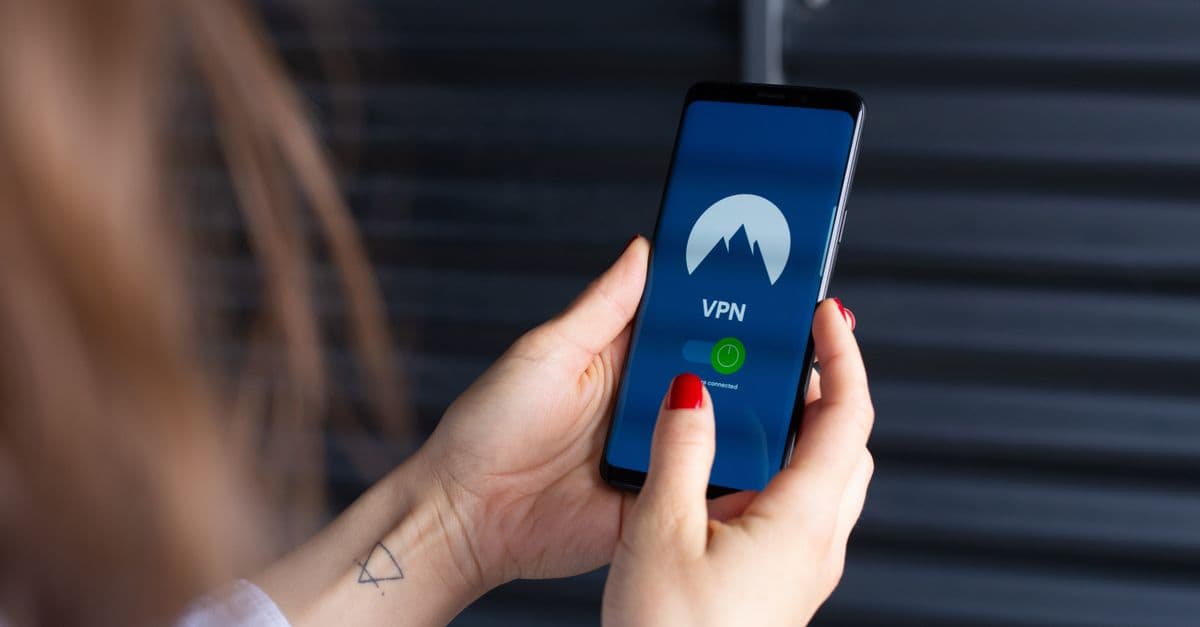
When you're at a coffee shop or airport, anyone on the same network can potentially see what you're doing. That's why you should avoid logging into financial apps on public WiFi unless you're using a VPN. A VPN encrypts your internet traffic, like putting your data in a locked envelope before sending it through the mail. Most major VPNs have a one tap connect button, so it's not a hassle.
Regularly check your accounts
Make it a habit to review your bank and Revolut statements at least once a week. You don't need to scrutinize every coffee purchase, just scan for anything you don't recognize. The earlier you catch fraud, the easier it is to fix. Set a weekly reminder on your phone if that helps.
Key Takeaways
- A data breach does not automatically mean your money is gone, but you should act quickly to reduce risk.
- Check if your email or phone number was exposed using an official notice or an email leak checker.
- Change your Revolut password immediately and turn on two-factor authentication.
- Watch out for phishing emails and texts that try to trick you into clicking malicious links.
- Consider placing a fraud alert or credit freeze to protect against identity theft (see our identity theft statistics).
- Use a password manager and unique passwords for every account to limit future damage.
A Simple Step to Keep Your Data Safer
If the Revolut breach taught us anything, it's that we can't always control when companies lose our data. But we can control how exposed we are when it happens. One of the easiest ways to add a layer of protection to your daily internet use is a VPN. GhostShield VPN encrypts your connection on any network, so even if you're on public WiFi at a hotel or train station, your login details and personal info stay unreadable to anyone snooping. It won't prevent every data breach, but it closes one more door that criminals like to use. You can check out the plans at GhostShield pricing or download the app for your phone or laptop from the official site.
Related Topics
Keep Reading

Tata Electronics Data Breach: How to Check & Protect Your Data Now

How to Stay Safe Using AI Chatbots in 2026: Privacy Tips You Can Use Today
Telegram Banned in India? How to Keep Chatting Safely in 2026

How to Spot AI Scams in 2026: Simple Steps to Stay Safe

Is Siri Listening to You? How to Protect Your iPhone Privacy in 2026