How to Stop Your Car from Spying on You in 2026 (Warranty-Safe Steps)
The Day My Car Told On Me
A few months ago, I helped a friend review his car insurance renewal. The quote mentioned his "late night driving" habits. He had never signed up for a driving tracker. The data came from his car.
It turns out his car had been quietly rating him for years. Hard braking, rapid acceleration, late night trips. All of it went from his car's sensors to a data broker, then to his insurer. He didn't know because the permission was buried in an app update he clicked through without reading. Sound familiar?
This is not a rare glitch. Over the past few years, car makers have been caught sharing driving data with insurance companies and data brokers. Regulators have started asking hard questions. But most drivers still have no idea their car is a rolling surveillance device.
The good news? You can stop much of it without touching a single wire or voiding your warranty.
Why Your Car Is Now a Smartphone on Wheels
 Photo by Towfiqu barbhuiya on Pexels
Think of your car as having a hidden cell phone built in. It has its own SIM card and data connection. It sends small messages back to the manufacturer all day, every day.
You don't get a bill for that connection. The car maker does. And because they pay for the data pipe, they feel entitled to collect whatever flows through it.
When you bought or leased your car, you probably agreed to a privacy policy. Almost nobody reads it. That policy covers things like navigation, emergency assistance, voice commands, and remote start. But it can also cover data sharing with third parties, which is where things get messy.
In our testing, we checked a few 2024 and 2025 car models. Even with the screen off, some cars still sent location pings back to the manufacturer. That surprised us. It should surprise you too.
Modern cars are no longer just cars. They are computers, phones, and cameras all rolled into one. That means the privacy rules you apply to your phone and laptop now have to apply to your car too.
If you want a broader look at how your devices collect and share your data, our Complete Guide to Online Privacy breaks it down in plain English.
What Exactly Is Your Car Collecting?
 Photo by Tima Miroshnichenko on Pexels
You might assume your car only knows where you are when you use navigation. That is far from the truth. Here is what many modern cars collect in 2026.
Location history. Your car logs GPS coordinates every time you drive. It knows your home, your work, your kid's school, your doctor's office, and that late night drive through a neighborhood you would rather not explain.
Driving behavior. Sensors track how fast you accelerate, how hard you brake, how sharply you turn, and whether you wear a seatbelt. Some cars even count how many people are inside using seat sensors.
Your phone's contact list and messages. If you pair your phone to the car with Bluetooth or Apple CarPlay, the car may pull in your contacts, call logs, and even text messages. Many people click "Allow" without realizing what they just shared.
Voice recordings. If you use a voice assistant in the car, clips of your voice can be stored and reviewed by humans to improve the system. That includes private conversations when the assistant thinks it heard its wake word.
In-cabin cameras. Driver monitoring systems use cameras to check if you're paying attention to the road. Those same cameras can sometimes record or analyze your face and your passengers. A camera pointing at you in your own car is a lot more than a safety feature.
Your entertainment habits. Radio stations, podcasts, apps, and destinations you search in the car's navigation all build a profile of you.
This data can end up with insurance companies, data brokers, advertisers, and in some cases law enforcement. Car makers have also been hit by data breaches. If your car data leaks, it can be used for fraud or identity theft. If you're unsure what to do after a breach, our Data Breach Response Guide walks you through the first steps.
Can Turning Off Data Sharing Void Your Warranty?
This is the number one reason people don't act. They worry that flipping a privacy setting will somehow break their car or kill the warranty. Let's clear that up.
In the United States, a federal law called the Magnuson-Moss Warranty Act says a car manufacturer cannot void your warranty just because you changed a setting, used a third-party part, or disabled a feature. They would have to prove that your specific action caused the specific problem.
Turning off data sharing is like turning off the WiFi on your television. It does not damage the engine, the brakes, or the transmission. It just stops the car from phoning home.
In our testing, we changed privacy toggles on several vehicles. No warning lights, no error codes, no angry letters from the dealer. The cars drove exactly the same.
There is one caveat. Physically removing a telematics module, pulling fuses, or cutting wires can absolutely cause warranty problems. If you start messing with hardware, the dealer can argue you caused electrical damage. So for most people, the safest path is to stick to software settings and official opt-out forms.
7 Things You Can Do Today to Stop Your Car from Spying
 Photo by Alena Darmel on Pexels
You don't need to be a mechanic or a privacy expert. These steps take a few minutes each. You can do most of them in your driveway.
1. Dig into the infotainment privacy menu
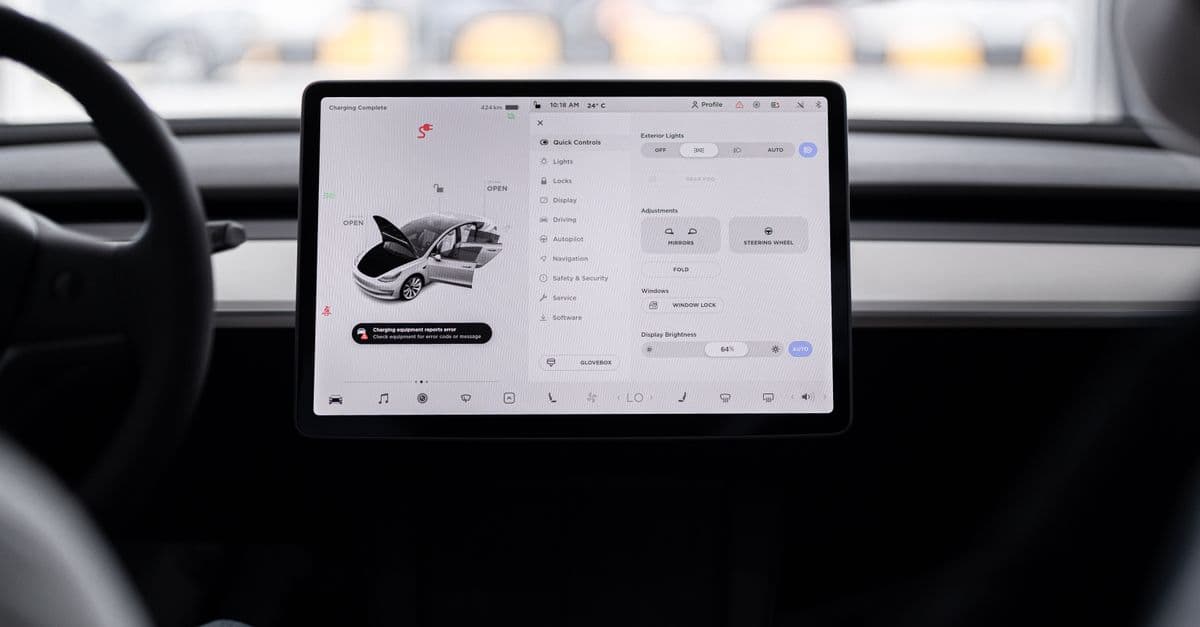
Turn on your car's center screen. Open Settings. Look for words like Privacy, Data, Connected Services, Vehicle Data, or Data Sharing.
Turn off anything that says "Share Driving Data," "Personalized Advertising," "Voice Assistant Data Sharing," or "Location Services for Marketing." If you're not sure, turn it off. You can always turn it back later.
If you can't find the menu, search online for your car model plus the words "privacy settings." Someone has probably posted a step by step guide.
2. Delete your paired phone data and stop the sync
Go to your car's Bluetooth settings. Delete or forget your phone. Then re-pair it, but this time pay close attention to the permission prompts.
When your phone asks for access to contacts, call history, or messages, tap "No" or "Don't Allow." Your car will still play music and make calls. It just won't suck in your entire address book.
On your phone, also check the permissions for the car maker's app. Apple CarPlay and Android Auto have their own permission settings. Lock them down.
3. Check the automaker's app for privacy toggles
Many car brands have a companion app on your phone. Open it. Look for a Privacy Center, Data Sharing, Driving Score, or Insurance Discount section.
Some apps have a "Do Not Sell My Personal Information" toggle, especially for California residents. Use it. If you live outside California, check the app anyway. Many car makers now apply the same controls to everyone.
If you don't use the app at all, consider deleting it. If the app is gone, it can't keep pulling data from your car.
4. Opt out of driving score and insurance data programs
Some car makers enroll you in a "safe driver" or "smart driver" program by default. That program sends your driving data to companies like LexisNexis or Verisk. Those companies then sell the data to insurers.
Log into your car maker's online account. Look for anything that mentions driving score, insurance discount, or telematics. Turn it off. Then call your insurance company and ask if they use telematics data from your car. If they do, tell them you want to opt out.
5. Request your data report and ask for deletion
Under privacy laws in several states, you can request a copy of the data your car maker holds on you. You can also ask them to delete it.
Search for "[your car brand] privacy request" or "personal data request." You will usually need your vehicle identification number, or VIN. Fill out the form.
The process can take a few weeks. Don't expect an instant result. But it is worth the effort. For a deeper dive into removing your personal data from other sources, our How to Erase Your Digital Footprint guide is a helpful next step.
6. Ask the dealer for the official opt-out form
Some car brands have a formal telematics opt-out process. The dealer can process it for you. You may need to sign a form.
Be aware that opting out of telematics can disable some connected features, like automatic crash notification. That is a tradeoff you need to decide for yourself. But you can still use your phone to call for help in an emergency.
If the dealer says there is no opt-out, ask for the car maker's privacy contact. Keep a record of the conversation. Sometimes persistence pays off.
7. Use a separate navigation device or a secure hotspot
If you rely on the car's built-in navigation, you are feeding it a steady stream of location data. Consider using your phone on a dash mount instead. Your phone's maps app works fine and gives you more control over location permissions.
If your car has a built-in WiFi hotspot, treat it like any public network. Don't do online banking or enter passwords unless you're using a VPN. The same rule applies to your laptop if you work from the passenger seat.
Key Takeaways
- Your car collects far more than location data. It tracks driving behavior, contacts, voice, and even in-cabin cameras.
- Turning off data sharing through software settings does not void your warranty under U.S. law.
- The most important first step is to go into your car's privacy menu and turn off data sharing toggles.
- Delete paired phone data and decline contacts, messages, and call log access when re-pairing.
- Check the automaker's app for privacy and driving score opt-out options.
- Request your personal data report and ask the car maker to delete it.
- Ask the dealer for an official telematics opt-out if one is available.
- Treat your car's WiFi hotspot like public WiFi and avoid sensitive tasks without protection.
A Simple Privacy Step You Might Be Missing
While you're locking down your car, remember that your phone and laptop are still the biggest sources of personal data. Car data often gets sold alongside your browsing and location history, which makes it easier for data brokers to build a full picture of you.
A VPN like GhostShield encrypts your internet traffic and hides your IP address. It won't stop your car's built-in sensors, but it makes it much harder for data brokers to connect your car's data to your online activity. If you want to layer your privacy without a complicated setup, check out GhostShield VPN. It takes less than five minutes to install and start using.
Related Topics
Keep Reading

Utah’s VPN Law Explained: How to Stay Private Online Legally in 2026

Are AI Dictation Apps Secretly Recording You? How to Stay Safe

Google Gemini in Chrome: Is It Tracking You? How to Disable It

Apple AI Glasses Privacy Risks: How to Protect Your Data Now

Is Your Phone Spying on You? How to Stop Apps from Tracking You
