How to Charge Your Phone Safely in Public: Stop Juice Jacking in 2026
What Is Juice Jacking? The Sneaky Threat You Never See
You walk into an airport lounge, your phone clinging to 8% battery. In the corner, a friendly little kiosk offers free USB charging. You plug in, grab a coffee, and come back to a full battery. Feels like a win, right?
Here's the problem: that USB port may have done more than charge your phone. It may have helped itself to your photos, your contacts, or even slipped a tiny piece of spyware onto your device. This kind of digital pickpocketing has a name: juice jacking.
Think of it this way. When you connect your phone to a stranger’s laptop, you’d never dream of letting it “just transfer a few files.” But plugging into a public USB port does something similar. USB cables are built to handle both power and data, so that charging station could silently ask your phone to share its contents as easily as it delivers electricity. It’s the equivalent of fueling up your car while a hidden camera photographs your driver’s license and wallet in the glove box.
The threat isn’t new, but it’s more relevant than ever. Back in 2019, the Los Angeles County District Attorney’s office issued a public warning about USB charger scams popping up in airports, hotels, and shopping malls. Security researchers have since shown how a compromised charging kiosk can grab data in seconds. And with USB‑C fast charging now everywhere (airport seats, train tables, coffee shop counters) the opportunity for attackers has mushroomed. More ports mean more bait.
Juice jacking isn’t sci‑fi. It’s a real, proven attack that turns a simple battery top‑up into a privacy nightmare. The good news: you don’t need to be a tech whiz to protect yourself. A few simple habits (and one ridiculously cheap gadget) can keep your data safe every time you need a public charge.
How Cybercriminals Turn a USB Port Into a Data Trap
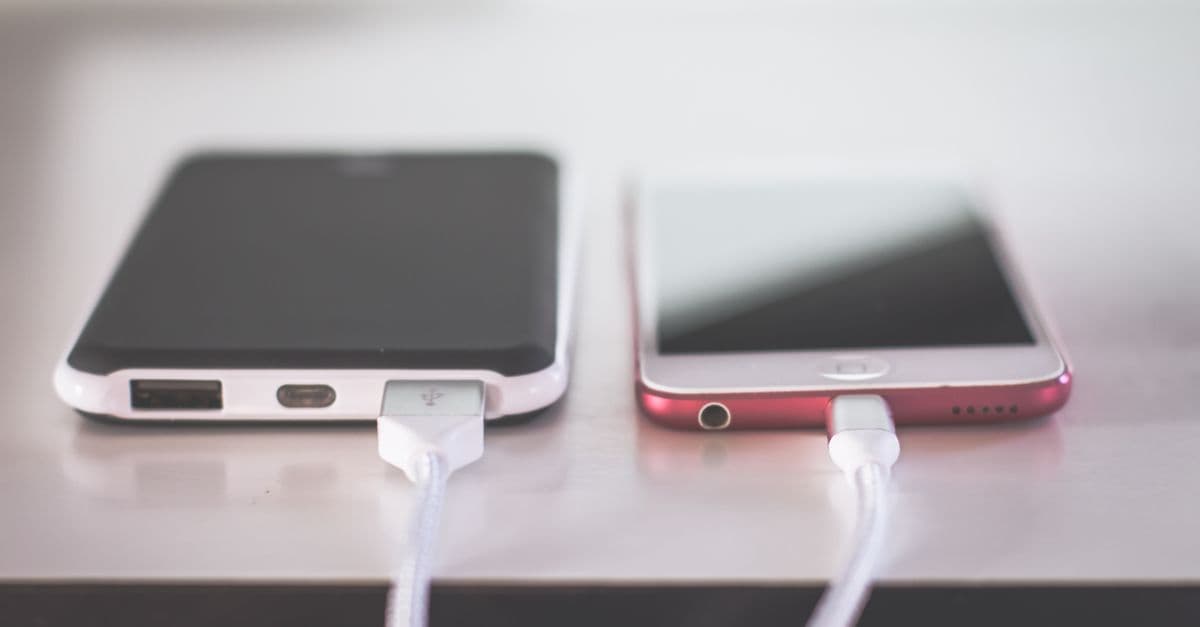
 Photo by Srattha Nualsate on Pexels
At first glance, every USB port looks the same. But inside a normal charging cable, there are tiny wires. Some carry electricity, others carry data signals. When you plug into a trusted charger, your phone and the charger do a quick electronic handshake to negotiate how much power to send, and that’s it. Data lines stay quiet.
A malicious charging station changes the script. Hidden inside the port (or even inside the cable itself) is a microscopic chip that impersonates a keyboard. The moment your phone connects, that fake keyboard types commands. It can instruct your device to unlock, copy certain folders, or install a hidden app, all within seconds, before your screen even lights up.
Security researchers from companies like Hak5 demonstrated this years ago with a device called the O.MG Cable. It looks, feels, and charges exactly like a premium Apple or USB‑C cable. But hidden under the plastic sleeve is a tiny wireless chip. A nearby attacker can use it to send keystrokes, steal files, or open a backdoor. The kicker? The cable still charges your phone, so you’d never suspect anything.
Think of it like a skimmer on a gas pump. While you fill your tank, a criminal siphons your card info. Here, while you refuel your battery, the port skims your data without a single visible clue. And it’s not just about grabbing a few photos. A compromised USB connection can push a malicious profile that redirects your internet traffic through a server controlled by the attacker. It can silently install an app that monitors your messages. In essence, a simple charge becomes a wide‑open doorway for deeper spyware.
What makes this so tricky is that our devices are built to cooperate. Phones and tablets want to share files when connected, because that’s normally a helpful feature. The bad guys exploit that helpfulness. And since public charging stations are often run by third‑party vendors or simply left unattended, there’s little guarantee the hardware hasn’t been tampered with. A kiosk at a mall could have been modified overnight. A USB socket at an airport gate might have a tiny insert that you’d never spot with a quick glance.
The good news doesn’t require you to disassemble anything or learn about chips. There’s a dead‑simple, affordable shield that stops data theft in its tracks.
The $10 Accessory That Blocks Data Theft Instantly
 Photo by Hasan Albari on Pexels
Meet the USB condom (yes, that’s the nickname the tech world gave it). It’s a tiny adapter, no bigger than a thumbnail, that fits between your charging cable and the public USB port. Inside, the adapter physically disconnects the data pins. Only the power wires remain connected, creating a one‑way valve for electricity.
Using it is embarrassingly easy. You plug the adapter into the suspicious USB port. Then you plug your own charging cable (the one you know and trust) into the adapter. That’s it. No settings, no software, no special knowledge needed. Your phone charges at full speed, but the data path is completely severed. Even if the port behind the adapter contains a hidden keyboard chip, it can’t type any commands because the data lines literally don’t connect.
Because these little blockers are so compact, you can keep one on a keychain, in a wallet, or in the same bag you carry your power cable. A good USB data blocker costs around ten dollars. For that price, you get a permanent exit from the juice jacking risk.
A data blocker like this is pocket-sized and blocks data while passing power through. So whether you’re at an airport, a hotel nightstand, or a coffee shop counter, you never have to gamble on a naked USB port again. This really is the gold‑standard “charge safely” tip in 2026. If you travel, commute, or simply hate seeing a low battery icon, grab one and make it part of your everyday carry.
Of course, maybe you left your adapter at home, or you simply prefer other methods. No problem. There are several practical ways to power up without ever exposing your data.
Five Other Ways to Charge Your Devices Safely in Public
You don’t need a degree in cybersecurity to outsmart juice jackers. A mix of awareness and cheap alternatives makes you a much harder target. Here are five strategies that work, each with zero fuss.
-
Use AC outlets with your own charger. A standard wall socket carries nothing but electricity. There are no data lines running through it. Bring your own charging brick (or the one that came with your phone) and plug directly into the outlet. The brick handles the power conversion, and your phone talks only to the charger you trust. This is the safest public charging method because the data path simply doesn’t exist. If you see a dusty old outlet near that sleek USB kiosk, choose the outlet every time.
-
Bring a portable battery pack. A power bank is your personal electricity vault. You charge the bank at home, where you control the environment, and then use it to refill your phone anywhere. You never have to touch a public port at all. Many slim, high‑capacity options today can charge a smartphone three or four times before needing a refill. Keep one in your bag, and you’ll breeze past those airport USB stations with a smirk.
-
Charge while the device is off. If you absolutely must use a suspect USB port and have no other alternative, power your phone completely down before plugging in. When a device is off, its operating system isn’t running, so it can’t receive commands or transfer files. Some phones still wake up briefly for low‑level checks (so this isn’t a 100% guarantee), but it significantly raises the bar for an attacker. It’s far better than charging while awake and unlocked. Consider this the emergency backup plan, not your daily routine.
-
Opt for wireless charging stations. Qi wireless pads transfer power using magnetic induction. There are no metal contacts for data, no USB pins at all. The technology beams energy, not files. If you spot a wireless charging spot on a café table or in an airport lounge, use it. Just place your phone on the pad. True, wireless is often slower than wired fast charging, but the speed trade‑off is worth the peace of mind. Plus, many newer phones support wireless power sharing, so you can even help a friend without cables or risks.
-
Carry a charge‑only USB cable. Unlike the adapter approach, a charge‑only cable has the data wires physically removed or permanently disconnected at the factory. It looks like a regular USB cable but can never transmit data. That means even if you plug it straight into a booby‑trapped port, no data can flow. These cables are inexpensive and great for anyone who’d rather not fiddle with a separate adapter. Check the label when buying: look for “charge‑only” or “data‑blocked” in the description.
Between the USB condom adapter and these five methods, you’ve got a full safety net. No single trick works for every situation, but combining a few of them turns you into a very hard target. And the more casual travelers adopt these habits, the less profitable juice jacking becomes for criminals.
Key Takeaways
 Photo by https://kaboompics.com/ on Pexels
- Juice jacking is a real attack where a public USB port steals data or installs malware while you charge.
- Malicious hardware can hide inside charging stations or even inside innocent‑looking cables.
- A USB data blocker (USB condom) physically disconnects the data lines, making juice jacking impossible.
- Use AC outlets with your own charger whenever possible; they can’t transfer data.
- Portable power banks, wireless charging pads, and charge‑only cables all bypass the risk entirely.
- If you must use an untrusted USB port as a last resort, power off your device first.
Public charging stations aren’t going away, and neither are the people who try to exploit them. But a little awareness and a ten‑dollar gadget are all you need to keep your phone healthy and your private life private. While you’re at it, remember that public Wi‑Fi in those same airports and coffee shops can expose your data too. Our Public WiFi Risks Guide walks you through what to watch for and how to stay safe. And if you’re worried that your information may have been grabbed through another channel, take a look at our Data Breach Response Guide for a clear, step‑by‑step plan.
Separately, if you often rely on open Wi‑Fi hotspots (and who doesn’t while traveling or grabbing a coffee), using a VPN adds a powerful layer of encryption that makes it much harder for anyone to snoop on what you’re doing. GhostShield VPN encrypts your internet traffic on any network, so even if you’re on a risky connection, your passwords, messages, and browsing stay scrambled. It won’t block juice jacking (the USB condom handles that), but it closes the other big door that public spaces open. You can check it out at https://www.ghostshield.ai/pricing and see if it fits your daily routine. Stay charged, stay safe.
Related Topics
Keep Reading

How to Opt Out of AI Training in 2026: Keep Your Data Private Without Deleting Accounts

How to Block Facial Recognition & AI Tracking Without Going Off-Grid

OpenVPN UDP vs TCP: Which to Use, and When

VPN for Fubo: Watch Your US Plan While Traveling (2026)
VPN iPhone Not Connecting? 12 Fixes, Most Likely First