Expired Credit Card Still Charging? How to Kill Zombie Payments Fast
Your Card Expired. The Charges Didn't. Here's Why.
You cut up the old card. You activated the new one. Then, three months later, you see a $14.99 charge from a streaming service you could have sworn you canceled. You check the card number on the charge. It's the old card. The one that expired. How is that possible?
It's not magic. It's not necessarily fraud. It's a feature of the modern payment system, and it catches a lot of people off guard. The industry term is "zombie payments." A zombie payment is any charge that keeps coming back to life after you thought the card was dead.
Let's break down why this happens and how to stop it for good.
Why an Expired Card Can Still Be Charged
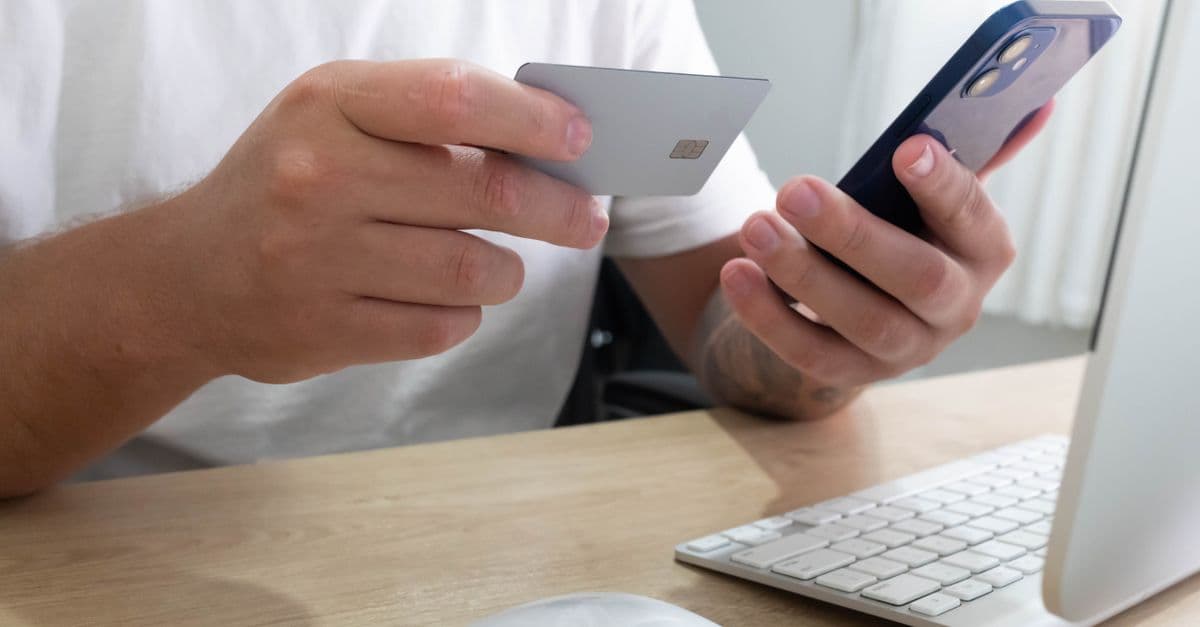
 Photo by Artem Podrez on Pexels
Think of your card number like a house address. When you move, you fill out a mail forwarding form so important letters follow you. Card networks do something similar. Visa, Mastercard, and American Express run automatic updater services. When your card expires or gets replaced, those services can send your new card number, expiration date, and security code to merchants you already had recurring payments with.
The merchant never needs to ask you. The network does it silently. This is designed to prevent service interruptions. It means your gym membership, cloud storage, or meal kit subscription keeps working. It also means a subscription you forgot about keeps charging.
There is a second reason. Many banks treat a recurring payment as a promise you made to the merchant. That promise can outlive the physical card. Even if you cancel the card, the bank may allow previously authorized recurring charges to continue under the old number. In plain terms, the bank's system flags the charge as "previously approved by customer" and lets it through.
Digital wallets add another layer. If you paid with Apple Pay, Google Pay, or PayPal, the merchant may store a token. A token is a stand-in for your card number. That token can stay valid even when the original card expires because the wallet service updates it in the background. The merchant never sees your new card, but the charge still goes through.
So an expired card is not a dead card. It's more like a forwarding address that keeps your old obligations alive. This is also why simply cutting up your card doesn't stop charges. The old card number remains alive in the system. In fact, even if you report your card lost or stolen, recurring charges can still follow the new card unless you specifically tell the bank to block them.
How to Spot Zombie Payments Hiding in Your Account
 Photo by Pavel Danilyuk on Pexels
The first sign is usually a charge you don't remember making. It might be small, like $4.99 or $9.99. It might show up under a billing name that looks nothing like the app or website you signed up for. For example, a charge from a streaming service might appear as "AMZN DIGITAL" or "GOOGLE *YouTube." Merchants often use different billing descriptors, and that makes zombie payments easy to miss.
A zombie payment can also be the result of a free trial you forgot to cancel. You signed up for a seven day trial, deleted the app, and assumed you were done. But deleting the app does not cancel the account. The free trial ended, and the company started charging your card. That's a classic zombie payment.
The best way to find them is to look at your own account. Log into your bank or credit card app and pull up the last 90 days of transactions. Look for charges that repeat on the same day each month. Circle anything you don't recognize. Then search your email for words like "receipt," "subscription," "trial," or "renewal." That search will often reveal a service you forgot you signed up for six months ago.
Don't forget app stores. On an iPhone, go to Settings, tap your name, then tap Subscriptions. On Android, open the Play Store, tap Payments & subscriptions, then Subscriptions. These lists show every recurring charge tied to your Apple or Google account. Many people are shocked by what they find there.
We did our own cleanup while researching this article. We found a forgotten cloud storage plan and a fitness app trial that had converted to a paid plan months earlier. It took less than ten minutes to cancel both. If a charge looks completely foreign, from a merchant you have never used, that's a different problem. It could mean your card number was stolen in a data breach. In that case, follow the steps in our Data Breach Response Guide right away.
The 5-Minute Zombie Payment Cleanup
You don
Related Topics
Keep Reading

Is Alexa Listening? How to Stop Voice Assistants from Spying in 2026

Revolut Data Breach 2026: How to Check If Your Data Was Stolen & Next Steps

TikTok's $400M Kids' Privacy Fine: What Parents Must Do Now
How to Spot Fake Tech Conferences That Steal Your Data in 2026

How to Stop Strangers from Joining Your Zoom Meetings in 2026