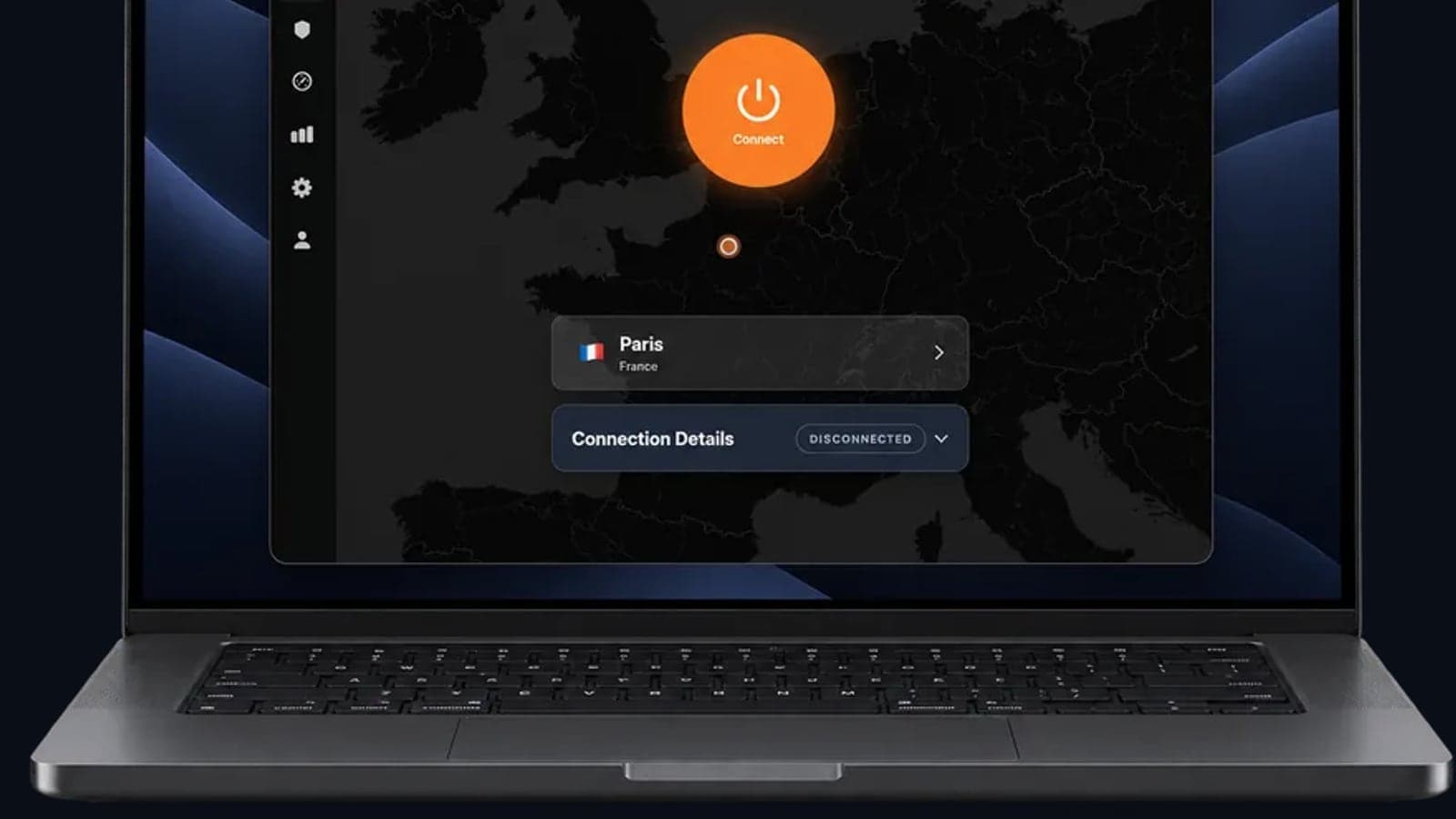
Best VPN for China Travel in 2026: How to Beat the Great Firewall Safely
China Travel VPN 2026: The New Reality Behind the Great Firewall
Imagine landing in Shanghai, grabbing your phone, and trying to send a WhatsApp message to say you arrived. Nothing sends. Instagram won't load. Google Maps is blank. You remember the VPN you installed last week. You tap connect. It connects. But your internet crawls like a dial-up modem from 1999. That is the Great Firewall in September 2026. It no longer just blocks websites. It actively hunts VPN traffic and makes the internet unusable for anyone who didn't prepare the right way.
This is a full refresh of our China travel VPN guide, updated for recent enforcement changes. We'll explain why the Great Firewall is harder to fool this year, what to look for in a VPN for China in 2026, and how to stay connected without getting your device blacklisted at the border.
Why the Great Firewall Is Tougher in September 2026 (And What That Means for Your China Travel VPN)
The Great Firewall has always been a moving target, but this month it got noticeably smarter. It no longer just blocks a list of known VPN server addresses. Instead, it now uses deep packet inspection to analyze your internet traffic in real time, even when it's encrypted.
Think of it like a bouncer at an exclusive club who doesn't just check IDs. That bouncer now memorizes the posture, walking style, and even the shoelace patterns of everyone on the guest list. If you don't match the expected behavior, you're pulled aside.
This shift means older VPN methods, like simply connecting to an OpenVPN server on port 1194, are instantly recognizable. The GFW spots the digital "uniform" those protocols wear and throttles the connection. You won't necessarily be blocked outright. Instead, your internet will slow to a crawl, making it feel broken. That's a deliberate frustration tactic to get you to turn off the VPN.
New tricks have also entered the game. Over the past year, China has deployed AI-driven traffic analysis that identifies VPN "tunnels" regardless of the protocol they masquerade as. The AI looks for patterns like consistent packet sizes, timings, or the way encrypted data flows between your device and a server. This means even so-called obfuscated servers, which disguise VPN traffic as regular HTTPS browsing, need to be constantly evolving. Stealth modes that use Shadowsocks or similar proxies are now the bare minimum, not a premium feature.
In practice, a mainstream VPN on its default settings can connect at the airport and then slow to a crawl. The GFW doesn't have to block it outright. An unusable connection is enough to push people to disconnect and browse without protection. Your VPN must be invisible not just at the start, but continuously, adapting to the network's probing.
To understand why some VPNs survive and others don't, it helps to know how a VPN works under the hood. Our Complete Guide to Online Privacy breaks down the mechanics, but the short version is: a reliable China-friendly VPN must offer what we call "always-on" obfuscation. That means the app automatically detects when the GFW is probing your connection and morphs the traffic pattern on the fly, without you needing to toggle a special stealth mode. If a VPN asks you to manually enable a China-optimized server setting, skip it. You need a service that acts like a chameleon, changing color before the hawk even looks at it.
Best VPN for China 2026: What to Look For Behind the Great Firewall
Any list of VPNs that work in China goes stale fast, because the GFW updates its blocking rules weekly, sometimes daily. What decides whether a service keeps working is how well it hides its traffic. Some providers build obfuscation in for exactly this, under names like stealth mode, camouflage mode or obfuscated servers. Check that the one you pick has it, and test it before you leave.
GhostShield is not built for this. It uses standard WireGuard with no obfuscation layer, so the detection described above applies to it too, and it may not connect reliably from mainland China. If you try it, Hong Kong, Osaka and Singapore are its nearest locations, but keep a provider with obfuscation as your main option.
Beyond obfuscation, look for automatic failover. When one obfuscation method gets flagged, a good app switches to another on its own. Without it, you'll end up manually cycling through servers, which is a recipe for frustration.
Server location also matters hugely. You might think hopping to Hong Kong or Tokyo is ideal because they're close and fast, with latency under 50ms. However, those servers are the most heavily scrutinized. A smarter move is to first connect to a lesser-known node in a nearby region, like Macau or Seoul, and then from there exit to your final destination elsewhere in the world. This daisy-chaining makes your traffic appear to originate from a less suspicious route. Our guide on How to Stream Anything from Anywhere explains the strategy behind picking the right servers for getting around blocks, and the same principles apply directly to the Great Firewall.
If you're comparing providers, our GhostShield vs ExpressVPN breakdown and GhostShield vs NordVPN comparison set prices, server networks and features side by side. For which GhostShield server to try first, and why it may not hold up, see our dedicated China VPN page.
If streaming Chinese platforms like Bilibili matters to you while you're abroad, our Bilibili streaming guide explains which servers avoid extra buffering and regional blocks.
How to Bypass the Great Firewall While Traveling in 2026: A Pre-Trip Checklist
The single biggest mistake travelers make is installing one VPN, testing it for two minutes, and assuming it will work in China. You need to prepare like you're going to an environment where internet access is contested. Here's your pre-flight list.
First, install and configure three different VPN services. Yes, three. One will be your daily driver, and the other two are backups. The GFW updates its blocking rules on a weekly, sometimes daily, basis. A service that works flawlessly today might be blocked by the time you land. Store the configuration files for all three offline, in a password-protected zip file on your phone and your laptop. This isn't paranoia. It's the difference between streaming your favorite show at the hotel and staring at a frustrating "Connection Reset" message on the airport Wi-Fi.
Second, download all the necessary obfuscated server profiles while you're still at home on your trusted network. Airports and hotel Wi-Fi in China are the worst places to try downloading new VPN configurations because the GFW can detect and block those downloads mid-stream. At home, connect to each obfuscated server and test it for at least a solid 30 minutes with streaming video. This stress test reveals if the connection randomly drops or gets throttled silently. If you can't stream a 30-minute show without buffering, that server won't hold up.
Third, you must perform an emergency kill switch test. The kill switch is a feature that automatically cuts your internet access if the VPN connection drops, preventing your real IP address from being exposed. But many kill switches are buggy or leak data momentarily during the reconnect. To test it, start a legal torrent download (like a Linux ISO) with the VPN on. While it's downloading, unplug your router's power cable. Your internet should drop completely, and the torrent client should stop transferring any data. If any bytes sneak through in the seconds after the cable is pulled, your VPN's kill switch isn't bulletproof. In China, even a five-second leak can flag your device. Don't leave home without confirming this works perfectly.
While you're at it, read our Public WiFi Risks Guide. Airport and hotel networks are exactly where the GFW watches most closely, and the same habits that protect you on public Wi-Fi at home will protect you in China.
How to Use a VPN in China Without Getting Flagged, Banned, or Device-Searched
Even with a working VPN, how you use it on the ground matters immensely. The GFW doesn't just target the VPN traffic. It also monitors device identifiers and behavior patterns.
A common trap is what we call the "tourist SIM" problem. If you buy a local SIM card registered with your passport numbers, that identity is now linked to your phone's IMEI number. If the GFW detects VPN traffic coming from that SIM, your entire device can be blacklisted, not just the connection. Once an IMEI is flagged, that phone will have permanent throttling or issues on any Chinese network. The simple fix: never use a VPN directly on your primary SIM's data connection. Instead, carry a portable Wi-Fi hotspot (or an old spare phone) and use that to connect to the VPN. Keep your primary phone's SIM clean for essential local apps like Maps and WeChat. That way, your main device stays off the GFW's radar for suspicious activity.
Border customs also occasionally perform spot checks of your phone's installed apps. While this isn't an everyday occurrence, it happens enough to be prepared. Don't give them an easy excuse. Hide your VPN apps from the home screen. On Android, use the "Work Profile" feature or a third-party launcher that lets you rename and change app icons to something boring like "Weather" or "Clock." On iOS, you can bury the VPN app in the App Library or use Shortcuts to create a disguised launch button. Think of it as a digital fake mustache. It's not deep cover, but it's enough to avoid a casual glance.
The best mental model is to treat your VPN like a chocolate bar you snuck into a movie theater. You don't whip it out in the lobby. You wait until the lights go down, then you subtly unwrap it and enjoy it. Use the VPN only when you need secure access, like checking email, streaming, or messaging. When you're done, disconnect and make sure the app isn't running in the background. Leaving the VPN on all the time, even when you're just idling, creates a long-lived tunnel that's easier for the GFW to profile and block. Short, intermittent use is much harder to fingerprint.
When Your VPN Fails: Non-Tech Backups That Always Work
No matter how well you prepare, the Great Firewall might still get the best of you. That's when you need backups that don't rely on clever protocol tricks at all.
A common fallback is a Hong Kong eSIM. You can buy an eSIM that roams on Hong Kong networks while you're physically inside mainland China. Because your data traffic is routed directly through Hong Kong, it bypasses the GFW completely. It's like having a diplomatic courier hand-deliver your internet packets. The latency is a bit higher, but the connection is consistent and, crucially, not subject to deep packet inspection. This works even when every VPN server you try is dead.
Prepare for situations where both VPN and roaming fail. You'll be offline, maybe in a subway station. Before your trip, download offline maps. Google Maps allows you to save large areas for offline use. Apple Maps supports it in some regions, but a dedicated app like Maps.me is often more reliable. Download the offline translation languages you'll need in apps like Google Translate. And a pro tip: download the entire offline English Wikipedia via an app called Kiwix. It's a few gigabytes, but when you need information and have zero internet, it's a lifesaver.
For messaging, know that regular WhatsApp, Signal, and Telegram are blocked. You can't rely on those without a VPN. But WeChat and QQ, the domestic apps, are wide open. If you need to reach someone outside China, WeChat has "mini programs" that sometimes provide web access to blocked services, like Telegram's web client. It's not pretty, but it works in a pinch. Also, Alipay has a built-in messenger that most foreigners don't think to use, but it can send texts and photos without issue. These are your last-resort communication channels when everything else is locked down.
Damage Control: What to Do If Your VPN Gets Blocked Mid-Trip
Your primary VPN just stopped working. Don't panic. Start with the "server surf" technique. The GFW often blocks a specific server IP and protocol combination, not the entire VPN service. Disconnect from the Wi-Fi, switch to cellular data on your hotspot device, and then rapidly cycle through different servers and obfuscated protocols. Change the protocol from Shadowsocks to V2Ray to WireGuard disguised mode, and change the port number if you can. Keep rotating until you find a combination that isn't blocked yet.
If that fails, switch to one of your backup VPNs. That's why you brought three. Use a completely different provider, not just a different server on the same app. Then repeat the server surf technique.
If all VPNs fail, fall back to the Hong Kong eSIM. It may be slower, but it will still work because it does not rely on a VPN tunnel at all. Use it for the essentials: email, maps, and messaging home.
Finally, if you are truly stuck, disconnect from all VPNs and use local apps. WeChat, Alipay, Baidu Maps, and Didi all work fine without any VPN. You won't be able to reach Google or WhatsApp, but you can still navigate, pay, and communicate locally. Accept the temporary block, do what you need to do, and try your VPN again later.
FAQ: China Travel VPN 2026
Do I really need a VPN for China travel in 2026?
Yes, if you want access to Google, WhatsApp, Instagram, Gmail, or most Western news sites. Without a VPN, those services are blocked or heavily throttled inside mainland China. A VPN is the most reliable way to stay connected to the outside internet.
Which VPN works in China in 2026?
No VPN has a 100 percent guarantee, because the Great Firewall changes daily. Pick one with obfuscation built in, install more than one, and rotate servers as needed. GhostShield uses standard WireGuard without obfuscation, so it may not connect reliably there. Our China VPN page explains why and which server to try first.
Is using a VPN in China illegal?
The legal situation is murky. Using an unapproved VPN can violate local regulations, and enforcement is sporadic. Travelers are rarely prosecuted, but their devices can be searched or their connections throttled. We are not lawyers, and this is not legal advice. Follow local laws and avoid drawing attention to yourself.
Can I unblock ChatGPT with a VPN in China?
Technically yes, but ChatGPT also has its own regional restrictions and account checks. A working China VPN is only the first step. If your main goal is ChatGPT, we have a dedicated walkthrough on unblocking ChatGPT.
Why is my VPN slow in China even when it connects?
The Great Firewall often throttles VPN traffic rather than blocking it outright. If your VPN uses an easily recognized protocol, the GFW will deliberately slow your connection to make it unusable. Switch to an obfuscated server in a less scrutinized location, like Macau or Seoul, and keep your sessions short.
What should I do if my phone gets searched at the border?
Stay calm. Do not argue. Hide your VPN apps before you travel using a disguised launcher or Work Profile. If asked, you can say the app is no longer active. Border checks are rare but do happen, and a little preparation goes a long way.
Key Takeaways
- The Great Firewall in 2026 uses AI and deep packet inspection to hunt VPN traffic, not just block websites.
- A best VPN for China 2026 must have always-on obfuscation and automatic protocol failover.
- Install three VPNs before you leave, test them for 30 minutes each at home, and verify your kill switch works.
- Always use a VPN on a separate hotspot or spare phone, never on your passport-registered SIM's data.
- Keep VPN use short and intermittent. Long idle tunnels are easier to fingerprint and block.
- Have non-tech backups ready: a Hong Kong eSIM, offline maps, and local apps like WeChat and Alipay.
- If your VPN gets blocked mid-trip, rotate servers, switch protocols, and use a different provider.
GhostShield is not the tool for mainland China: it uses standard WireGuard with no obfuscation, so it may not connect reliably behind the Great Firewall. It does encrypt your connection on hotel and airport Wi-Fi outside the mainland, and its nearest servers are in Hong Kong, Osaka and Singapore. You can see current plans at GhostShield pricing or grab the app from the downloads page.
Related Topics
Keep Reading

OpenVPN UDP vs TCP: Which to Use, and When

VPN for Fubo: Watch Your US Plan While Traveling (2026)
VPN iPhone Not Connecting? 12 Fixes, Most Likely First
TLS VPN vs IPsec: Key Differences and Where WireGuard Fits
Best VPN With No Logging: How to Check the Claim (2026)