Why Does My VPN Keep Disconnecting? 8 Causes and Fixes
A VPN that keeps disconnecting is almost always reacting to something underneath it. Your phone switches from Wi-Fi to mobile data, your device sleeps, a router or public Wi-Fi blocks VPN traffic, or the server is busy. Change one thing at a time and you can usually find the cause in five minutes. Here are the eight usual causes, with one fix for each.
Why your VPN keeps disconnecting: the short answer
These are the most common reasons a VPN drops, matching what cyberghostvpn.com and eonvpn.com list:
- Unstable or switching internet, such as Wi-Fi handing over to mobile data, or a weak signal.
- Sleep mode and battery saver closing the VPN app in the background.
- A router, hotspot, school or work Wi-Fi blocking VPN traffic.
- An overloaded or far-away server.
- Too many devices signed in on one account.
- Firewall or antivirus interference, or a second VPN app.
- An outdated VPN app.
- DNS, IPv6 or MTU settings that clash with the tunnel.
The VPN tunnel can only be as steady as the connection under it. eonvpn.com calls an unstable internet connection the number one culprit. Use the table below to match what you see to the likely cause, then jump to that section.
| What you notice | Likely cause | Try this first |
|---|---|---|
| Drops when you leave the house or a room | Wi-Fi to mobile data handoff | Stay on one network while you test |
| "Connected for" timer resets overnight | Sleep, Wi-Fi power saving or router IP change | Turn off battery saver and Wi-Fi power saving |
| Drops only on one Wi-Fi network | Router, hotspot or network blocking VPN traffic | Restart router, test on phone hotspot |
| Drops in the evening and at weekends | Busy server (eonvpn.com: 7 to 11 PM peak) | Pick a closer or different location |
| Another device gets kicked off | Device limit reached | Sign out of unused devices |
| Drops after a security app update | Firewall or antivirus interference | Add the VPN app as an exception |
| Internet stops whenever the VPN is on | Second VPN app or blocked network | Close other VPNs, try another network |
| Drops with no clear pattern | Outdated app or DNS/IPv6 settings | Update the app, run a DNS leak test |
Causes drawn from cyberghostvpn.com, eonvpn.com and NordVPN's support page.
Find your cause in 5 minutes
"Restart everything" sometimes works, but it rarely tells you why. A better approach is to change one thing at a time. cyberghostvpn.com says the quickest way to narrow it down is to test the VPN on a different network, and the sequence below builds on that.
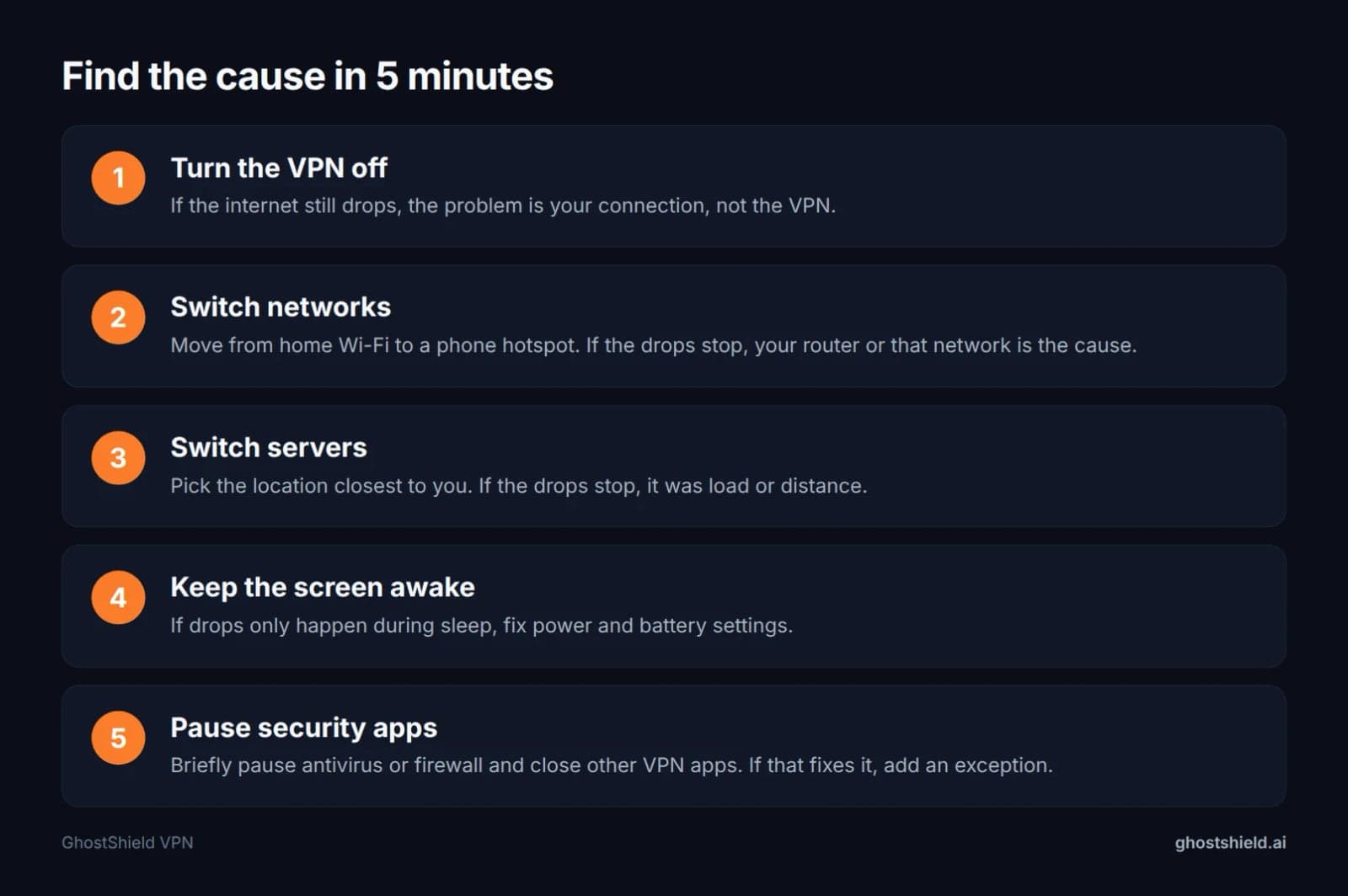 Change one thing at a time. When the drops stop, you have found the cause.
- Turn the VPN off and load a page. If the internet also drops, the problem is your connection, not the VPN. justanswer.com makes the same point: a dropping VPN often means your home internet is struggling too. Run our speed test with the VPN off, then on, and compare.
- Switch networks. Move from home Wi-Fi to your phone's hotspot. If the drops stop, your router or that Wi-Fi network is the cause.
- Switch servers. Pick the location closest to you. If the drops stop, it was server load or distance.
- Keep the screen on for 30 minutes. If the VPN only drops when the device sleeps, the cause is power settings.
- Pause security apps. Briefly pause your antivirus or firewall and close any other VPN app. NordVPN's support page lists other VPNs running at the same time as a cause of lost internet. If this fixes it, add an exception rather than leaving protection off.
How to tell it really dropped
A real drop shows up in one of three ways. The app shows a reconnect, the "connected for" timer resets, or check your IP address and you see your real one instead of the VPN's. If none of these happen, slow pages may be a speed problem rather than a disconnect.
Cause 1: your phone or laptop switches networks
Wi-Fi to mobile data handoffs
When you walk out of Wi-Fi range, or your phone decides mobile data is better, you get a new IP address. The VPN tunnel has to rebuild on the new network, and that looks like a disconnect.
The fix is to stay on one network while you test. On iPhone, the setting that moves you to mobile data on weak Wi-Fi is called Wi-Fi Assist. Many Android phones have a similar option. Turn it off for a day and see if the drops stop.
Weak Wi-Fi and the 2.4 GHz vs 5 GHz choice
cyberghostvpn.com suggests trying both the 2.4 GHz and 5 GHz bands if your router offers both. 5 GHz is faster but has a shorter range. 2.4 GHz is slower but reaches further through walls. If you sit two rooms from the router, 2.4 GHz may hold the VPN better.
Cause 2: sleep mode and battery saver close the VPN
Why it happens overnight
One Reddit poster on the first page of this search wakes up most mornings to an app that says "Connected for 5 hours". That timer resetting means the tunnel rebuilt during the night. The usual triggers are the device sleeping, Wi-Fi powering down to save battery, or your router getting a new IP address from your internet provider. eonvpn.com lists power and sleep mode settings as one of its eight causes.
A reconnect overnight is not always a fault. If it happens once and the VPN comes straight back, your device is doing its job. If it happens every hour, check the settings below.
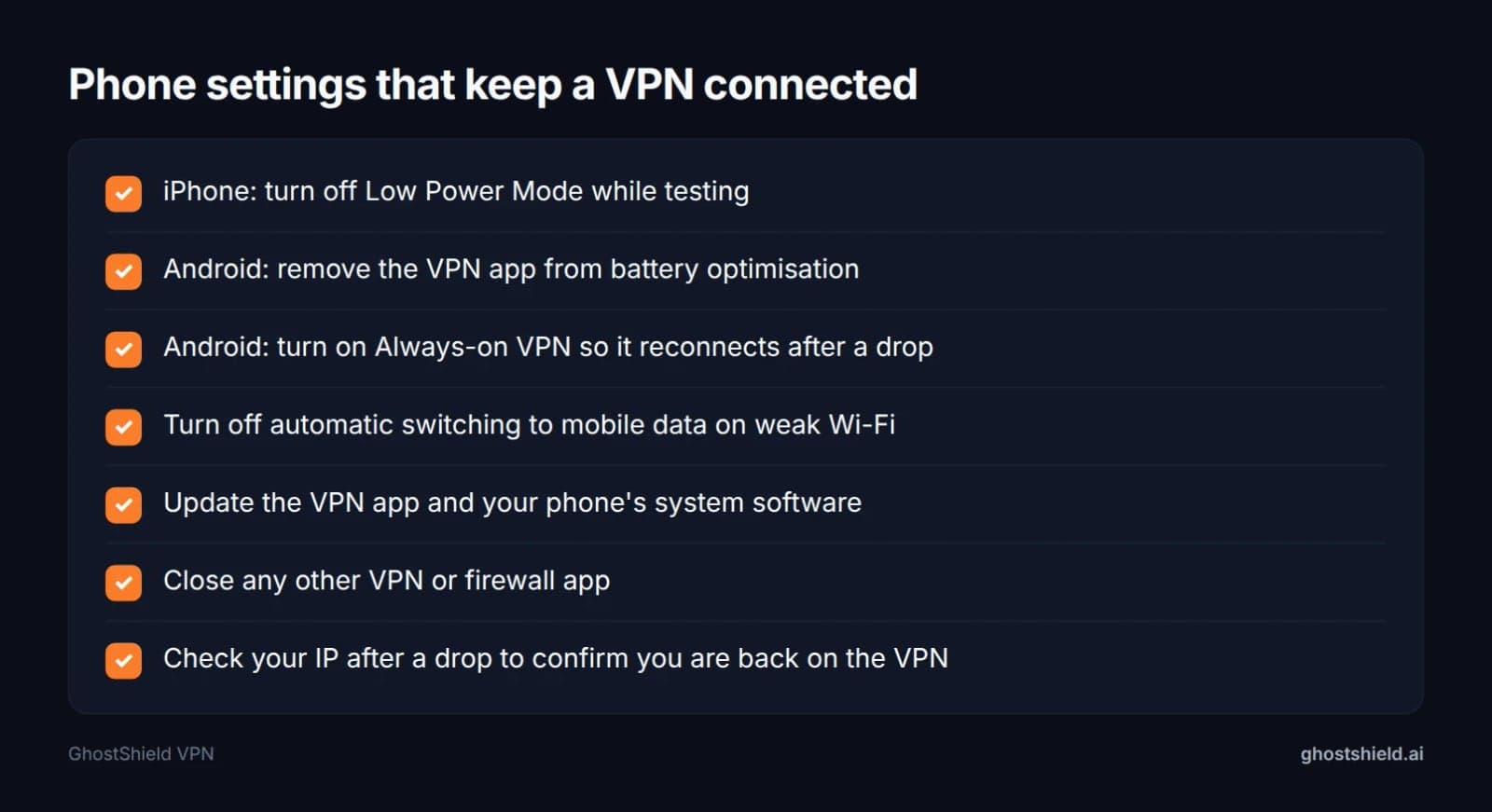 Most phone drops come from power and network settings, not the VPN itself.
iPhone: Low Power Mode
Low Power Mode limits what apps can do in the background. Turn it off while you test, and keep iOS and the VPN app up to date. For more on what a good iPhone app should handle, see what to check in an iPhone VPN.
Android: battery optimisation and Always-on VPN
Android can close apps it thinks are using too much battery. Remove your VPN app from battery optimisation in your phone's battery settings. Then turn on Android's built-in Always-on VPN setting, which reconnects the VPN after a drop. The exact menu names vary by phone maker, so search your settings for "battery optimisation" and "VPN". Our best Android VPN checks cover this in more detail.
Laptops
On a laptop, turn off power saving for the Wi-Fi adapter and stop the machine sleeping during long downloads or calls. See our VPN checks for your Windows PC and macOS VPN checks for each system.
Cause 3: your router, hotspot or Wi-Fi network blocks VPN traffic
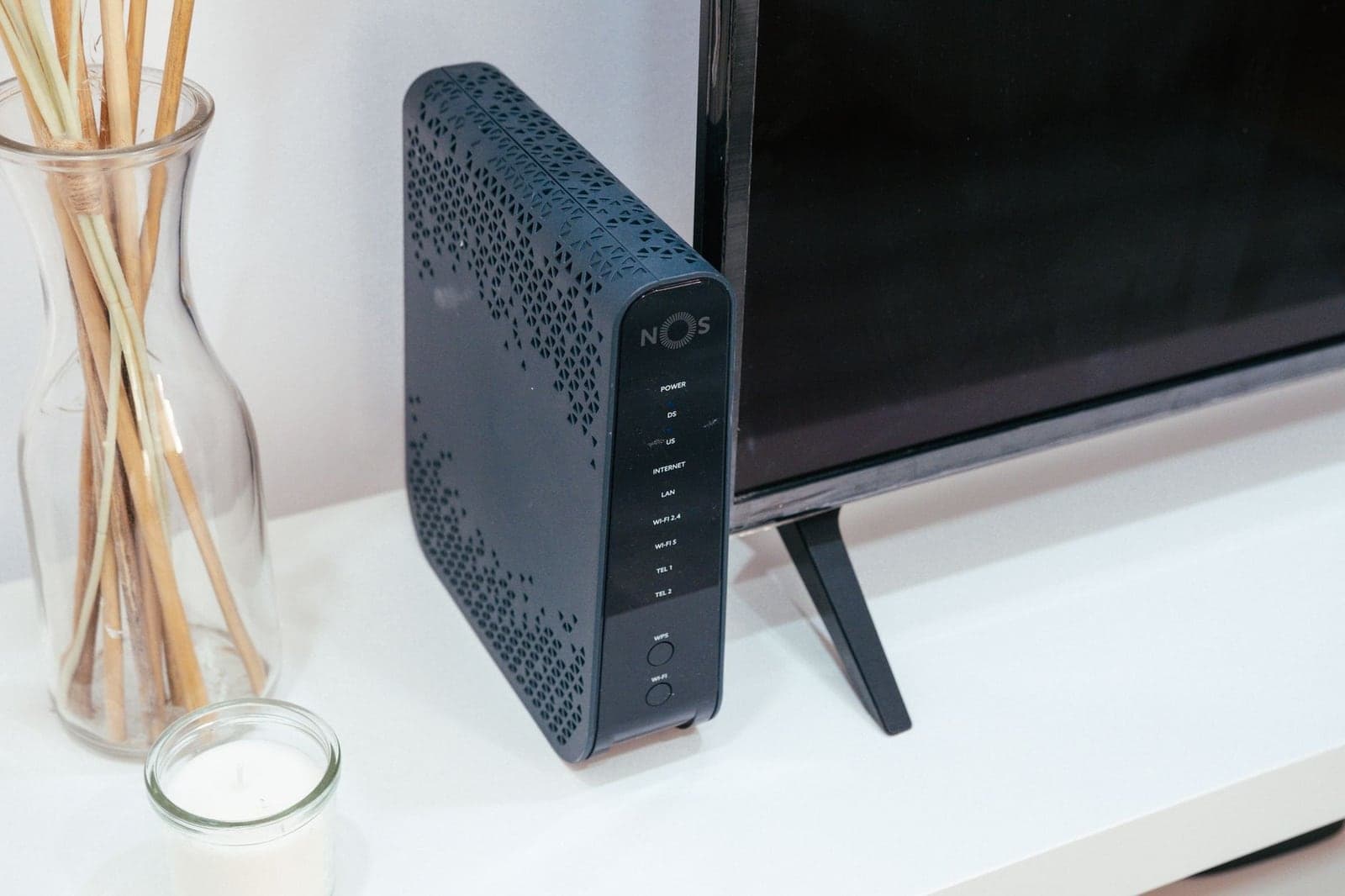 Photo by Jaycee300s on Pexels
School, office, hotel and airport Wi-Fi
cyberghostvpn.com notes that shared or regulated Wi-Fi networks can have firewalls or policies that block or interfere with VPN traffic. If the VPN only drops on one network, this is the likely cause.
On school and work networks, the block is usually deliberate. Follow the rules there. Our guides on using a VPN on a work laptop and being unblocked at school explain what is allowed and what can get you in trouble.
Routers and firewalls that block UDP
WireGuard, the protocol many modern VPNs use, runs over UDP. A network that blocks or throttles UDP will either stop it connecting or let it connect and then cut it. To fix it at home:
- Restart your router. NordVPN's support page lists this as its first step.
- Test the same device on your phone's hotspot.
- Check your router's firewall settings, and any option labelled VPN passthrough, for anything blocking VPN traffic.
Countries that block VPNs
Some countries block VPNs on purpose. GhostShield VPN uses WireGuard only and has no obfuscation or stealth mode, so it is not reliable in China, Russia, Iran or the UAE, or on any network built to block VPNs. If that is your situation, read our guide to VPNs in China and the Great Firewall before you travel.
Cause 4: the server is busy or too far away
cyberghostvpn.com says VPN servers can face maintenance, outages or heavy congestion. eonvpn.com adds that servers are busiest in the evening, from 7 to 11 PM, and at weekends.
| Number | What it means | Source |
|---|---|---|
| 7 to 11 PM | Evening peak when VPN servers are busiest | eonvpn.com |
| 1500 bytes | Typical Ethernet MTU | cyberghostvpn.com |
| 10 | Devices GhostShield VPN allows at once | GhostShield VPN |
| 20 | GhostShield VPN locations, in 16 countries | GhostShield VPN |
The fix is to pick the location nearest to you. Distance adds delay and gives the connection more points along the path where it can break. GhostShield VPN has 20 locations in 16 countries, including 4 in the United States, so a US reader can try another US location before choosing one abroad.
Cause 5 to 8: device limits, security apps, old apps and network settings
Too many devices on one account
cyberghostvpn.com notes that most providers cap how many devices can connect at once. Signing in on a new device can push an old one off, which looks like a random drop. GhostShield VPN allows 10 devices at once. Sign out of phones and laptops you no longer use.
Antivirus, firewall and other VPN apps
eonvpn.com and cyberghostvpn.com both name firewalls and antivirus software as causes. If pausing yours stops the drops, add the VPN app as an exception rather than switching protection off for good. Also close any other VPN app, including ones built into security suites. Two VPNs fighting over the same connection is a cause on NordVPN's support page.
Outdated VPN app
cyberghostvpn.com says an outdated app can have bugs or compatibility issues that hurt stability. Update from the App Store, Google Play or the app's own updater on Windows and Mac. Update your phone or computer's system software too.
DNS, IPv6 and MTU
cyberghostvpn.com says IPv6 enabled on your device or router can cause problems with some VPN setups, and incorrect DNS settings can push traffic outside the tunnel. After any fix, run a DNS leak test and a WebRTC leak test to confirm nothing escapes.
MTU is the largest packet a network will carry. cyberghostvpn.com says Ethernet typically uses 1500 bytes. Packets too big for a network can break the tunnel. This is an advanced step, mainly for manual WireGuard setups on Linux or routers.
What about switching protocol?
Many guides tell you to switch protocol. GhostShield VPN has one protocol, WireGuard, so that is not an option. The useful moves are trying another network or another server.
VPN keeps disconnecting but the internet is fine
If websites still load after the VPN drops, something is ending only the tunnel. That points to power settings (cause 2), a server problem (cause 4), or security software and device limits (causes 5 to 8). Check that your IP is still the VPN's, because browsing without the tunnel means you are not protected.
The opposite problem: internet dies when the VPN connects
Some people have the reverse problem, as in the Quora question on the first page. The VPN connects and every site fails. NordVPN's support page describes the symptom as the browser showing "This site can't be reached." The usual causes are a network blocking the VPN, a second VPN app, or the kill switch holding back traffic while the tunnel is down.
This is also the answer to the common NordLynx question. NordLynx is NordVPN's WireGuard-based protocol, so the same checks apply: restart the router, close other VPN apps and test on another network.
Are you exposed when your VPN drops? What the kill switch does
eonvpn.com explains that when the tunnel breaks, your traffic is unprotected. Your real IP address and location show, and your internet provider can see your browsing.
A kill switch blocks internet traffic while the VPN is down, so nothing leaks during the reconnect. The trade-off is that a short "no internet" moment can look like a fault. eonvpn.com and cyberghostvpn.com both mention kill switch settings as a factor in disconnects. GhostShield VPN includes a kill switch and DNS leak protection. After any drop, check your IP address to confirm you are back on the VPN address.
Can police, the FBI or a VPN see what you do?
People who worry about drops often ask what a VPN hides. A short guide:
- Can the FBI or police track a VPN? They can request records from your internet provider, which can show you connected to a VPN. What happens inside the tunnel depends on what the VPN stores. A no-logs VPN has no browsing records to hand over.
- Can a VPN see what you search? Traffic passes through the provider's servers, so the logging policy matters. GhostShield VPN's strict no-logs policy means it stores no browsing activity, DNS queries or real IP addresses.
- Can police track your phone, even with a VPN? Yes. A VPN hides your browsing from your provider and network, but phones can still be located through cell towers, GPS and app permissions. Sites you log in to still know it is you.
For the settings that cut phone tracking, see how to lock down your phone from tracking. Our VPN use cases guide covers what a VPN does and does not protect.
Keep GhostShield VPN connected
GhostShield VPN uses WireGuard with ChaCha20-Poly1305 encryption and has apps for Windows, macOS, Android, iPhone and iPad and Google TV. It includes a kill switch and DNS leak protection, lets you connect 10 devices at once, and offers 20 locations in 16 countries, so there is usually a nearby location to switch to when one is busy. One honest limit: there is no stealth mode, so it is not suited to networks or countries that block VPNs. Every plan, starting with the 1-year plan at $4.99 a month ($59.88 billed yearly), comes with a 7-day free trial and a 30-day money-back guarantee. If you want to see how it holds up on your own network, start the 7-day free trial.
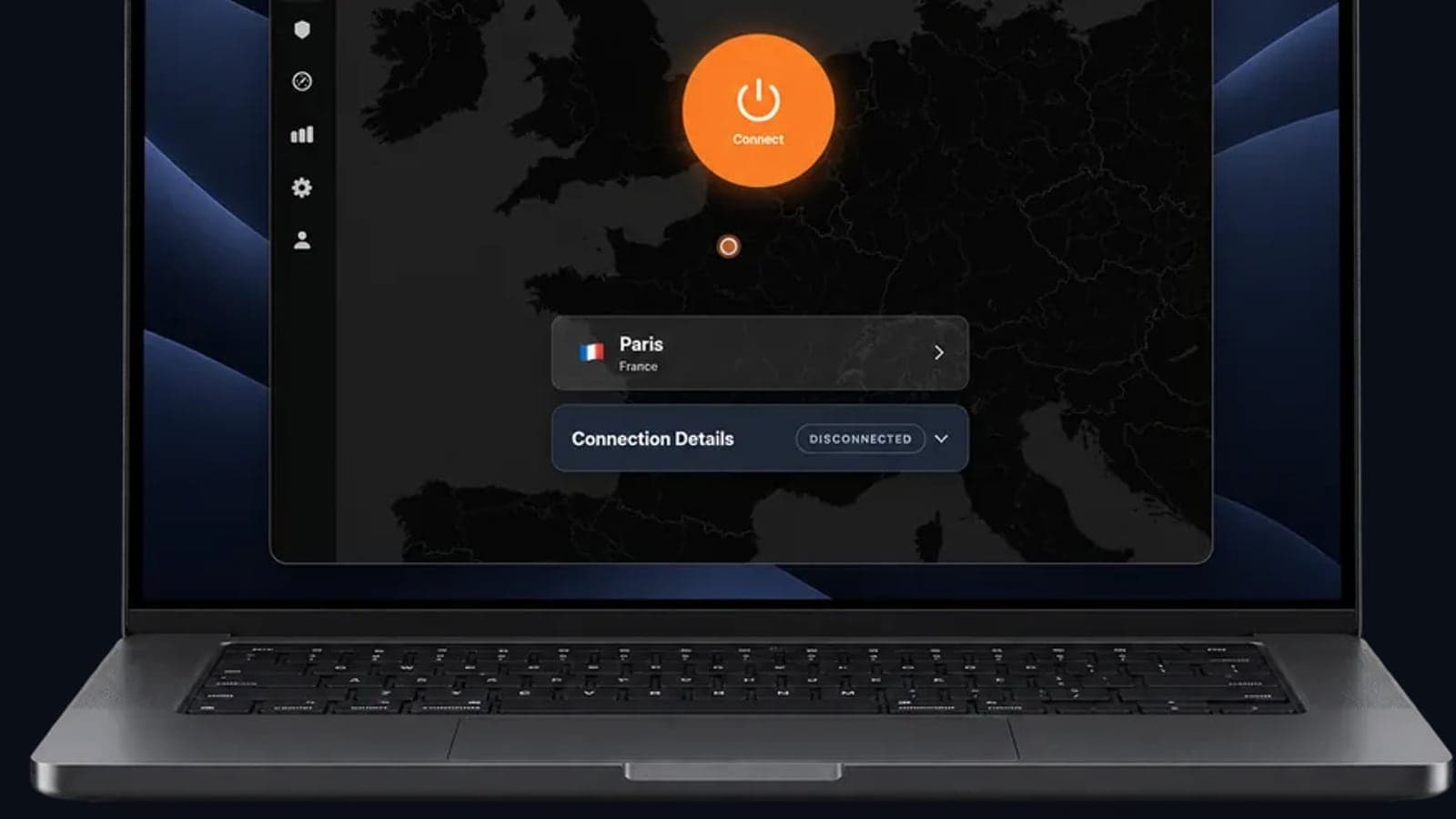
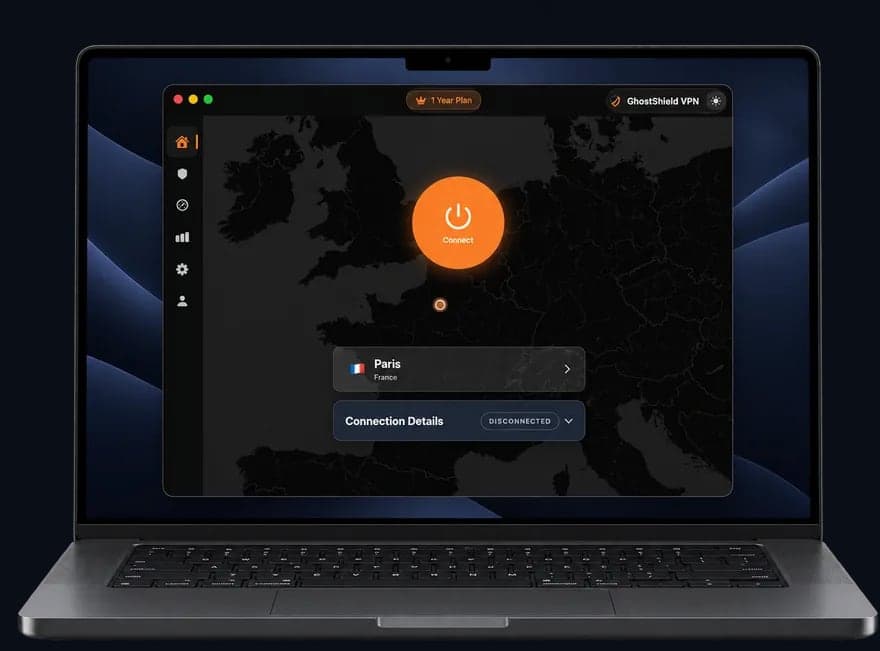 GhostShield VPN app on a MacBook
FAQ
Is using a VPN illegal in the US?
No, using a VPN is legal in the US. Millions of people and businesses use them for privacy and remote work. What stays illegal is the activity itself: a crime is still a crime if you commit it over a VPN. Some services, such as streaming platforms, may restrict VPN use in their own terms.
Which states banned VPN?
No US state has banned VPN use. VPNs are legal across all 50 states. Some laws, such as age-verification rules, have led sites to block certain locations, and people sometimes ask whether VPNs are next. For now, a VPN is a legal privacy tool everywhere in the US.
Does Paramount Plus work with a VPN?
Sometimes, but there is no guarantee. Streaming services such as Paramount Plus try to detect VPN addresses and may show an error or a limited library. A VPN can help a traveller reach the account they already pay for at home, but no VPN can promise every streaming service will load.
Why does my VPN keep disconnecting on my iPhone?
On an iPhone, the most common causes are Low Power Mode, Wi-Fi Assist switching you to mobile data, and weak Wi-Fi. Turn off Low Power Mode and Wi-Fi Assist while testing, update iOS and the VPN app, and close other VPN apps. If drops continue on one network only, test another.
Why does my VPN disconnect overnight?
Usually because your device sleeps, Wi-Fi powers down to save battery, or your router gets a new IP address from your internet provider. The tunnel rebuilds, so the "connected for" timer resets. Turn off battery saver and Wi-Fi power saving, and on Android turn on Always-on VPN so it reconnects.
Does a VPN drop protect me if I have a kill switch?
Yes, a kill switch is what keeps you protected during a drop. It blocks internet traffic while the VPN is down, so your real IP and browsing do not leak. The trade-off is a brief "no internet" moment during the reconnect. Check your IP afterwards to confirm the VPN is back.
Related Topics
Keep Reading
VPN iPhone Not Connecting? 12 Fixes, Most Likely First

How to Protect Your Photos from Hackers in 2026: A Simple Step-by-Step Guide
How to Watch England vs India Cricket Live Anywhere Without Cable in 2024

5 Simple Steps to Use AI Chatbots Safely in 2026 Without Risking Privacy

How to Use Passkeys in 2026: Ditch Passwords for Good in Minutes