VPN Proxy Detected on YouTube? Find the Cause, Then Fix It

"VPN/proxy detected" means YouTube has matched your IP address to a VPN, proxy, hosting network or privacy relay, and the video or channel you opened restricts that kind of traffic (proxys.io). On YouTube TV, NFL Sunday Ticket, Primetime channels and restricted channels, any VPN blocks playback and turning it off is the only fix. On regular YouTube, clear the cached location, run a leak test and switch to another server. If you see the error with no VPN at all, a hidden relay or a flagged ISP address is the likely cause.
What "VPN/proxy detected" means on YouTube
YouTube shows four similar block messages. Each one has a different cause, so read the exact wording on your screen before you change any setting.
| Message | What it means | Where it appears |
|---|---|---|
| VPN/proxy detected | Your IP is classed as VPN, proxy, hosting or relay | YouTube TV, NFL Sunday Ticket, Primetime, restricted channels |
| Sign in to confirm you're not a bot | Automated-traffic check | Regular YouTube, often on data centre IPs |
| Video unavailable in your country | The rights holder blocked your country | Regular YouTube |
| Location verification errors | Device location, home area and IP disagree | YouTube TV |
Source: proxys.io
 Photo by Christian Wiediger on Unsplash
The error can also appear when no VPN is running, for example on a mobile carrier's shared address. That case has its own section below.
One thing to know before you start: no VPN can promise YouTube will never flag it. Detection scores change from site to site and from day to day, so an address that works today can fail tomorrow.
Why is YouTube blocking VPNs now?
YouTube restricts VPN and proxy traffic for three separate reasons, and each needs a different response.
Licensing and home area rules
Local TV rights are sold by market. YouTube TV builds your channel lineup from your home ZIP code and checks that you are actually there (proxys.io). A VPN address in another city breaks that check, so live TV and sports stop playing.
Regional pricing on YouTube Premium
YouTube Premium is priced by country. A youtube.com video on the first page of results reports that Premium's terms were changed to disallow using a VPN to change your location. In June 2024 a YouTube spokesperson told TechCrunch the company has "systems in place to determine the country of our users" (as quoted by proxys.io). Use your real country of residence: buying Premium at another country's price breaks Google's rules.
Bot checks on regular YouTube
"Sign in to confirm you're not a bot" is a separate automated-traffic check. proxys.io says it is most common on cloud address ranges such as AWS and Azure, and cites Imperva's 2026 Bad Bot Report finding that bots made up over 53% of web traffic. Reports of the VPN error tend to come in bursts, often around big sports seasons and policy changes.
How does YouTube detect my VPN?
IP reputation databases
Most detection starts with an IP reputation database. proxys.io names IP2Proxy, MaxMind, IPQualityScore and IPinfo, which label addresses as VPN, proxy, Tor or hosting from network records, hosting ranges and VPN exit lists.
An address from a cloud host such as AWS, DigitalOcean or Hetzner reads as a server straight away (proxys.io). Most VPN servers, ours included, run on hosting networks, so they can carry that label.
Many people on one address
Many users on one IP at once is a classic VPN signal. proxys.io notes it catches mobile carriers too, since phone networks often put many customers behind one shared address.
DNS, WebRTC and time zone mismatches
Sites score several signals together: the IP, the network, the browser and your behaviour. If your DNS requests or WebRTC reveal your home ISP while your IP says another city, the mismatch raises the score. A device time zone that does not match your IP adds to it.
This is why one IP passes on one site and fails on another (proxys.io), and why the same server can work today and fail tomorrow.
Which block do you have? Diagnose before you fix
Most people cycle through servers before they know what is actually blocking them. Find the row that matches what you see, then go straight to its fix.
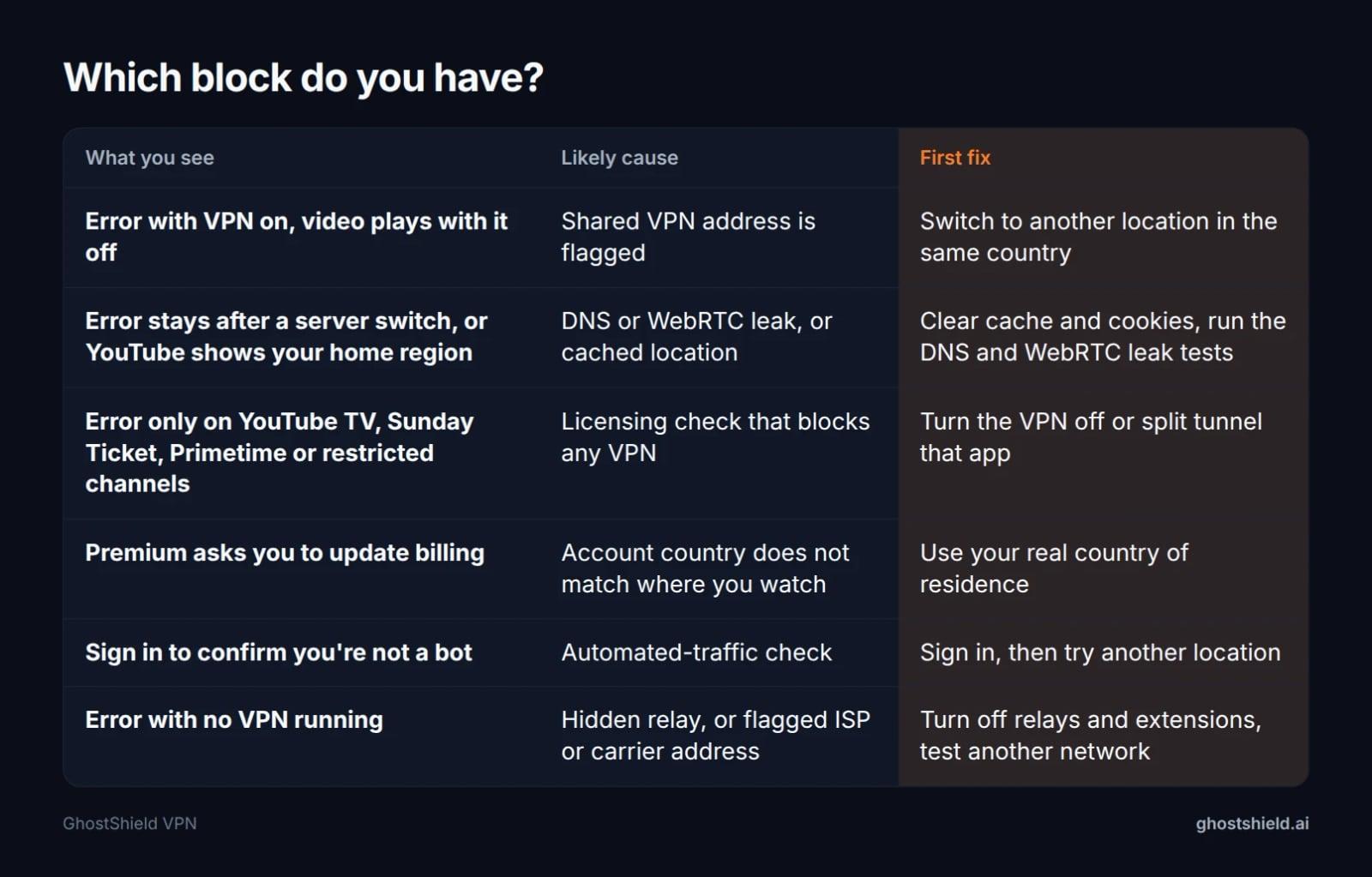 Find your row, then go straight to its fix.
- Flagged shared IP: the error appears on many videos with the VPN on and disappears with it off. Try another location.
- Leak or cached location: the error survives a server switch, or YouTube still shows your home region. Clear cache and cookies, then run the leak tests.
- Account and location mismatch: Premium asks you to update billing, or YouTube TV shows location verification errors. Use your real country and home area. No VPN setting fixes this.
- Licensed live TV: YouTube TV, NFL Sunday Ticket, Primetime or restricted channels. Switch the VPN off for that app.
- No VPN at all: a hidden relay or a flagged ISP or carrier address. Jump to the no-VPN section.
How to fix "VPN/proxy detected" on YouTube, in order
These steps are for regular YouTube. Work top to bottom and stop when the video plays.
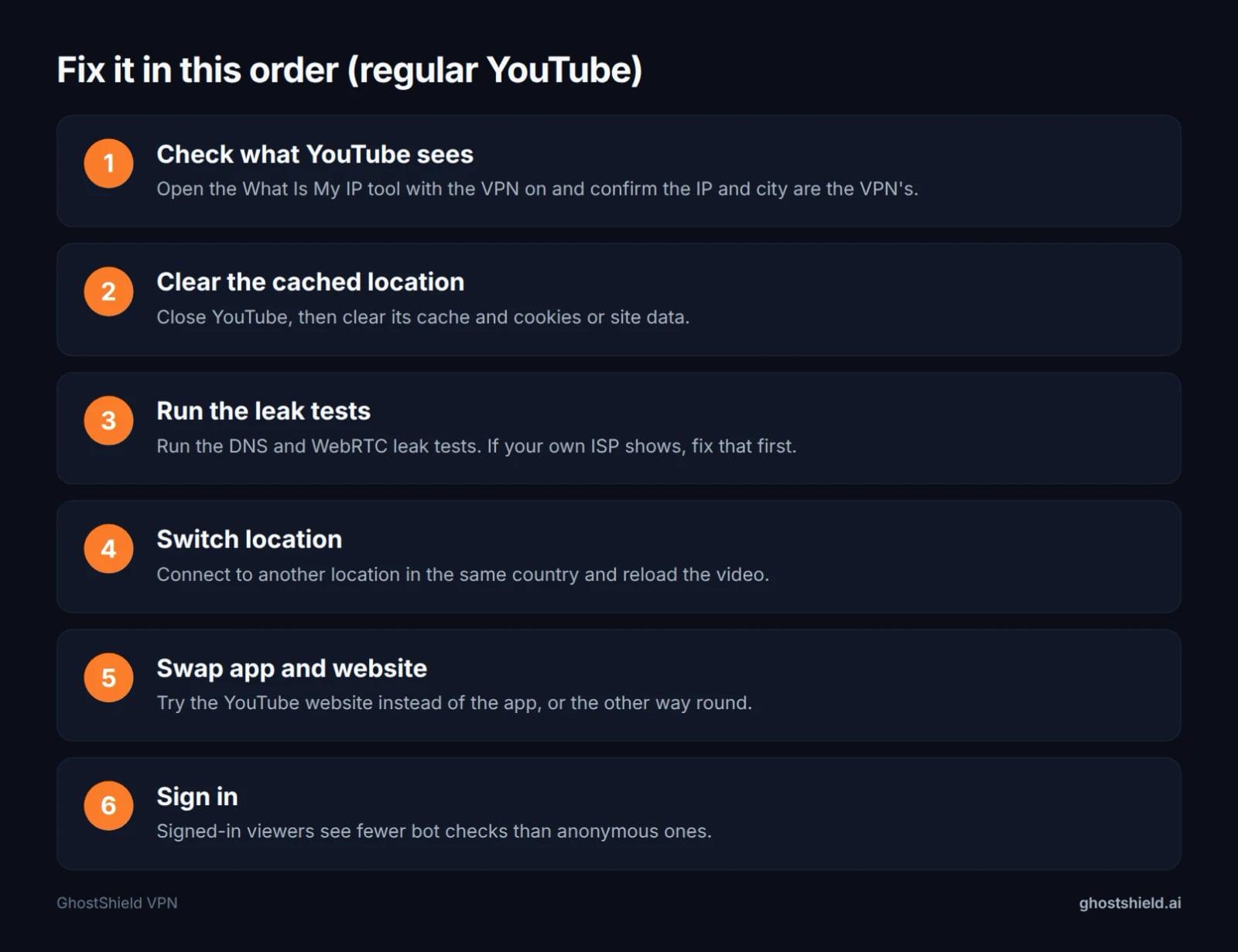 Work top to bottom; most readers are fixed by step 4.
- Check what YouTube sees. Open the What Is My IP tool with the VPN on. The IP and city should be the VPN's, not yours.
- Clear the cached location. Close YouTube and clear its cache and cookies. safetydetectives.com notes that stored location data can conflict with your VPN's location, for example after connecting to a US server in a different state.
- Run the leak tests. Use our DNS leak test and WebRTC leak test. If either shows your own ISP, fix the leak first, because switching servers will not help.
- Switch location. Connect to another location in the same country and reload. A different exit address may not be on the list that flagged the first one.
- Swap app and website. Try the YouTube website instead of the app, or the other way round, a fix safetydetectives.com also lists.
- Sign in. The bot check is more likely without a Google account, and the airvpn.org forum thread notes that YouTube needs a login for that content.
On iPhone and iPad
 Photo by Zulfugar Karimov on Pexels
Close the YouTube app fully by swiping it away. Open Settings and check whether iCloud Private Relay is on, or whether a second VPN profile is installed and running alongside your main one. Then repeat steps 3 and 4. If the VPN itself will not connect, see our guide to a VPN on iPhone not connecting.
In Chrome on a computer
Clear site data for youtube.com rather than your whole browser history. Turn off any proxy or VPN browser extension so only one tool routes your traffic. Then run the WebRTC test, because WebRTC leaks happen inside the browser even when the VPN app is working.
If you use NordVPN or another VPN
The fixes safetydetectives.com gives for NordVPN are another server, clearing cache, trying the app or the website, reinstalling the VPN app and contacting support. Those are the same steps above, and they apply to any VPN.
Can you prevent YouTube from blocking your VPN? You can lower the odds: no leaks, a time zone that matches your IP, a signed-in account and a less crowded location. You cannot prevent it for good, because the label sits on the address and changes over time.
What about "bypassing" the YouTube proxy check? These steps fix a false or stale match on regular YouTube. They are not a way round licensing checks. We also do not suggest the third-party downloaders mentioned on Reddit, which YouTube's terms do not allow.
YouTube TV, NFL Sunday Ticket and Primetime: switch the VPN off
On these products any VPN or proxy blocks playback, and turning it off is the only fix (proxys.io). If you are on one of them, stop cycling through servers.
How do I turn off my VPN for YouTube?
Disconnect in your VPN app. Or, if your VPN offers split tunneling, leave the YouTube TV app outside the tunnel while everything else stays protected. Then close and reopen YouTube TV so it rechecks your location. If YouTube TV runs on your television, our guide to set up a VPN on your smart TV shows where those settings live.
Is there a way to trick YouTube TV location?
No. YouTube TV checks your home area, and per proxys.io you can change it twice in 12 months, only from inside the new area. Travellers should watch from home at least every 3 months. Faking a location breaks YouTube TV's rules, and the checks are built to catch it. The legitimate route is updating your home area when you move.
For the related case of how to watch your US plan while travelling, see our Fubo guide, and our VPN streaming guide covers what a VPN can and cannot do for other services.
Getting "VPN/proxy detected" without a VPN
This is more common than you might think. The support.google.com YouTube TV thread on the first page of results is from a viewer who uses no VPN at all.
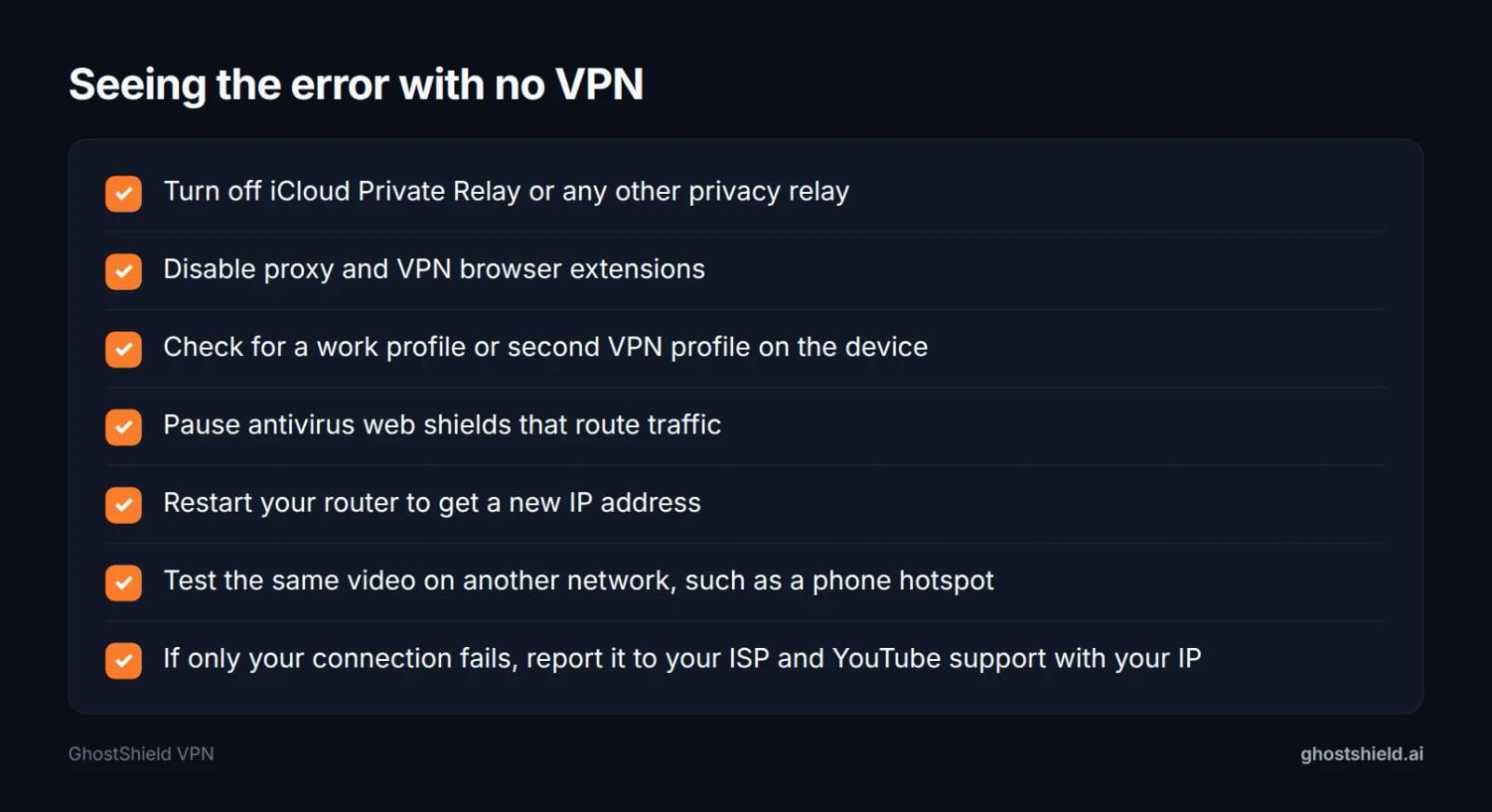 No VPN, still blocked? Check these in order.
Hidden routing on your device
Privacy relays such as Apple's iCloud Private Relay, proxy browser extensions, antivirus web shields and work device profiles can all route your traffic through addresses that read as a proxy. Turn each off in turn and reload the video.
Your ISP or carrier address is flagged
proxys.io cites an EE Community thread where a UK viewer on EE pay-as-you-go mobile broadband got the error on Bundesliga, La Liga and Formula 1 highlights, while other channels played and everything worked on public Wi-Fi. Mobile connections behind shared carrier addresses carry many users at once, which looks like a VPN.
Restart your router to request a new address, then test the same video on another network such as a phone hotspot. If only your connection fails, report it to your ISP and to YouTube support with the result of the What Is My IP tool.
What a VPN can and cannot promise on YouTube
Many guides say "just switch servers" as if it always works. It does not, because the label sits on the address and databases update over time.
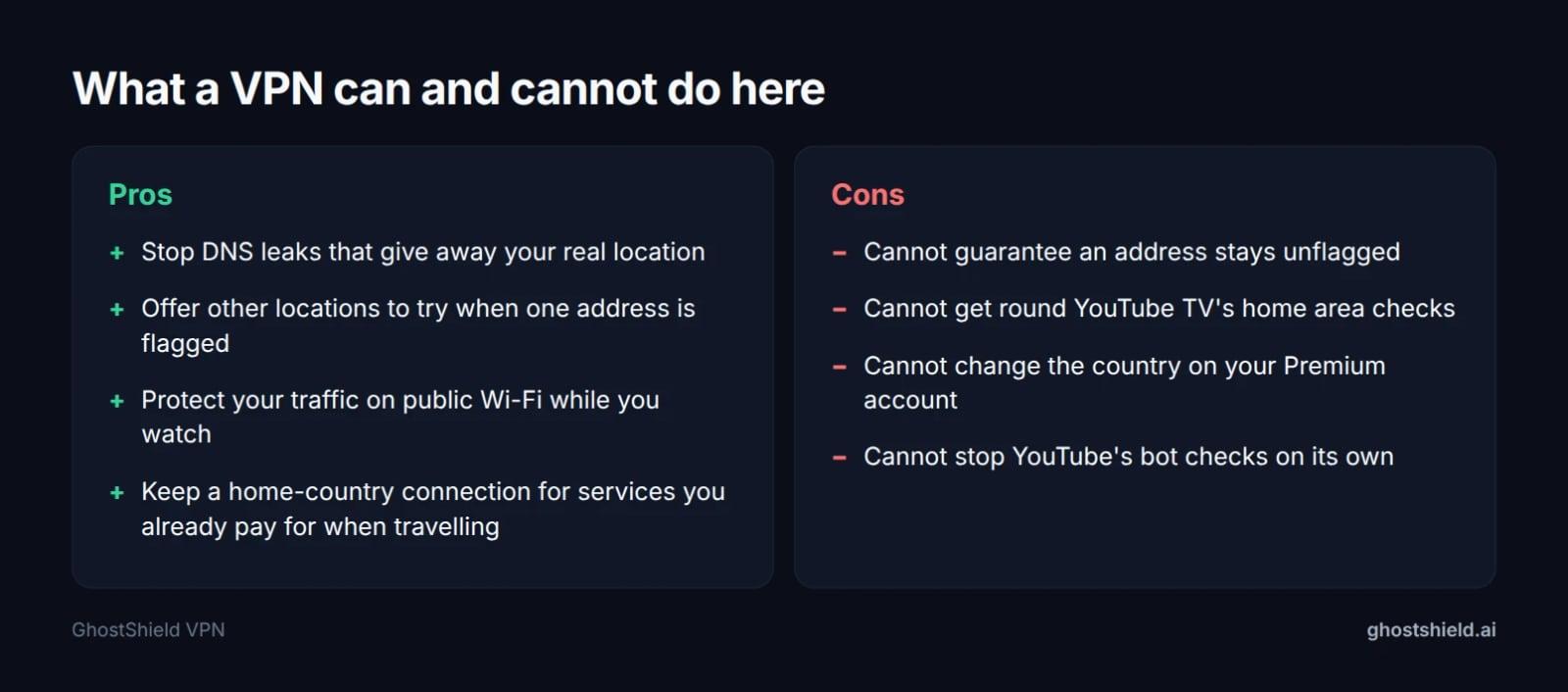 Honest limits: no VPN can promise YouTube will never flag it.
A VPN can stop DNS leaks, protect your traffic on public Wi-Fi, keep a home-country connection for services you already pay for when travelling, and give you other locations to try when one is flagged. It cannot guarantee any address stays unflagged, get around YouTube TV's home area rules, or change the country on a Premium account.
Some readers who need a fixed address that few others share look for a dedicated IP. That reduces the "many users on one address" signal, though the address can still sit on a hosting network. If you are comparing options, our guide to the best VPN for streaming in 2026 explains what to check.
Using GhostShield VPN with YouTube
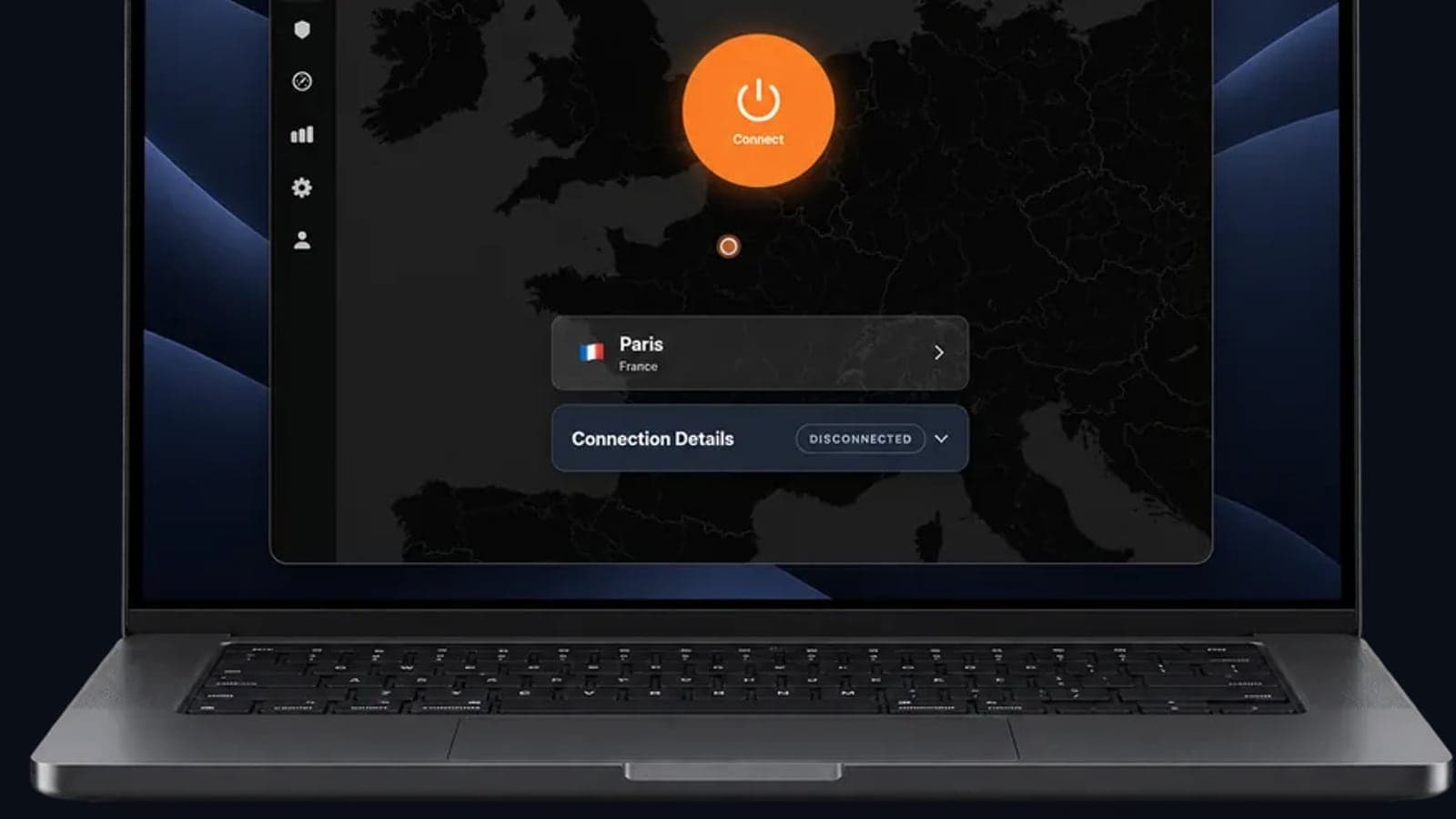
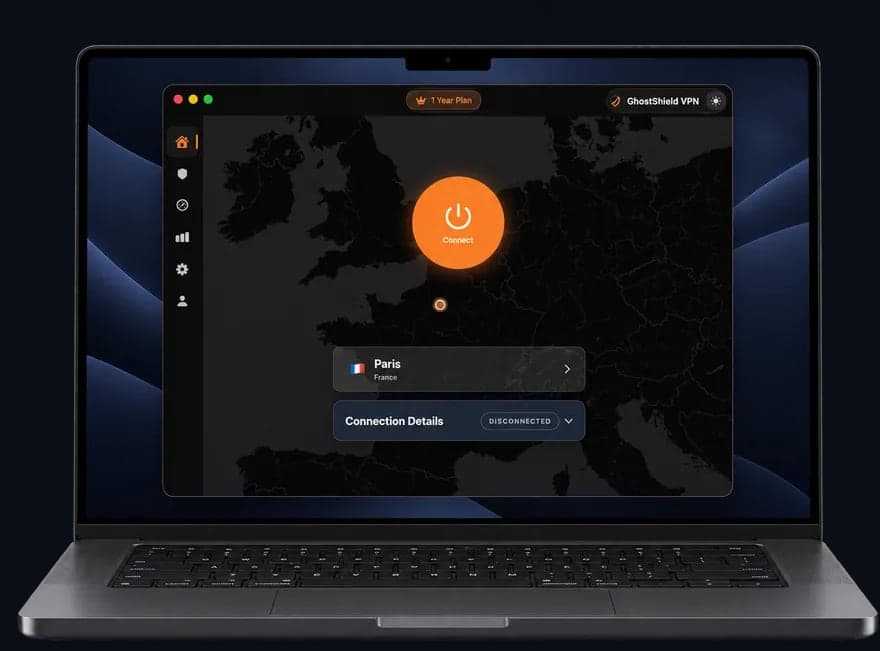 GhostShield VPN app on a MacBook
GhostShield VPN runs WireGuard across 20 locations in 16 countries, including 4 in the United States, so if one exit address is flagged you have others to try in the same country. DNS leak protection keeps your lookups inside the tunnel, the kill switch stops traffic if the connection drops, and split tunneling lets you leave YouTube TV outside the VPN while the rest of your device stays protected. Apps cover Windows, macOS, Android, iPhone and iPad, and Google TV, on up to 10 devices at once. To be plain about the limits: GhostShield VPN has no dedicated IP and no Smart DNS, we have no streaming test results to share, and no VPN, ours included, can promise YouTube will never flag it. Every plan starts with a 7-day free trial and a 30-day money-back guarantee, so you can start the 7-day free trial and check it against your own setup.
FAQ
How do I turn off my YouTube VPN?
Disconnect in your VPN app, or use split tunneling to leave the YouTube or YouTube TV app outside the tunnel. Then fully close and reopen YouTube so it rechecks your location. On iPhone, also check Settings for iCloud Private Relay or a second VPN profile that may still be routing your traffic.
Is there a way to trick YouTube TV location?
No, and trying breaks YouTube TV's rules. It checks your home area against your device location and IP. According to proxys.io, you can change your home area twice in 12 months, only from inside the new area, and travellers should watch from home at least every 3 months.
How to prevent YouTube from blocking VPN?
You cannot prevent it completely, but you can lower the odds. Fix any DNS or WebRTC leaks, match your device time zone to your VPN location, stay signed in to your Google account and try a less crowded location. Licensed live TV such as YouTube TV blocks every VPN regardless.
Why does YouTube say VPN/proxy detected on my iPhone when I have no VPN?
Usually iCloud Private Relay or a flagged carrier address is the cause. Private Relay routes traffic through addresses that read as a proxy, and mobile carriers share one IP among many users. Turn off Private Relay, check for stray VPN profiles, then test on Wi-Fi instead of mobile data.
Will switching VPN servers always fix the YouTube error?
No. Switching helps only when the cause is one flagged shared address on regular YouTube. It will not fix a DNS or WebRTC leak, a cached location, a Premium billing country mismatch or YouTube TV's licensing checks. Diagnose which block you have first, then apply the matching fix.
Is "Sign in to confirm you're not a bot" the same as VPN/proxy detected?
No, it is a separate automated-traffic check. proxys.io says it appears most often on cloud address ranges such as AWS and Azure. Signing in to your Google account usually helps, and trying another location can too. Our fixes for Cloudflare's human check cover similar checks elsewhere.
Related Topics
Keep Reading
VPN iPhone Not Connecting? 12 Fixes, Most Likely First
Why Does My VPN Keep Disconnecting? 8 Causes and Fixes
Please Unblock challenges.cloudflare.com to Proceed: 7 Fixes
How to Bypass Age Verification Blocks in 2026 Without Uploading Your ID
How to Stop AI Chatbots from Using Your Personal Data in 2026