Best VPN on a Router in 2026: An Honest Setup Guide
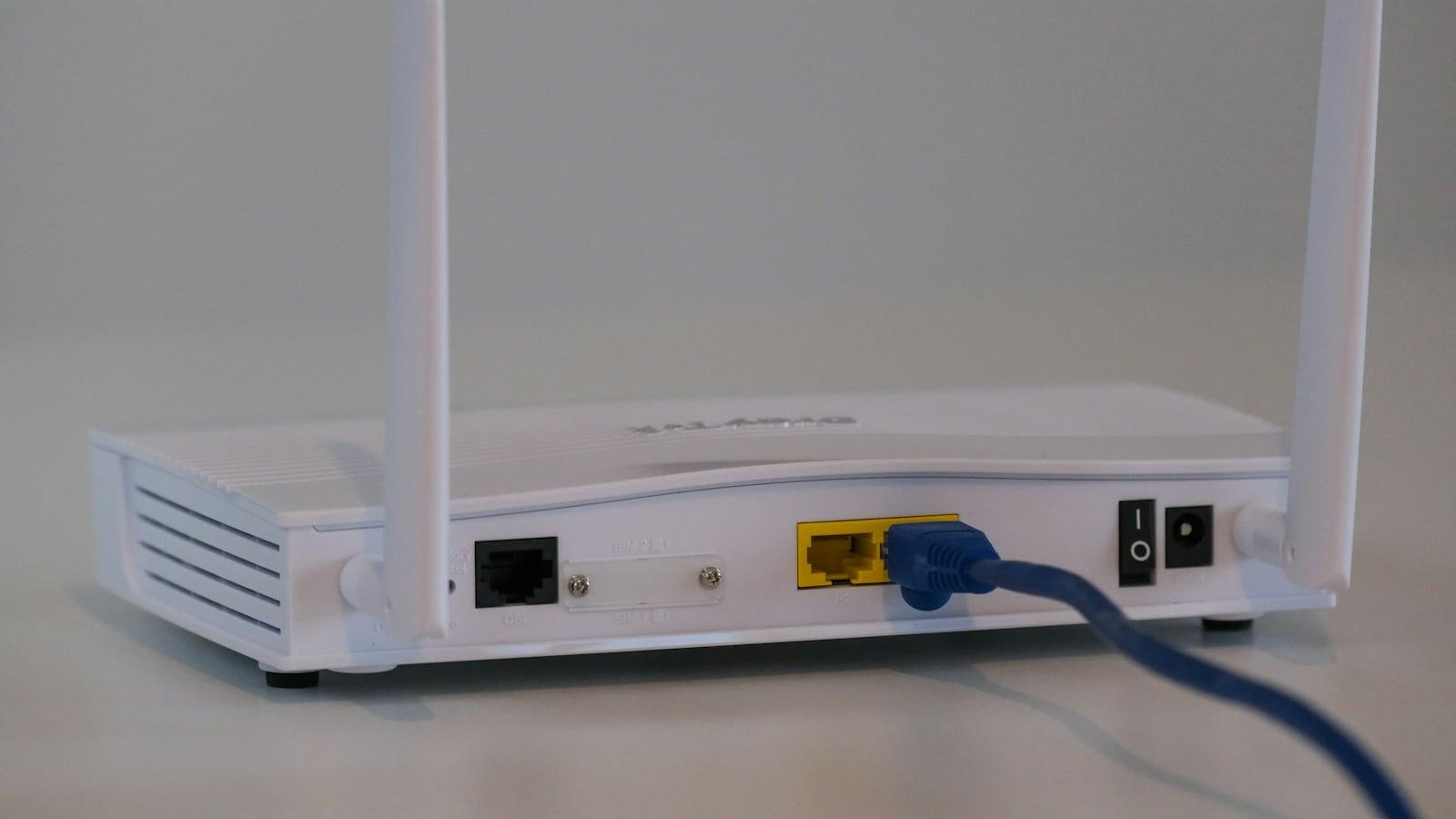
<||DSML|| calls> <||DSML|| invoke name="Write"> <||DSML|| parameter name="file_path" string="true">/tmp/seer-blog-QVlA7u/draft.md</||DSML|| parameter> <||DSML|| parameter name="content" string="true">Most homes should buy a VPN-ready router with a WireGuard client and load it with GhostShield VPN's manual configuration. Shortlist the ASUS RT-AX88U or RT-AX86U, the GL.iNet Flint 2, Beryl AX or Slate AX, the Linksys WRT3200ACM, or a TP-Link AX3000 or Archer. GhostShield VPN runs on WireGuard only, so the router gets a configuration file, not an app.
The hardware decides more than the brand. top10vpn notes that VPN routers often cost more than $100. cyberinsider.com reports OpenVPN throughput of 200 to 400 Mbps on ASUS routers, 300 Mbps and up on GL.iNet, and up to 300 Mbps on the Linksys WRT3200ACM. Those are OpenVPN figures, so treat them as the floor.
Below is the shopping logic, the router families worth checking, the steps to load a GhostShield VPN configuration, and the speed a router CPU can really push.
Router VPN or VPN Router? The Difference That Sets Your Shopping List
top10vpn draws a line worth keeping: a router VPN is a VPN service configured on a router you already own, while a VPN router is hardware whose firmware supports VPN software. It puts VPN routers at often more than $100. cyberinsider.com sorts the same market into three routes: a pre-configured router, a VPN-ready router that supports a VPN out of the box, and DIY firmware.
| Route | What you buy | Setup | Best for |
|---|---|---|---|
| Pre-configured router | A router with the VPN already installed, the option top10vpn calls a VPN router | Plug in, sign in, connect | People who will not touch firmware |
| VPN-ready router | A router whose own firmware has a WireGuard client, such as the GL.iNet, ASUS, TP-Link and Linksys models cyberinsider.com lists | Import a config, choose which devices use it | Most households |
| Flash your own | A supported router plus OpenWrt or DD-WRT, the firmware top10vpn used on its Linksys WRT3200ACM | Flash, then configure by hand | Tinkerers and spare hardware |
Many routers do have a built-in VPN, but usually as a server. That lets you dial back into your home network from a hotel. This search wants the opposite: a client that sends your home traffic out through the VPN.
Three things decide whether a router is any good for this. A WireGuard client in the firmware, a page that imports a configuration file, and enough CPU to encrypt at your line speed.
If one laptop is all you need to cover, the app is simpler. The router earns its place when the devices you care about cannot install anything.
Which Routers Run WireGuard Without Extra Software
WireGuard is built into the Linux kernel, so any router running OpenWrt can add a WireGuard client from its package list. GL.iNet ships OpenWrt-based firmware with a config import page. ASUS covers many models in stock firmware, with policy-based routing that decides which devices use the tunnel.
cyberinsider.com sorts the brands by job: ASUS for gaming and large homes, TP-Link as the inexpensive entry point, GL.iNet for travel and small offices, Linksys for mesh and custom networks.
| Router family | Firmware | What to check | OpenVPN throughput reported by cyberinsider.com |
|---|---|---|---|
| ASUS RT-AX88U, RT-AX86U | Stock ASUS firmware | A WireGuard client plus policy routing, so only chosen devices use the tunnel | 200 to 400 Mbps |
| GL.iNet Flint 2, Beryl AX, Slate AX | GL.iNet firmware, built on OpenWrt | A page that imports a .conf file | 300 Mbps and up |
| Linksys WRT3200ACM | OpenWrt or DD-WRT | The WireGuard package in the firmware software list | Up to 300 Mbps |
| TP-Link AX3000, Archer | Stock TP-Link firmware | That the model has a client, not only a VPN server | Listed as the budget entry, no figure given |
WireGuard asks less of the CPU than OpenVPN, so the same router often goes faster on it. The figures above are the OpenVPN numbers cyberinsider.com reports, which makes them a floor rather than a ceiling.
Check the spec sheet for a WireGuard client, not just a VPN server. The client is what carries your traffic out. The server is for dialling in.
Can you put a VPN directly on your router? On these models, yes. The client is in the firmware or one package away, and the setup is a file you import. Policy routing matters more than raw speed in a shared house, because it lets the TV take the tunnel while a work laptop stays on the normal connection.
How to Put GhostShield VPN on a Router, Step by Step
GhostShield VPN runs on WireGuard only. On a router that means a manual configuration. There is no router app and no one-click installer, so you load the configuration yourself.
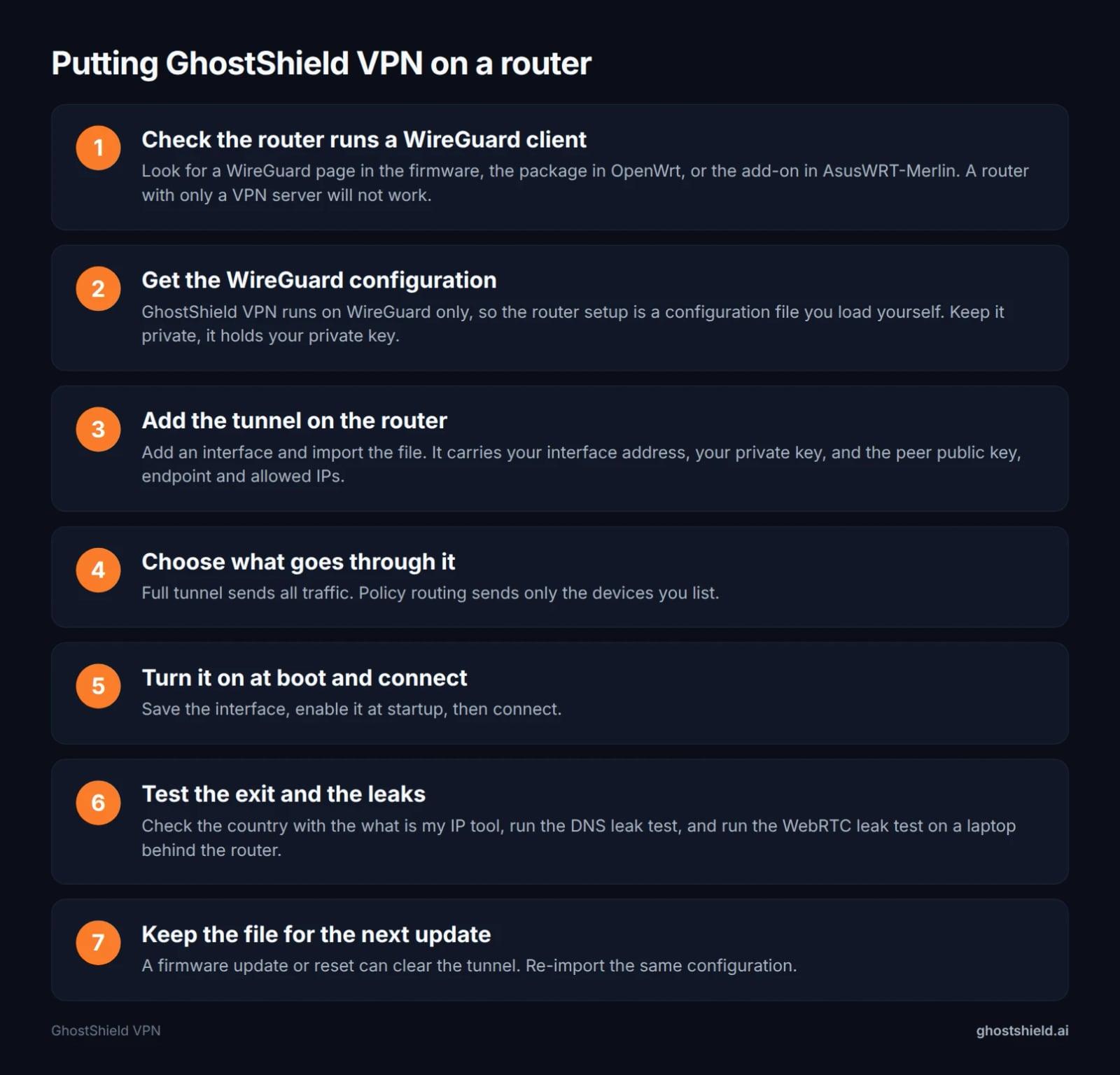 The whole router setup, from checking the firmware to testing for leaks.
- Check the router runs a WireGuard client. Look for a WireGuard page in the firmware or the package in OpenWrt. A router with only a VPN server will not work.
- Get the WireGuard configuration from your GhostShield VPN account. The account generates the file, and it holds your private key. Keep it private.
- Add the tunnel on the router. Add an interface and import the file. It carries your interface address, your private key, and the peer public key, endpoint and allowed IPs.
- Choose what goes through it. Full tunnel sends all traffic. Policy routing sends only the devices you list.
- Turn it on at boot and connect. Save the interface, enable it at startup, then connect.
- Test the exit and the leaks. Check the country with the what is my IP tool, run the DNS leak test, and run the WebRTC leak test on a laptop behind the router.
- Keep the file for the next update. A firmware update or reset can clear the tunnel. Re-import the same configuration.
If the tunnel drops, some firmware lets you add a firewall rule that blocks other traffic until it comes back. That is a router setting, not a GhostShield VPN feature on routers. The kill switch in the GhostShield VPN apps only covers devices running the app.
Is It Worth Putting a VPN on a Router?
Yes, when the devices you care about cannot install an app. cyberinsider.com opens with the part buyers forget: your ISP can see every unencrypted request from the smart TV, games console, security camera and the rest of the gadgets on your network.
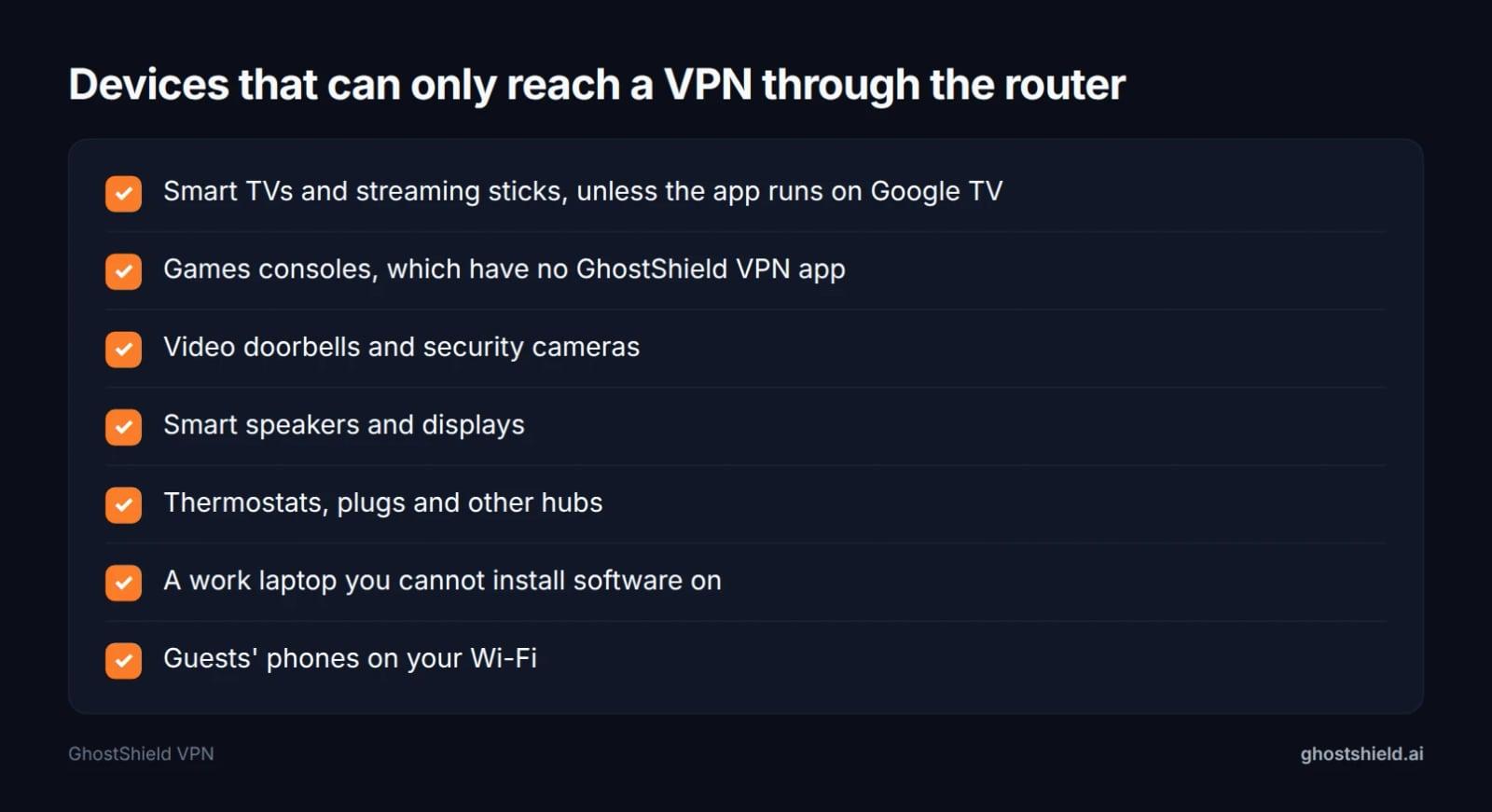 If the device has no GhostShield VPN app, the router is the only way in.
Those are exactly the devices with no VPN app. GhostShield VPN has apps for Windows, macOS, Android, iPhone and iPad, and Google TV. Everything else, from a console to a doorbell, can only reach the VPN through the router. If a smart TV is your reason, our guide to set up a VPN on a smart TV covers the app route.
 Photo by Stefan Coders on Pexels
A tunnel does not stop the set from collecting viewing data, though. Our guide to stopping your smart TV from spying on you covers those settings, and the smart home privacy guide covers the fridge, doorbell and hub.
For travel, one router with the tunnel means every device in the room shares the same home country exit, including a locked down work laptop. Our guide to watching your US plan while you travel walks through that setup.
Best VPN on a Router for Gaming
A PlayStation or Xbox has no GhostShield VPN app, so the router is the only way to put it on a tunnel. Use policy routing to send only the console through the VPN and leave the rest of the house on the normal connection. That keeps the console's traffic inside the tunnel without dragging every other device onto the same exit.
Budget for the OpenVPN figures above as the floor: 200 to 400 Mbps on ASUS, 300 Mbps and up on GL.iNet, up to 300 Mbps on Linksys. A game needs a fraction of that. Latency matters more than throughput, so a wired console and a router with a strong CPU do more for you than a faster internet plan.
If two or more items on that checklist matter to you, yes. If you are covering a single phone or laptop, the app wins on time and simplicity.
Best VPN on a Router for Free
The free part of a free router VPN is the firmware, not the VPN. OpenWrt and DD-WRT cost nothing to download and run on supported hardware, and both can carry a WireGuard client. The tunnel still needs a service at the other end, and that is the part with a bill.
GhostShield VPN has no free plan, only a 7-day free trial on every plan. If free is the whole budget, OpenWrt on a spare router plus a paid service is the honest version of the setup. There is no zero-cost tunnel here.
What Speed Can a Router Actually Push Through a VPN?
cyberinsider.com calls the router processor arguably the biggest factor in VPN router speed, assuming a good VPN. Its brand tables show the spread on OpenVPN: 200 to 400 Mbps on ASUS, 300 Mbps and up on GL.iNet, up to 300 Mbps on Linksys.
WireGuard carries less overhead, so the same hardware usually pushes more through it. The router still has the final say.
| Router family | OpenVPN ceiling (cyberinsider.com) | Room for 4K streams at once (under 50 Mbps each) |
|---|---|---|
| ASUS RT-AX88U, RT-AX86U | 200 to 400 Mbps | 4 to 8 |
| GL.iNet Flint 2, Beryl AX, Slate AX | 300 Mbps and up | 6 or more |
| Linksys WRT3200ACM | Up to 300 Mbps | Up to 6 |
Your line is the other cap. A 500 Mbps connection behind a router that tops out at 300 Mbps gives you 300 Mbps on every device in the house.
For streaming this is rarely the problem. A 4K stream sits well under 50 Mbps, so a router managing 100 Mbps is not what spoils the picture. If a title will not play, the cause is usually the service rather than the throughput, and our streaming guide covers that ground.
If speed is your reason for a router VPN, spend on the router's CPU first and the VPN second.
What Is the Downside of Using a VPN on a Router?
Start with the downsides any VPN brings, because a router spreads them across every device in the house.
Speed loss. Encryption and the distance to the server cost throughput. The router CPU sets the ceiling, and every device behind it shares that ceiling.
Provider trust. A VPN moves your trust from the ISP to the VPN company. A no-logs policy is a promise about what the provider keeps, and the provider still holds your payment details and connection times. Our guide to checking a no-logs claim covers what to look for.
Cost. A VPN is another monthly bill on top of the router. A cheap router with a slow CPU can also cost you more in lost speed than you saved at the till.
Then the router case narrows those further. One exit country for everything: every device looks like it is in the same place, and some banking apps treat a new country as a risk. Our guide to using a VPN for online banking covers what to expect.
Manual upkeep. With no app on the router, a firmware update or a reset means importing the configuration again.
No per-app split tunnelling on the router. You split by device, not by application. The GhostShield VPN apps have split tunnelling. The router setup does not.
One country per router. A household that wants three different regions needs three routers or a very patient admin.
On GhostShield VPN specifically: no dedicated IP, no port forwarding, no double VPN, no Smart DNS and no OpenVPN fallback. Torrenting and peer-to-peer file sharing are not allowed. There is no obfuscation, so it is not reliable in China, Russia, Iran or the UAE, and the country guides say what works where.
Legal, Streaming and Tracking Questions
Is using a VPN legal?
Using a VPN is legal in most countries. A small number restrict or ban it, and the rules that apply are the ones where you are standing, not where your account was opened. If you are in one of those countries, check the rules before you connect. The country guides cover what works where, and the unblocking guide covers blocked sites in general.
Will Netflix ban me if I use a VPN?
Netflix does not usually ban your account. It blocks addresses it knows belong to VPNs, so you get a proxy error instead. Its terms also limit you to the country you are in.
Does the Netflix VPN trick still work?
Sometimes. The services license titles country by country, and they block addresses they know belong to VPNs. No VPN can promise a particular library will open, and a router tunnel puts every device in the house on the same bet. It changes month to month, so treat it as a maybe, not a feature you buy for.
Can a VPN be tracked?
A VPN connection can be seen, in the sense that someone can watch encrypted traffic heading to a VPN server. What a no-logs policy changes is what the provider can hand over. Payment records, browser fingerprints and a leaky WebRTC connection are separate problems. Our guide to checking a no-logs claim and the WebRTC leak test cover those.
What is replacing VPNs?
Nothing has replaced the VPN for consumers. What changed is the protocol. WireGuard has taken over from OpenVPN on new services, and companies moved remote access to zero-trust tools. Our comparisons of TLS VPN vs IPsec and OpenVPN UDP vs TCP explain where each still fits.
GhostShield VPN on a Router: What You Get and What You Do Not
GhostShield VPN runs on WireGuard with ChaCha20-Poly1305 and nothing else. On a router that means the manual configuration above, with no app and no one-click installer.
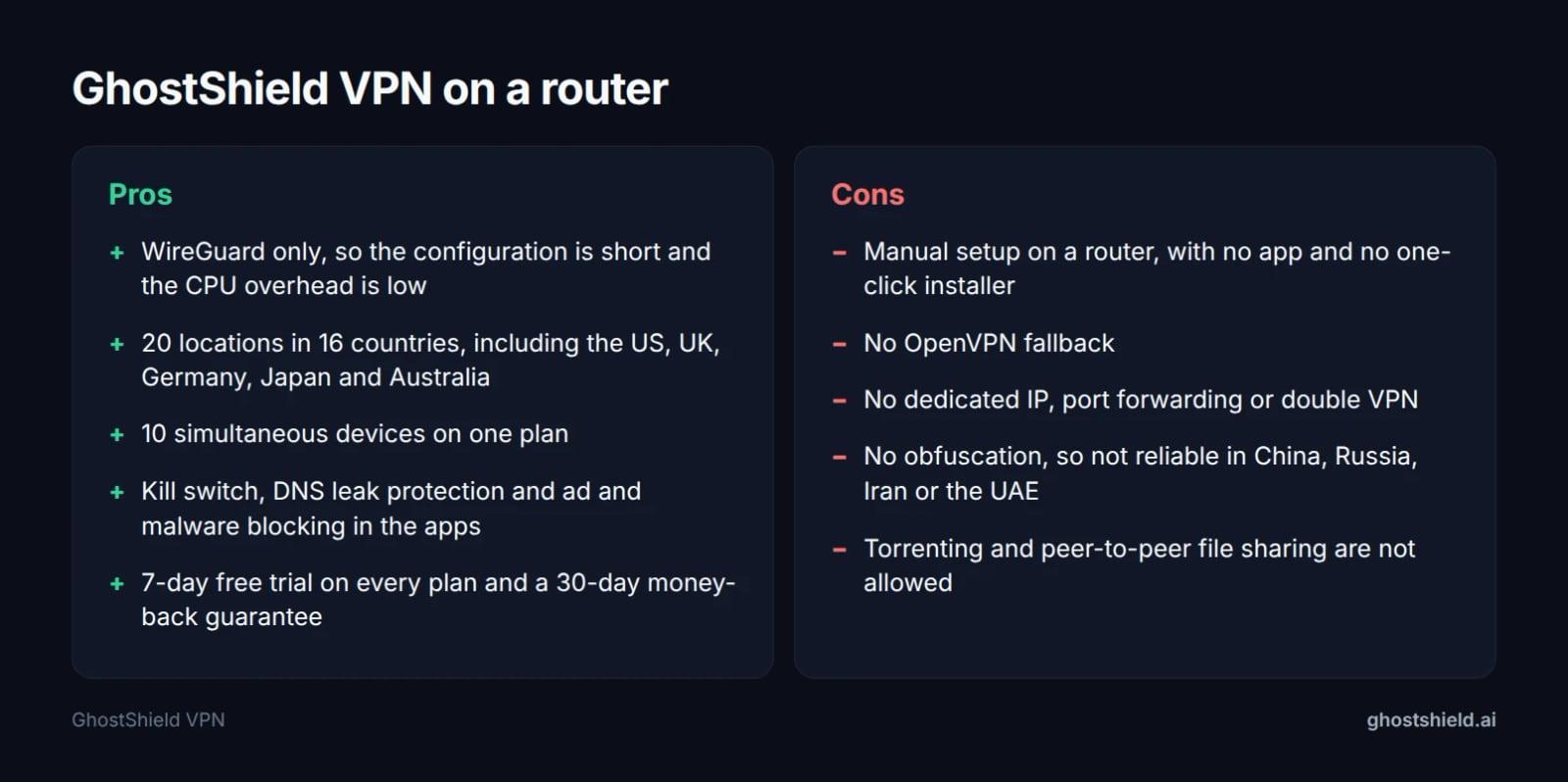 What the router setup gives you, and what it does not, in the facts we can stand behind.
The network is 20 locations in 16 countries: the United States (4), France (2), and one each in Australia, Canada, Germany, Hong Kong, India, Ireland, Italy, Japan, the Netherlands, Singapore, Spain, Switzerland, the UAE and the United Kingdom.
The apps cover Windows, macOS, Android, iPhone and iPad, and Google TV, with kill switch, DNS leak protection, split tunnelling, ad and malware blocking, family mode and AI threat detection. The plan allows 10 simultaneous devices.
What it does not have: a dedicated IP, port forwarding, double VPN or Smart DNS, and no OpenVPN fallback. Torrenting and peer-to-peer sharing are not allowed.
If your reason for a router VPN is a country outside that list, GhostShield VPN is the wrong tool. The country guides explain the options honestly.
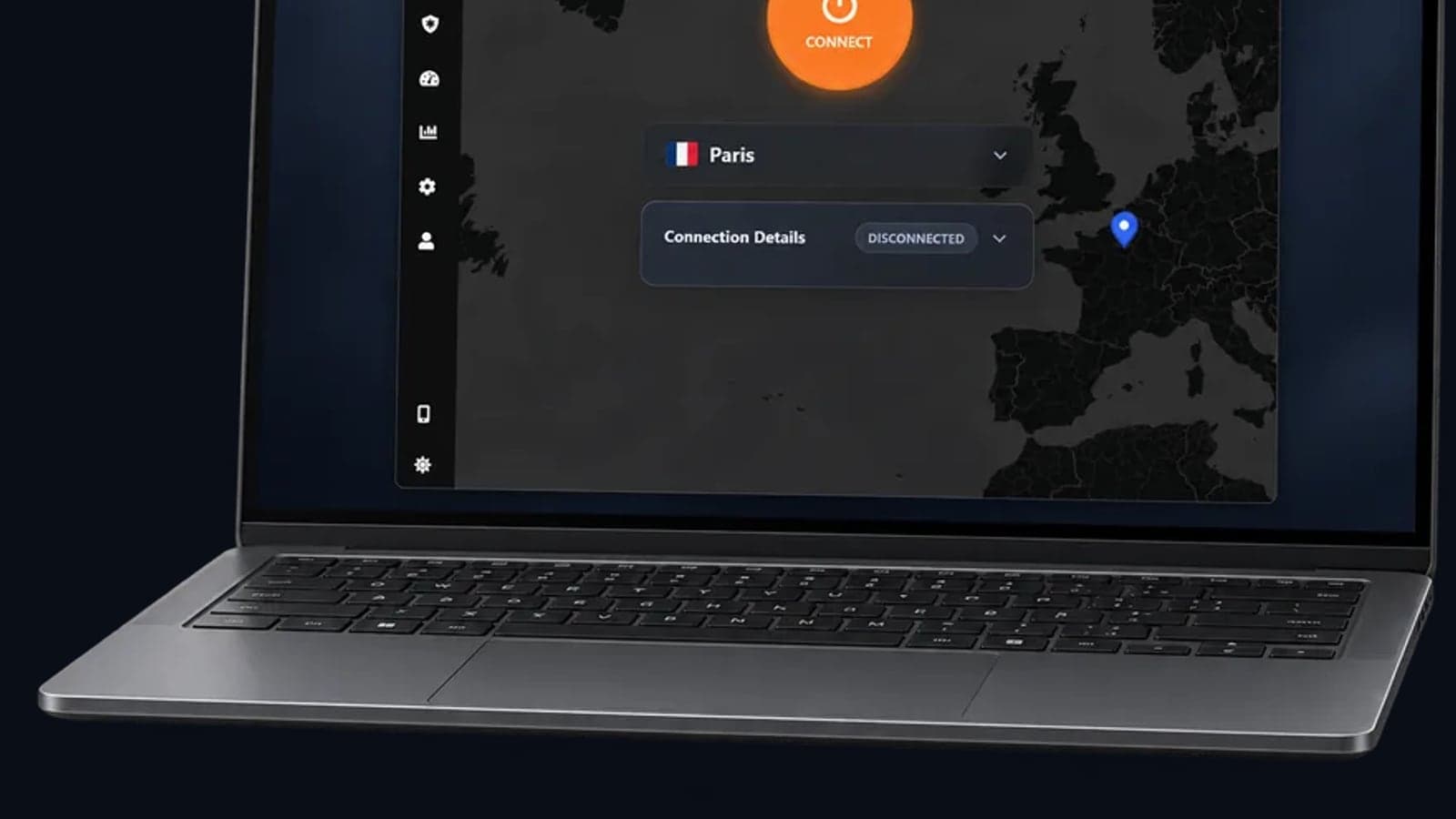
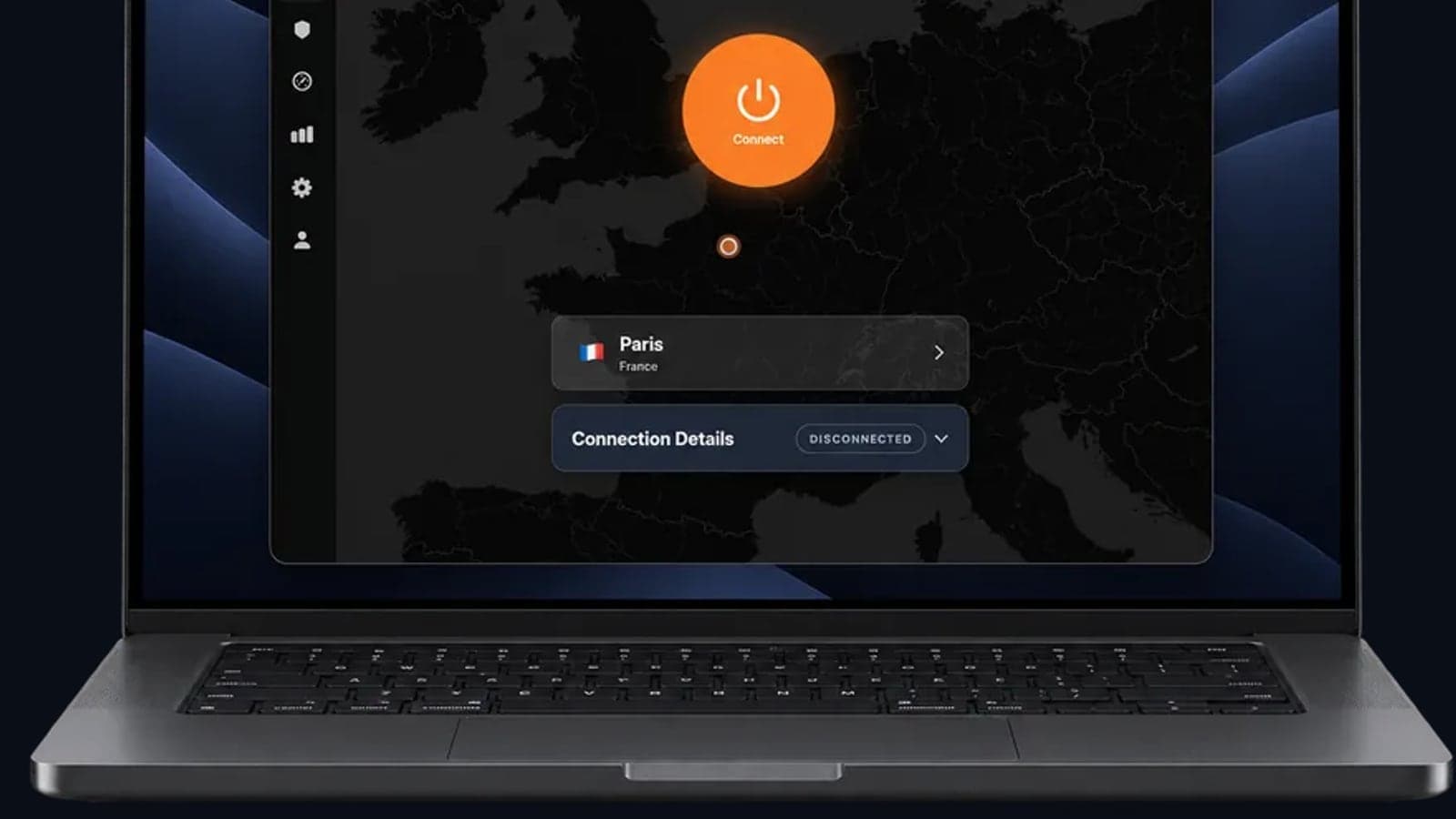
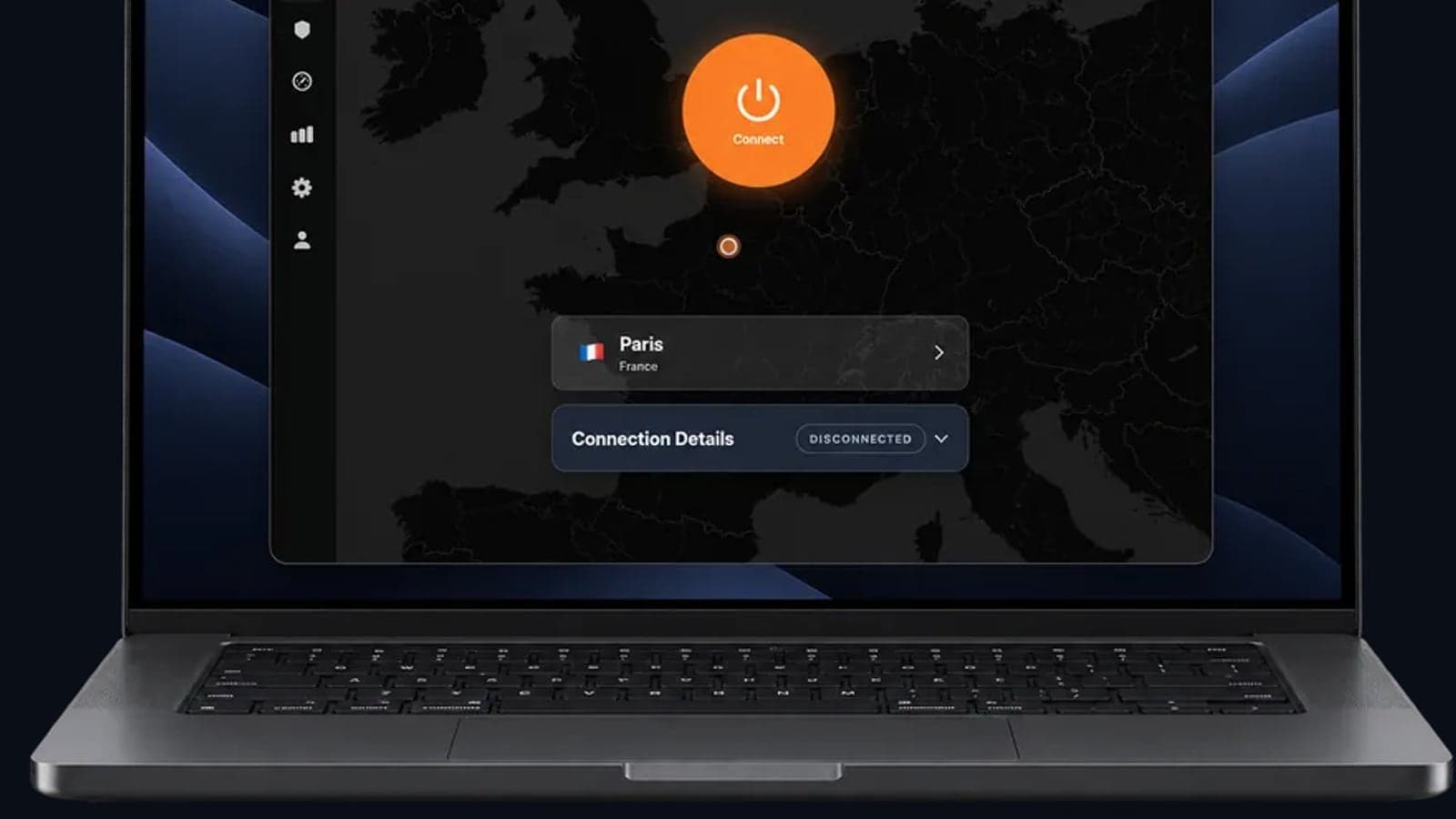
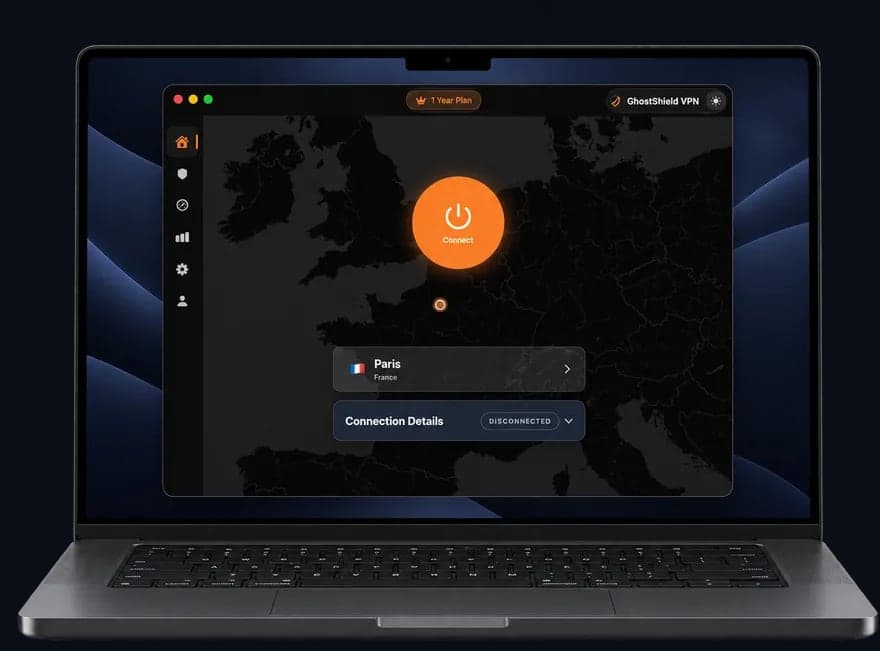 GhostShield VPN app on a MacBook
GhostShield VPN costs $4.99 a month on the 1-year plan ($59.88 billed yearly), $3.99 a month on the 3-year plan ($143.64), or $6.99 a month month to month. Every plan starts with a 7-day free trial and a 30-day money-back guarantee. The trial is the only free option, because there is no free plan.
FAQ
Do routers have a built-in VPN?
Most routers include a VPN server, which lets you dial into your home network from away. This search needs the opposite, a VPN client that sends your home traffic out through a tunnel. Check the spec sheet for a WireGuard client rather than a server before you buy.
Can I put a VPN directly on my router?
Yes, if the firmware has a WireGuard client or you can add one. GL.iNet and many ASUS models ship with it, OpenWrt and DD-WRT add it to supported hardware, and you load a configuration file by hand. A router with only a server cannot do it.
Which routers work with GhostShield VPN?
Any router that runs a WireGuard client and lets you import a configuration file. The ASUS RT-AX88U and RT-AX86U, the GL.iNet Flint 2, Beryl AX and Slate AX, the Linksys WRT3200ACM, and the TP-Link AX3000 and Archer are the families in the table above. Check the model's firmware for a client page before you buy. </||DSML|| parameter> </||DSML|| invoke> <||DSML|| invoke name="Bash"> <||DSML|| parameter name="command" string="true">wc -w /tmp/seer-blog-QVlA7u/draft.md</||DSML|| parameter> <||DSML|| parameter name="description" string="true">Count words in draft</||DSML|| parameter> </||DSML|| invoke> </||DSML|| calls>
Related Topics
Keep Reading
ExpressVPN Alternatives in 2026: Pick by Why You're Leaving
VPN Best Paid in 2026: What $3 to $15 a Month Buys You

OpenVPN UDP vs TCP: Which to Use, and When
TLS VPN vs IPsec: Key Differences and Where WireGuard Fits
Best VPN With No Logging: How to Check the Claim (2026)