VPN for Sport: Watch Your Home Games While Abroad
A VPN for sport connects your device to a server in your home country, so the sports streaming service you already pay for sees a home IP address while you are travelling. To watch live games, pick a VPN with a server in your home country, the fast WireGuard protocol, a kill switch so the stream never falls back onto your hotel IP address, and an app for the device you actually watch on.
One honest caveat first: no VPN can promise that every sports service works. Services block VPN addresses regularly, and their terms of service may restrict use outside your home country. This guide is for fans who already pay for a service at home and want to reach it while travelling. It covers which server to pick, how to set up before kick-off, TV setup, buffering fixes, free versus paid, and the legality question.
Why your sports streaming service stops working abroad
Broadcast rights are sold country by country
Sports rights are licensed per country. A service you pay for at home may show a "not available in your region" message the moment you land, which is the question privacy.net answers in its section on why you cannot access your sports service abroad.
The mechanism is simple. The service reads your IP address to work out where you are, and your hotel or mobile network gives you an IP in the country you are standing in. A VPN gives you an IP in the country you choose instead. Set your expectations correctly: the service may still detect and block VPN addresses, so the connection is not a guarantee.
Some services also check your billing address or device location, so a VPN does not always change what you can watch.
 Photo by Anna Shvets on Pexels
Why you can't watch your local team in another country
Local-team and out-of-market rules are tied to your location and to the service's terms. The r/VPN thread ranking on page one asks which live TV apps work for out-of-market games, and that question comes up constantly because the answer moves with the leagues and the contracts.
As a worked example for one US service, see our guide to watch your US Fubo plan while travelling, which walks through the same server choice on a real service.
Which VPN server to pick for your home sports service
One rule: connect to the country where your account was opened, not the country with the most games.
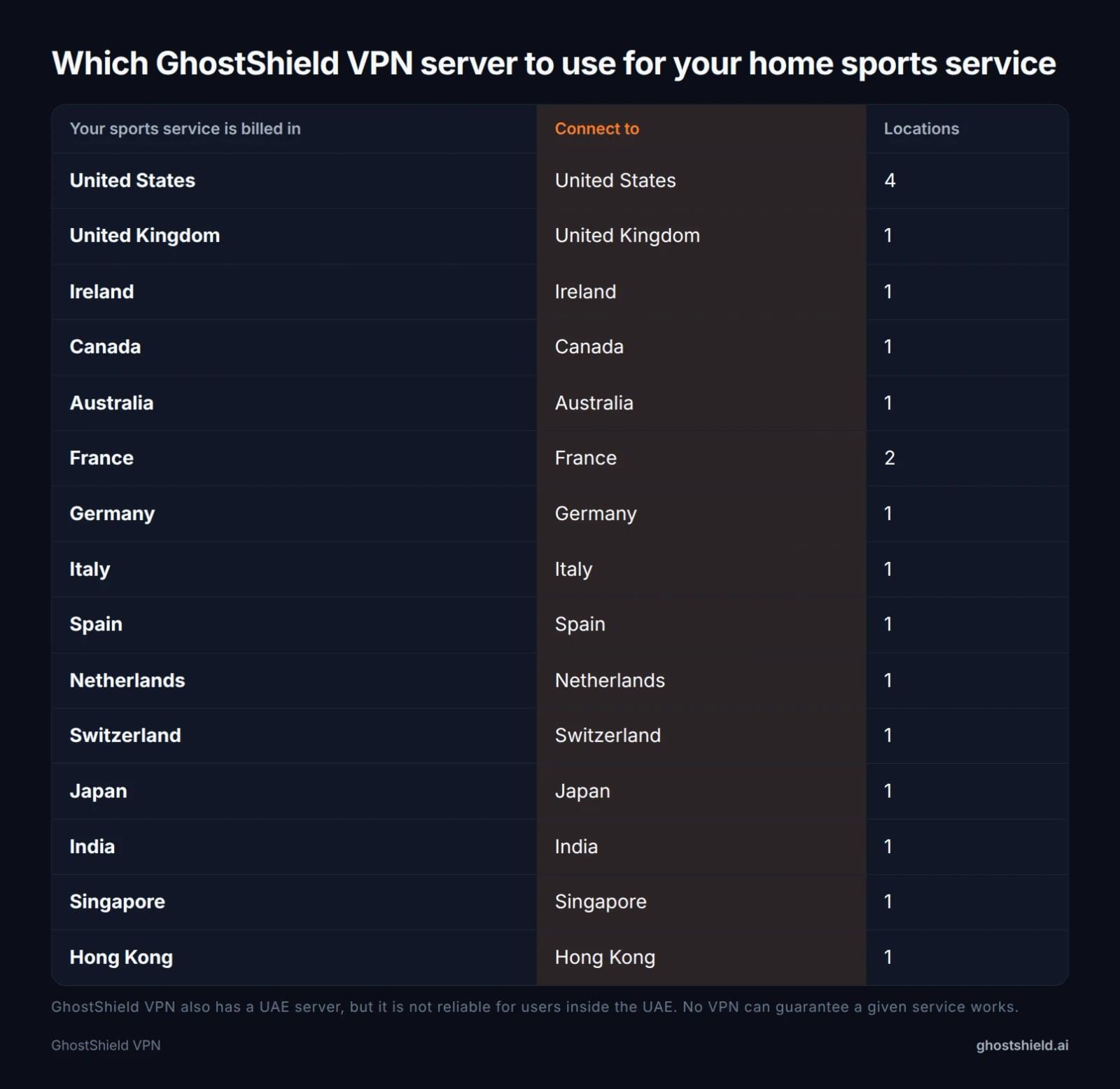 Connect to the country where your sports account is billed. If your home country is not listed, GhostShield VPN has no server there.
| Your sports service is billed in | Connect to | Locations |
|---|---|---|
| United States | United States | 4 |
| United Kingdom | United Kingdom | 1 |
| Ireland | Ireland | 1 |
| Canada | Canada | 1 |
| Australia | Australia | 1 |
| France | France | 2 |
| Germany | Germany | 1 |
| Italy | Italy | 1 |
| Spain | Spain | 1 |
| Netherlands | Netherlands | 1 |
| Switzerland | Switzerland | 1 |
| Japan | Japan | 1 |
| India | India | 1 |
| Singapore | Singapore | 1 |
| Hong Kong | Hong Kong | 1 |
If you have a choice of US locations, pick the one closest to where you are now. Distance adds delay, and mysteriumvpn.com lists distant servers as one of the main causes of slow live streams.
If your home country is not in the table, GhostShield VPN has no server there and cannot give you a home IP address for that service. GhostShield VPN also has a UAE server, but it is not reliable for users inside the UAE. No VPN can guarantee that a given service works.
Not sure where your traffic is coming out? Check your IP address before you open the sports app.
How to set up a VPN for a live match, step by step
Do this the day before kick-off, not in the first minute of the game.
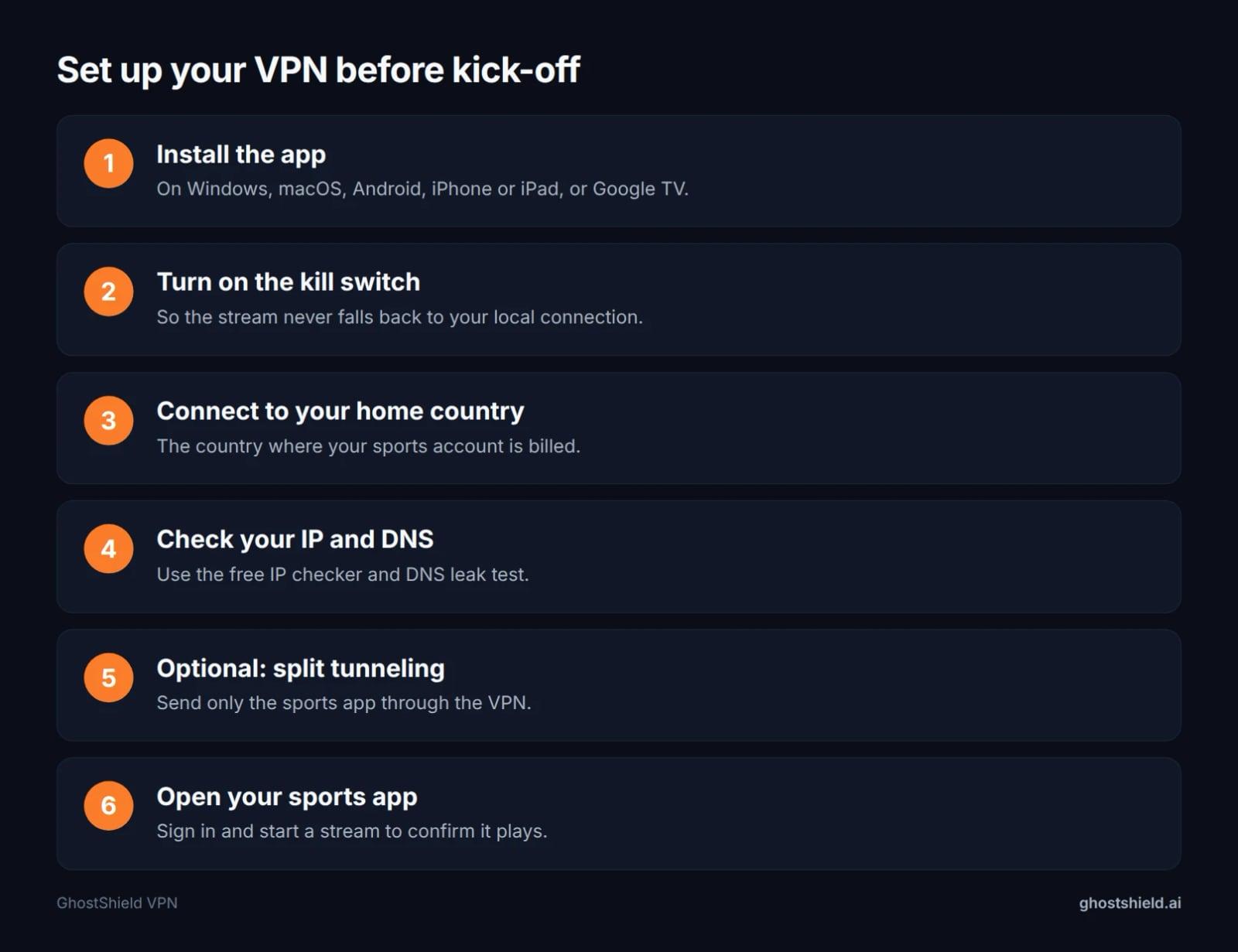 Do this the day before kick-off, not in the first minute of the game.
- Install the app. On Windows, macOS, Android, iPhone or iPad, or Google TV.
- Turn on the kill switch. So the stream never falls back to your local connection.
- Connect to your home country. The country where your sports account is billed.
- Check your IP and DNS. Use the free IP checker and DNS leak test.
- Optional: split tunneling. Send only the sports app through the VPN.
- Open your sports app. Sign in and start a stream to confirm it plays.
The kill switch matters more than it sounds. If the VPN drops mid-match, your stream would otherwise reconnect on your local IP address and the service may cut you off. The kill switch blocks traffic until the VPN is back.
Split tunneling sends only the sports app through the VPN, so your hotel Wi-Fi traffic, maps and messaging stay on the local connection. DNS leak protection matters because a DNS leak can reveal your real location to the service even when your IP address looks right.
If you would rather cover every device in the room at once, you can also set up a VPN on your router.
Watching sport on a TV with a VPN
Google TV
GhostShield VPN has a Google TV app, so a Google TV device you travel with can connect directly. Install it, sign in, and pick your home country before you open the sports app.
Fire TV, Apple TV, Roku and hotel TVs
There is no GhostShield VPN app for Fire TV, Apple TV, Roku or games consoles. Two alternatives that work: watch on a laptop connected to the TV by HDMI, or use a Google TV device you control yourself. On a locked-down hotel TV, the laptop route is usually the only one available.
Using your router
au.pcmag.com notes you can install a VPN on your router, which puts the whole room behind one connection. GhostShield VPN works on routers through a manual WireGuard configuration only, and our router guide walks through it.
Fastest VPN settings for live sports (and how to stop buffering)
Why a VPN slows a stream
A VPN adds work between your device and the stream. mysteriumvpn.com names server congestion, distant servers and heavy encryption protocols as the usual causes of slow live sports, and calls WireGuard the fastest modern protocol, with lower overhead than OpenVPN and lower latency than IKEv2 in most conditions.
GhostShield VPN runs WireGuard only, so there is no protocol setting to change. Your main levers are the server you pick and the connection your device is on.
Fixes to try mid-game, quickest first
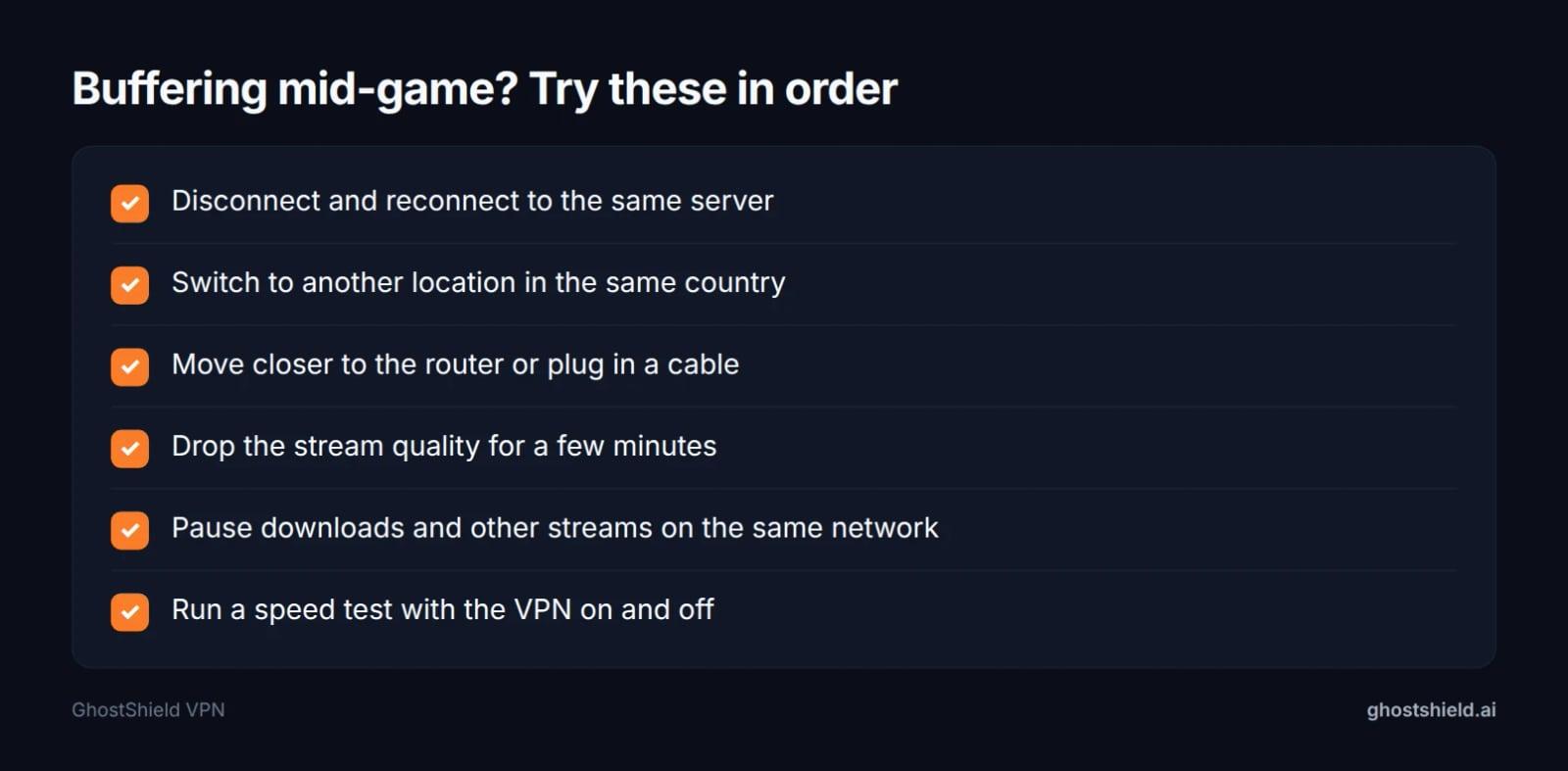 Work down the list in order, quickest fix first.
- Disconnect and reconnect to the same server.
- Switch to another location in the same country (the US has 4).
- Move closer to the router or plug in a cable.
- Drop the stream quality for a few minutes.
- Pause downloads and other streams on the same network.
- Test your speed with the VPN on and off to see where the slowdown is.
If the VPN keeps dropping between matches, read why your VPN keeps disconnecting. If a site flags you with a proxy error, fix a proxy-detected error using the same diagnosis steps.
Free VPN for sports: what you give up
Page one includes free options. Urban VPN's page says it connects you to 82 locations, and Turbo VPN offers a free VPN for sports streaming. privacy.net also has a section asking whether a free VPN works for streaming sports abroad.
Beyond any single product, free VPNs come with trade-offs that are widely known: speed and data limits are common, free servers can be crowded at match time, the country you need may not be on the free tier, and the provider has to earn money some other way, so read its privacy policy.
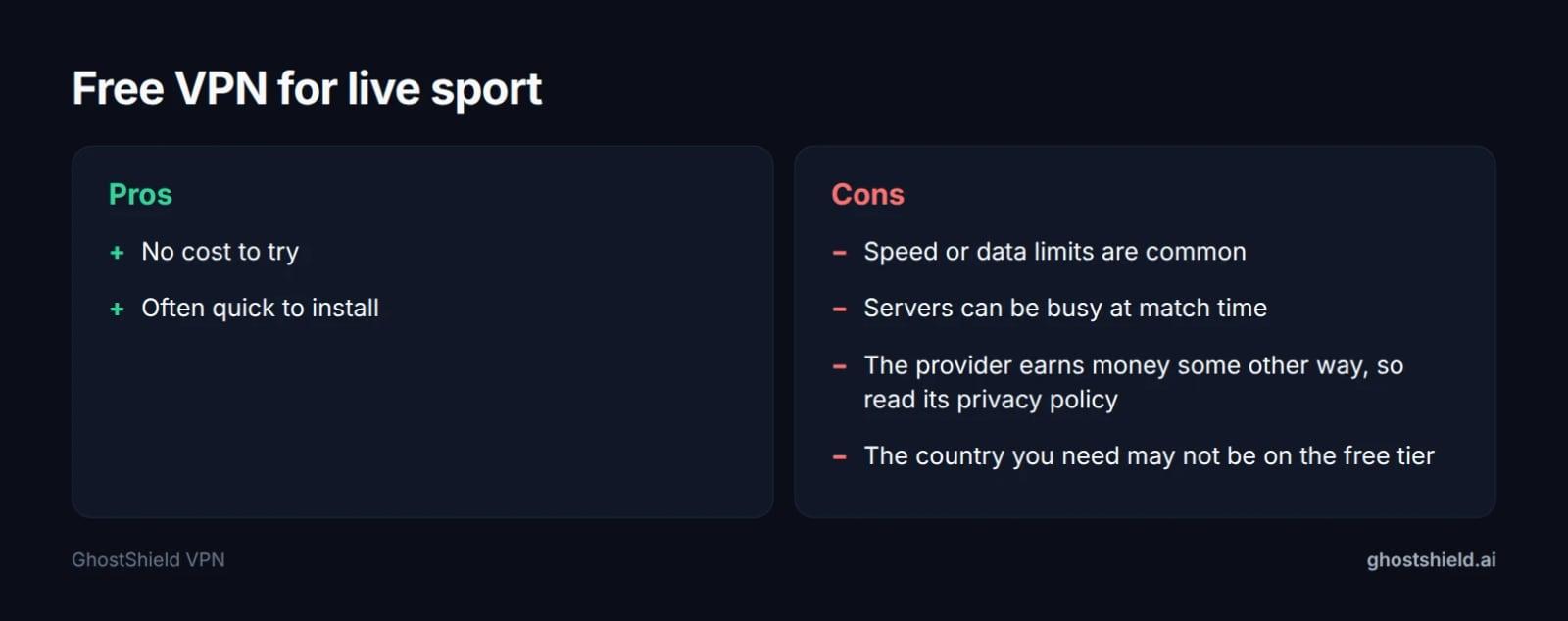 Free VPNs cost nothing up front. Check the limits before a big match.
GhostShield VPN has no free plan. It has a 7-day free trial, which covers a weekend of fixtures.
Is it legal to stream sports with a VPN?
Terms of service
au.pcmag.com puts it plainly: using a VPN to access blocked streaming content appears to be legal, but it is sometimes in violation of a company's terms of service. privacy.net covers the same ground. This is not legal advice, so check the rules of the country you are in and your service's terms before you travel.
The worst common outcome is the service blocking the stream or the account. Read your service's terms before you go.
Countries where VPNs are restricted
GhostShield VPN has no obfuscation or stealth mode, so it is not reliable in China, Russia, Iran or the UAE. If you are watching from one of those countries, do not count on it for a live match. Our guide to VPNs in countries that censor the internet covers what to expect in each.
Watch only legitimate services you pay for.
VPN for sports on Reddit: what fans keep asking
The r/VPN thread on page one asks which live TV streaming apps work with a VPN for local or out-of-market sports. The honest answer is that results change often, because services update their VPN blocks, so no list stays right for long.
What to do instead: use the trial or money-back window to try your own service on your own device before the match that matters. For the wider picture, see our best VPN for streaming post and the VPN for streaming guide.
Using GhostShield VPN for sport while you travel
GhostShield VPN runs WireGuard with ChaCha20-Poly1305, with servers in 16 countries and 20 locations. It has a kill switch, DNS leak protection, split tunneling, ad and malware blocking, a strict no-logs policy, and 10 simultaneous devices, so one account covers a phone, laptop and Google TV for the whole family on a trip. Apps are available for Windows, macOS, Android, iPhone and iPad, and Google TV.
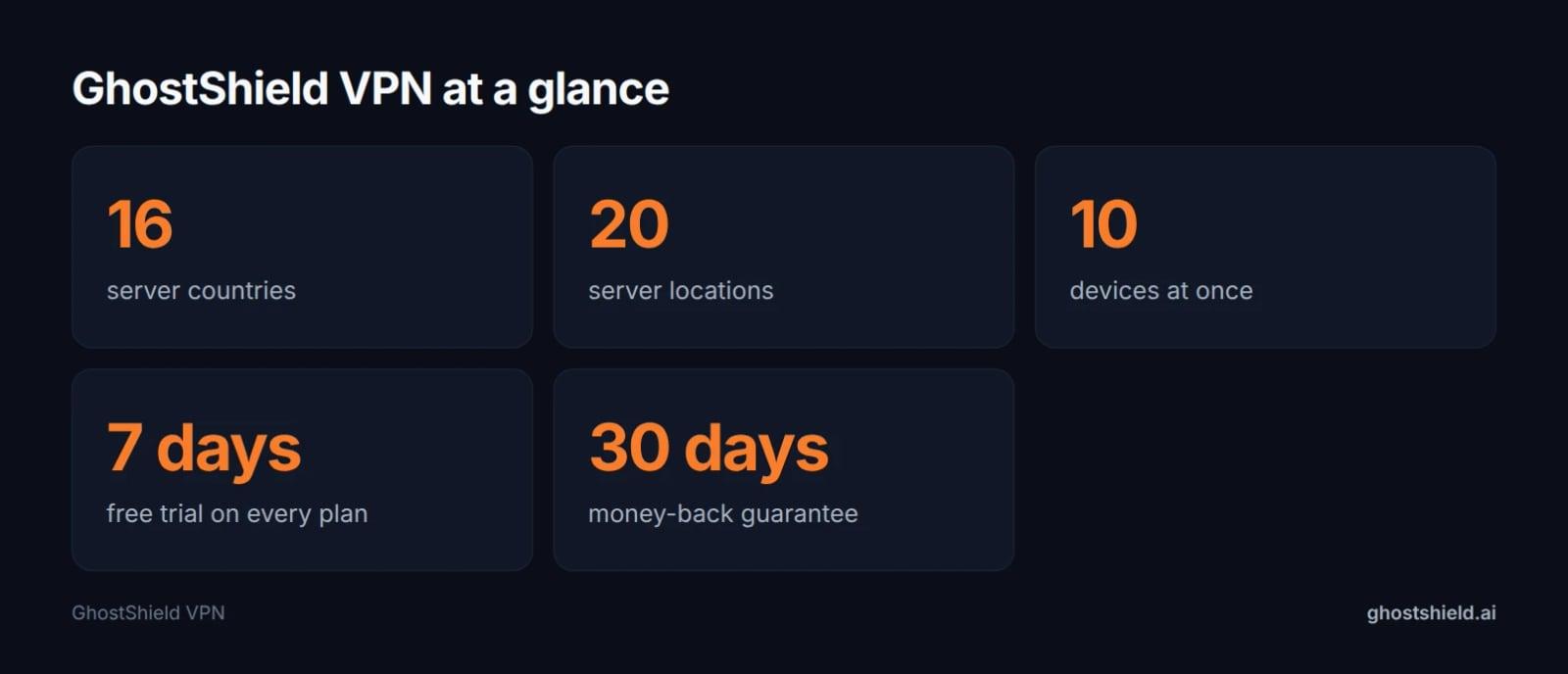 From the GhostShield VPN plan details.
We cannot guarantee any sports service will work. Use the 7-day free trial to check yours before match day: start the 7-day free trial. There is a 30-day money-back guarantee after that, and the 1-year plan is $4.99 a month, $59.88 billed yearly.
FAQ
What is the best VPN for sports?
The best VPN for sport has a server in the country where your sports account is billed, the fast WireGuard protocol, a kill switch, DNS leak protection and an app for the device you watch on. GhostShield VPN meets that list, with servers in 16 countries, 20 locations and 10 simultaneous devices on one account.
Can I use a free VPN to watch sports abroad?
Yes, you can try one, but free VPNs commonly carry speed or data limits, busy servers at match time, and missing countries on the free tier. Providers also earn money elsewhere, so read the privacy policy. GhostShield VPN has a 7-day free trial instead, with no free plan.
Does a VPN slow down live sports streaming?
A VPN adds distance and encryption work between your device and the stream, so some slowdown is normal. The usual causes are distant servers, congestion and heavy protocols, according to mysteriumvpn.com. Reconnect, switch location within your country, and run a speed test with the VPN on and off to find the cause.
Can I watch a football live stream with a VPN?
Yes, connect GhostShield VPN to the country where your football service account is billed, turn on the kill switch, confirm your IP with the free IP checker, then open the app and start a stream. No VPN guarantees a service works, so check before the match that matters.
Is it legal to stream sports with a VPN?
Using a VPN to access blocked streaming content appears to be legal, though it can breach a company's terms of service, according to au.pcmag.com. The usual risk is the service blocking the stream or account. Check the rules of the country you are in and your service's terms.
Why can't I watch my home sports service when I travel?
Sports rights are licensed country by country, so the service reads your IP address and blocks you the moment you land abroad. A VPN gives you an IP in your home country, which can restore access. The service may still detect VPN addresses, and some also check your billing address.
Related Topics
Keep Reading

VPN for Fubo: Watch Your US Plan While Traveling (2026)
How to Watch Meta’s AI Shows Early with a VPN in 2026 (Step-by-Step Guide)
How to Watch Avengers: Doomsday Early Without Spoilers Using a VPN
How to Watch Peacock Abroad in 2026: Easy VPN Steps

How to Stop Loud Streaming Ads in 2026: California’s Law & Easy Fixes