Best VPN Program for Android (2026): 5 Checks That Matter
The Android VPN apps that Google's first page names most often are NordVPN, ExpressVPN, Surfshark, Proton VPN and Windscribe. Those names come from list articles, not from tests. To pick between them, use five checks: Always-on VPN, a block when the tunnel drops, per-app split tunneling, staying connected through battery saving, and no DNS leaks. You can run all five on your own phone in about 10 minutes plus one locked hour, before you pay. This guide also explains what "free" really means on Android.
The best VPN program for Android: the short answer
Across the eight first-page results for this search, these apps are named most often:
- NordVPN: 4 of 8 results (Techlapse, Techlomedia, VPNVeteran, BestForAndroid)
- ExpressVPN: 3 of 8 (Techlomedia, APSense, BestForAndroid)
- Surfshark: 2 of 8 (Techlapse, BestForAndroid)
- Proton VPN: 2 of 8 (JustAnswer, BestForAndroid)
- Windscribe: 1 of 8 (JustAnswer)
These counts show which names the lists repeat, not which app performs best on your phone. The lists also come from very different years. APSense dates from July 2020, Techlomedia from July 2025 and BestForAndroid from November 2026, which is why their lineups differ.
What the top Android VPN lists recommend, side by side
Here is what each first-page list picks, as its own Google summary shows it.
| Site | Dated | Apps named |
|---|---|---|
| Techlapse | Apr 2025 | NordVPN, Surfshark |
| Techlomedia | Jul 2025 | NordVPN, ExpressVPN, CyberGhost, TunnelBear VPN, VyprVPN, IPVanish, Freedome VPN |
| APSense | Jul 2020 | ExpressVPN |
| VPNVeteran | Not shown | NordVPN |
| JustAnswer | Not shown | Proton VPN, Windscribe |
| BestForAndroid | Nov 2026 | NordVPN, ExpressVPN, Surfshark, Proton VPN, BullVPN, Mullvad, IVPN |
Why the same names keep coming up
Most of these pages are ranked lists, and they cover the large brands that readers already know. A few names therefore dominate, and smaller apps appear lower down or on only one list. The YouTube result is the only first-page summary that mentions battery impact on Android.
What none of these lists checks
None of the first-page summaries mentions Android's own Always-on VPN switch or the "Block connections without VPN" option. None of them covers what happens when Android puts the VPN app to sleep to save power. Those details decide whether your traffic is protected at 3am on hotel Wi-Fi, so the checks below focus on them. For a longer test plan, see our six deeper tests for Android VPN software.
Free vs paid Android VPNs: what free really means
Techlapse calls NordVPN the "best free Android VPN overall", and VPNVeteran uses similar wording. NordVPN and Surfshark are paid apps, though. When a list says "free", check whether it means a free plan, a free trial or a refund window, because they work very differently.
| Free plan | Paid app with trial or refund | APK from an unknown site | |
|---|---|---|---|
| Pay anything? | No | Not during the trial, then yes | No |
| Typical limits | Data cap or fewer locations | Full app while it lasts | Unknown |
| Who you trust | The VPN company | The VPN company | Whoever built the file |
| Safe to install? | Yes, from Google Play or the maker's site | Yes, from Google Play or the maker's site | Avoid |
Which VPN is 100% free for Android?
JustAnswer names Proton VPN and Windscribe as popular options for Android. Proton VPN is made by Proton, the company behind Proton Mail. Whether each one offers a free plan, and what it includes, is something to confirm on the maker's own site. Free plans usually limit something, such as data, server locations or speed at busy hours.
Which VPN gives 10GB free data?
None of the first-page results names a VPN with a 10GB free allowance, and JustAnswer gives no data figures for the apps it names. Free allowances change, so check each free plan's page for its current data limit before you install.
What are the top 5 free VPNs?
Google's first page does not offer a single ranking of free plans. Most of the "free" picks on it are paid apps, and the only other names, from JustAnswer, are Proton VPN and Windscribe. Whatever you choose, it still has to pass the same five checks below.
Is a VPN APK safe to install?
A related search asks about VPN APKs. A VPN app sees all of your traffic, so a modified APK from an unknown download site is a serious risk. An APK is only safe when it comes straight from the VPN maker's own website. When in doubt, install from Google Play.
Do Android phones have a built-in VPN?
Yes, in two ways. Every recent Android phone has a VPN settings screen, usually under Settings > Network & internet > VPN, where any installed VPN app appears. The quickest way to find it on most brands, including Samsung, is to type "VPN" into the search bar at the top of Settings. That screen is where you switch on "Always-on VPN" and "Block connections without VPN".
Android also includes a manual client for IKEv2/IPsec, which you can use if your work or school gives you server details. Some Google Pixel phones include a VPN by Google. A built-in client without a server is only a connector, though. If the VPN screen is empty, you need a VPN service before the switches do anything.
5 checks to run on any Android VPN before you pay
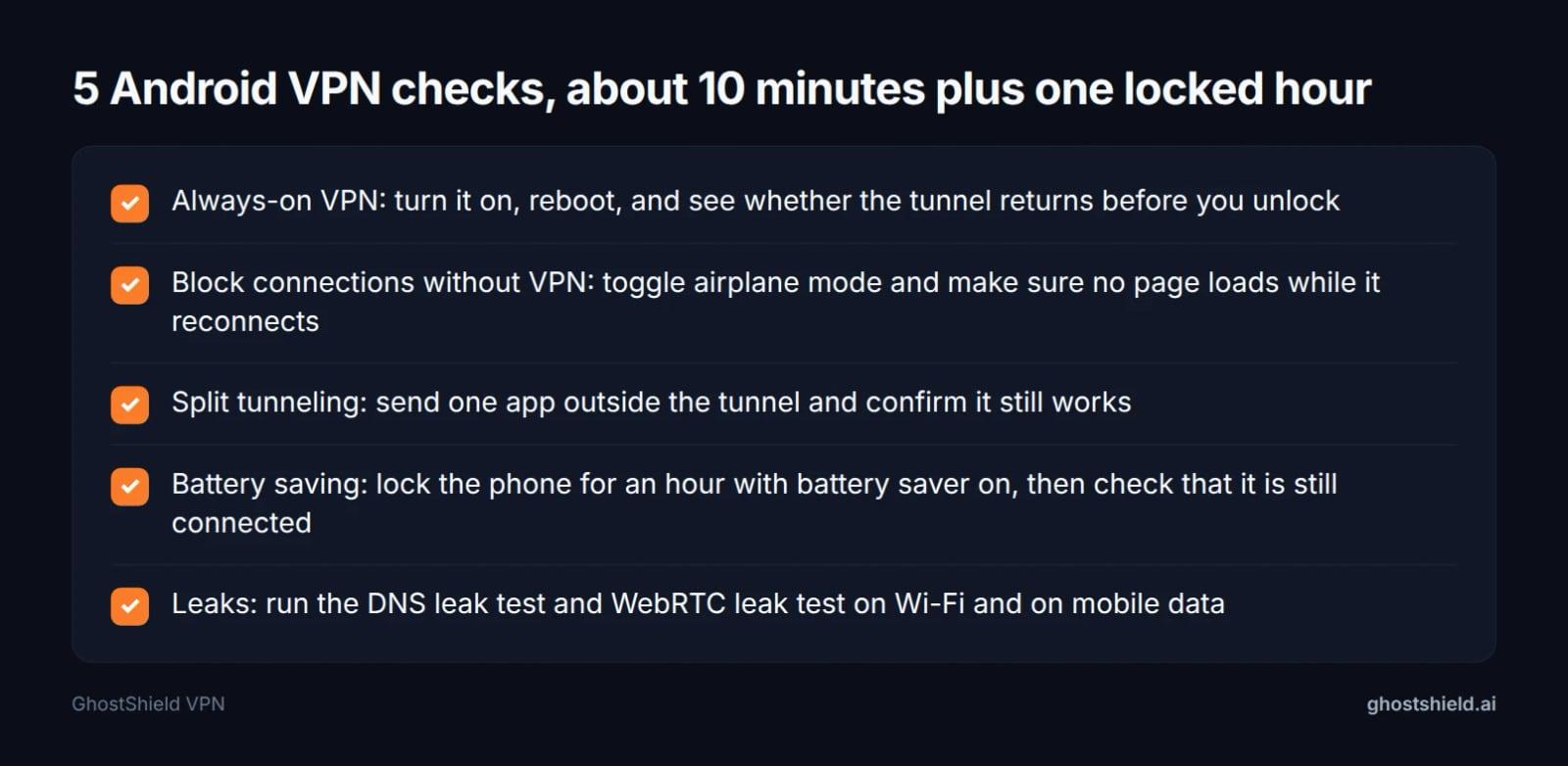 Run these on your own phone before the trial or refund window ends.
1. Does it work with Always-on VPN?
Open Android's VPN settings, tap the gear next to the app and turn on Always-on VPN. Reboot the phone. Then see whether the tunnel comes back on its own before you unlock the phone.
2. Does it block traffic when the tunnel drops?
Turn on "Block connections without VPN", switch airplane mode on and then off again, and open a browser while the app reconnects. No page should load. This is Android's own kill switch, separate from any kill switch built into the app, and it is worth having both.
3. Can you split apps in or out of the tunnel?
In the VPN app, set your banking app or a local streaming app to bypass the VPN. Open the browser, which stays inside the tunnel, and check your IP address. It should show the VPN's address. Then confirm the bypassed app still works normally.
4. Does it survive battery saving and Doze?
Turn on battery saver and leave the phone locked for an hour, then check whether the VPN is still connected. If it dropped, go to App info > Battery, set the app to "Unrestricted" and test again. If it still drops, read our guide on why a VPN keeps disconnecting.
5. Does it leak your DNS or real IP?
Run the DNS leak test and the WebRTC leak test twice, once on Wi-Fi and once on mobile data. You should see only the VPN's DNS servers and IP address, never your carrier's or your home network's.
Run all five checks inside a free trial or refund window, so a failed check costs you nothing.
How to turn on Always-on VPN on Android
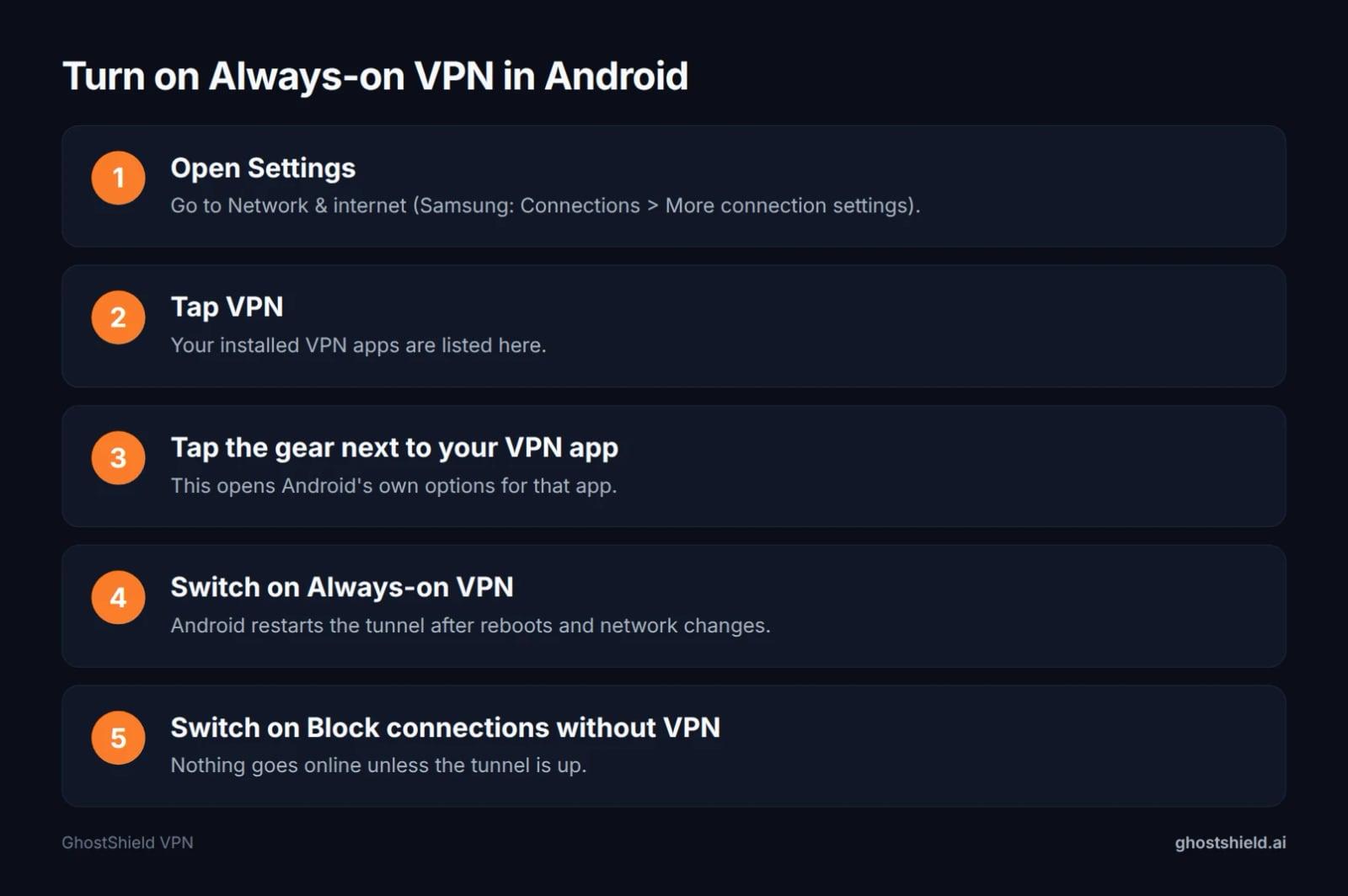 Menu names differ a little by phone maker. On Samsung, look under Connections > More connection settings.
- Open Settings, then Network & internet (on Samsung: Connections > More connection settings).
- Tap VPN. Your installed VPN apps are listed here.
- Tap the gear next to your VPN app.
- Switch on Always-on VPN.
- Switch on Block connections without VPN.
With the block switched on, nothing reaches the internet without the tunnel, including app updates. If you remove the VPN app or its sign-in expires, the phone stays offline until you turn the setting off. That is the point of the setting, but remember it when the internet stops working.
Why avoid NordVPN? What the first page actually shows
None of the first-page results gives a reason to avoid NordVPN. It is the most-named app, on 4 of 8 results, and Techlapse and VPNVeteran both put it at the top. What the study does show is a wording problem: both of those pages call NordVPN the best "free" Android VPN, while NordVPN is a paid app. If you came for a free VPN, that label is the reason to read closely before you install.
The rest is the same for every large brand, NordVPN included. Before you commit to any provider, ask:
- What does the plan cost when it renews, not just in the first term?
- What does the logging policy actually say it stores?
- Has an independent audit been published, and when?
- Does the app push paid extras you don't need?
Our guide on how to check a no-logs claim walks through the policy part. If you are switching away, see NordVPN alternatives, picked by why you're leaving, or compare VPNs side by side.
Do you really need a VPN on your Android phone?
The average person benefits most on public Wi-Fi in cafes, airports and hotels, when travelling, and when they don't want their mobile carrier or ISP to see which sites they visit. At home on your own network, the gain is smaller.
What a VPN does and does not do
A VPN encrypts your traffic and hides your IP address from the sites you visit. It does not stop you installing a malicious app or clicking a phishing link.
Do I need antivirus if I use a VPN?
You still need protection against malicious apps, because a VPN encrypts your connection rather than checking what you install. They do different jobs: the VPN protects traffic between your phone and the internet, while app scanning protects the phone itself.
On Android, Google Play Protect is built in and scans apps for harmful behaviour. If you install only from Google Play, keep Play Protect switched on and keep the phone updated, that often covers it. A VPN with ad and malware blocking adds a layer on top, not a replacement.
What are the drawbacks of using a VPN?
- Some speed loss, mostly depending on how far away the server is
- Banking and streaming apps that block data-centre addresses
- Extra battery use
- You are trusting the VPN company with your traffic
What is replacing VPNs?
In companies, zero-trust network access (ZTNA) tools are replacing the old office VPN for staff logins. For personal privacy on a phone, a consumer VPN still does a job those tools do not.
GhostShield VPN on Android: the same five checks
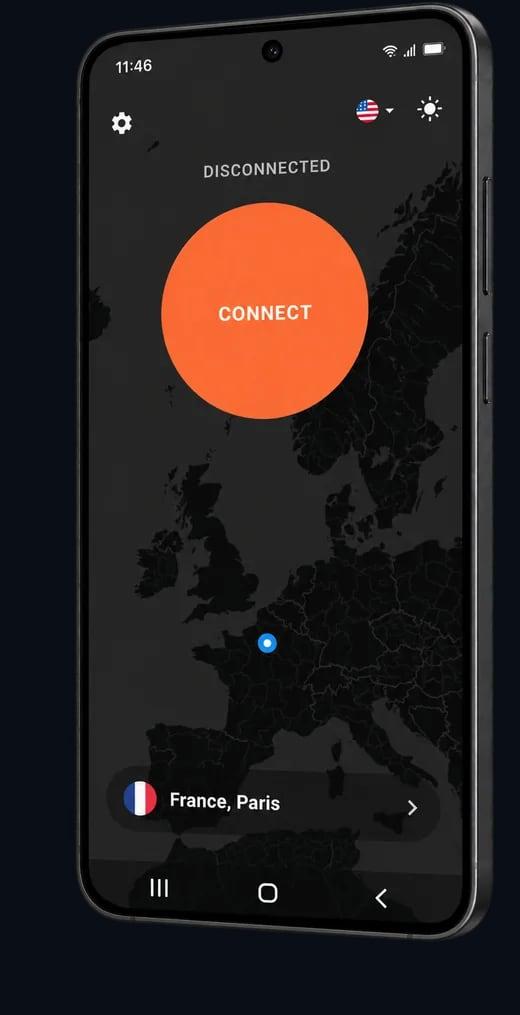 GhostShield VPN app on an Android phone
GhostShield VPN has an Android app, as well as apps for Windows, macOS, iPhone and iPad, and Google TV. It uses WireGuard with ChaCha20-Poly1305 and includes a kill switch, DNS leak protection, split tunneling, ad and malware blocking, family mode and a strict no-logs policy. You can use it on up to 10 devices at once. The app's kill switch and split tunneling cover checks 2 and 3. Run checks 1, 4 and 5 yourself to confirm Always-on, battery behaviour and leaks.
The network has servers in 16 countries (20 locations), including 4 in the United States. There is no obfuscation, so GhostShield VPN is not reliable in China, Russia, Iran or the UAE.
There is no free plan. Every plan starts with a 14-day free trial, and nothing is charged during it (a $1 hold checks your card and is released right away). A reminder email arrives before the trial ends, you can cancel with "Cancel plan" on the Profile page, and a 30-day money-back guarantee follows. The 1-year plan is $4.99 a month ($59.88 billed yearly), the 3-year plan is $3.99 a month ($143.64 billed), and monthly is $6.99. To run the five checks on your own phone, start the 14-day free trial. For other devices, see our best VPN for iPhone guide and the best VPN services for 2026, by what you pay for.
FAQ
Which VPN is 100% free for Android?
No first-page result names a VPN that is free with no limits. Proton VPN and Windscribe, both named by JustAnswer, are popular Android options, so check each maker's site for a free plan and its data and location limits. A free app that fails check 2 or check 5 is not worth keeping.
Which VPN gives 10GB free data?
No first-page result names a 10GB free plan, so check each free plan's page for its current allowance. To judge whether a limit is enough, open your phone's data usage screen and see how much you use in a typical month on Wi-Fi away from home.
Do Android phones have a built-in VPN?
Yes, a VPN settings screen with Always-on and block switches, plus a manual IKEv2/IPsec client. You still need a VPN service for it to connect to. See Do Android phones have a built-in VPN? above for where to find it.
Do I need antivirus if I use a VPN?
Yes, some app protection, because a VPN does not check what you install. Google Play Protect covers much of this on Android. The full answer is in Do I need antivirus if I use a VPN? above.
Is it safe to install a VPN APK instead of using the Play Store?
Only when it comes straight from the VPN maker's own website. The reasons are in Is a VPN APK safe to install? above.
Does a VPN drain my Android battery?
Yes, a VPN uses some extra battery, because the phone encrypts every packet and keeps the tunnel alive. How much depends on the app, the protocol and how often it reconnects. Battery savers can also put a VPN app to sleep, so check 4 in this guide shows whether yours stays connected while locked.
Related Topics
Keep Reading
NordLynx vs OpenVPN: Which Is Faster, and When
OpenVPN vs Tailscale: Which One Fits Your Job? (2026)
IKEv2 vs IKEv1: What Still Matters in 2026

Best VPN Services 2026: Pick by What You Pay It For
WireGuard Port and VPN Protocol Ports: How to Test